How do I mask or cloak a short link?
Updated August 15, 2026
Link cloaking is a per-link switch on Pro plans. With it on, Flyn serves your short URL as the page itself and loads the destination inside a frame, so the visitor's address bar keeps showing your short link instead of a long destination full of tracking parameters. When a destination refuses to be framed, Flyn sends the visitor straight there instead, and the real URL becomes visible.
Turn cloaking on
Step 1: open the link's Advanced settings
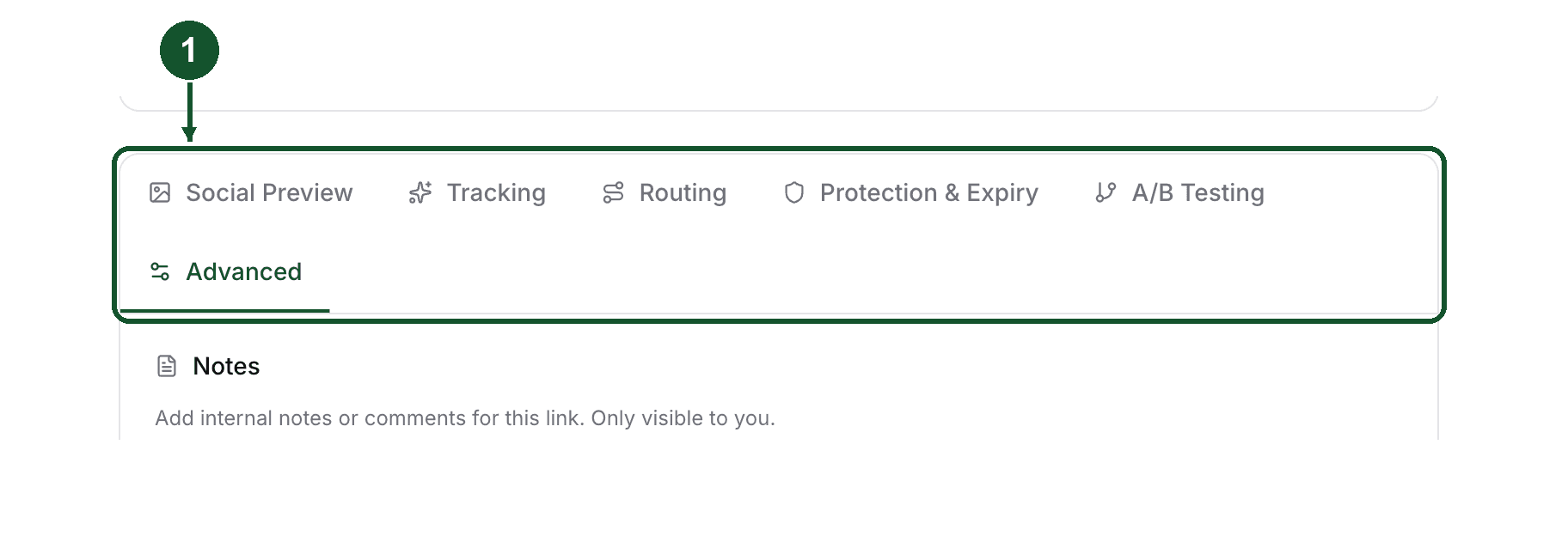
For a new link, open Links in your dashboard, click Create Link, enter your destination, then open the Advanced tab.
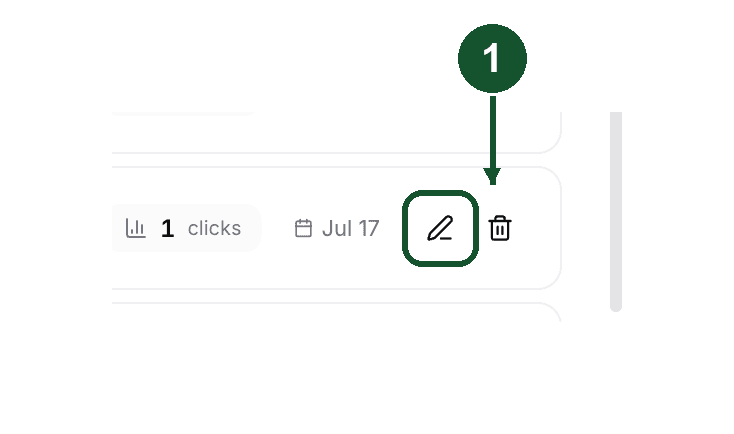
For a link you already made, open the Links page and click the pencil icon on the link's row.
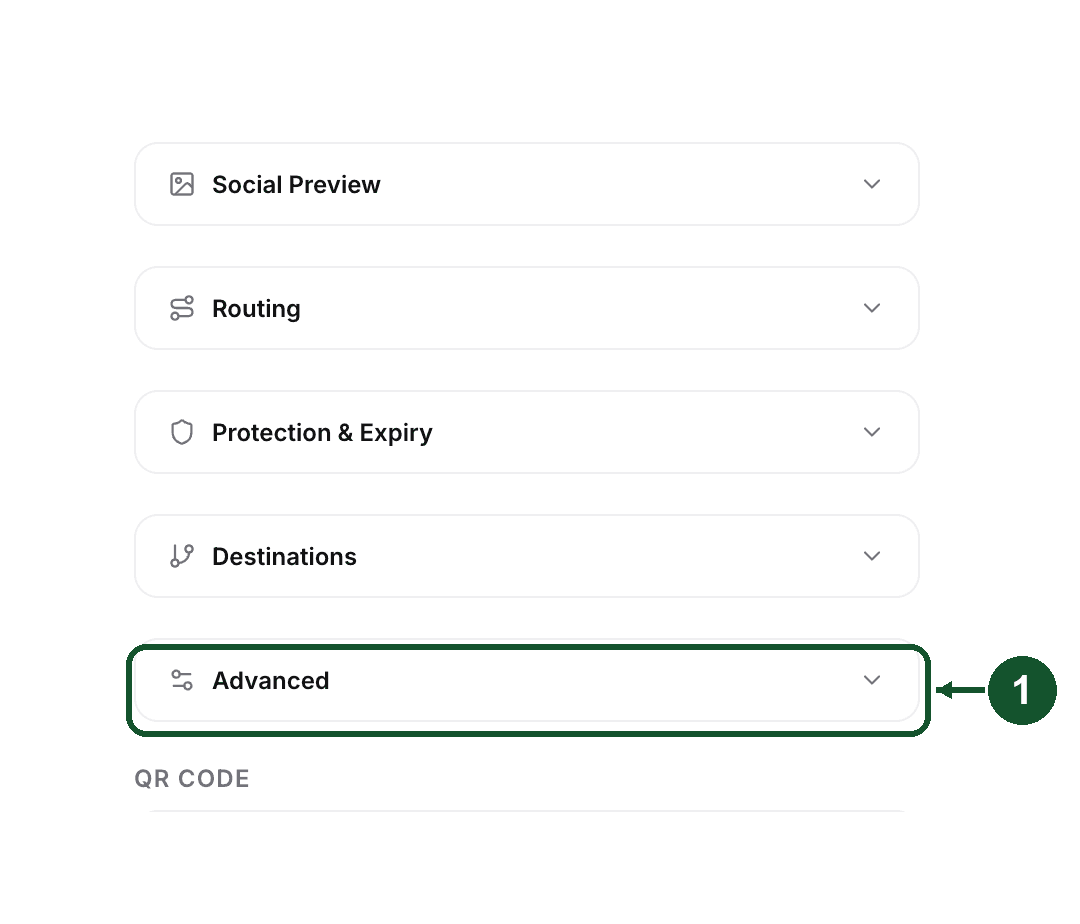
The Link Details panel opens as a vertical list of sections; click Advanced to expand it.
Step 2: flip Link Cloaking
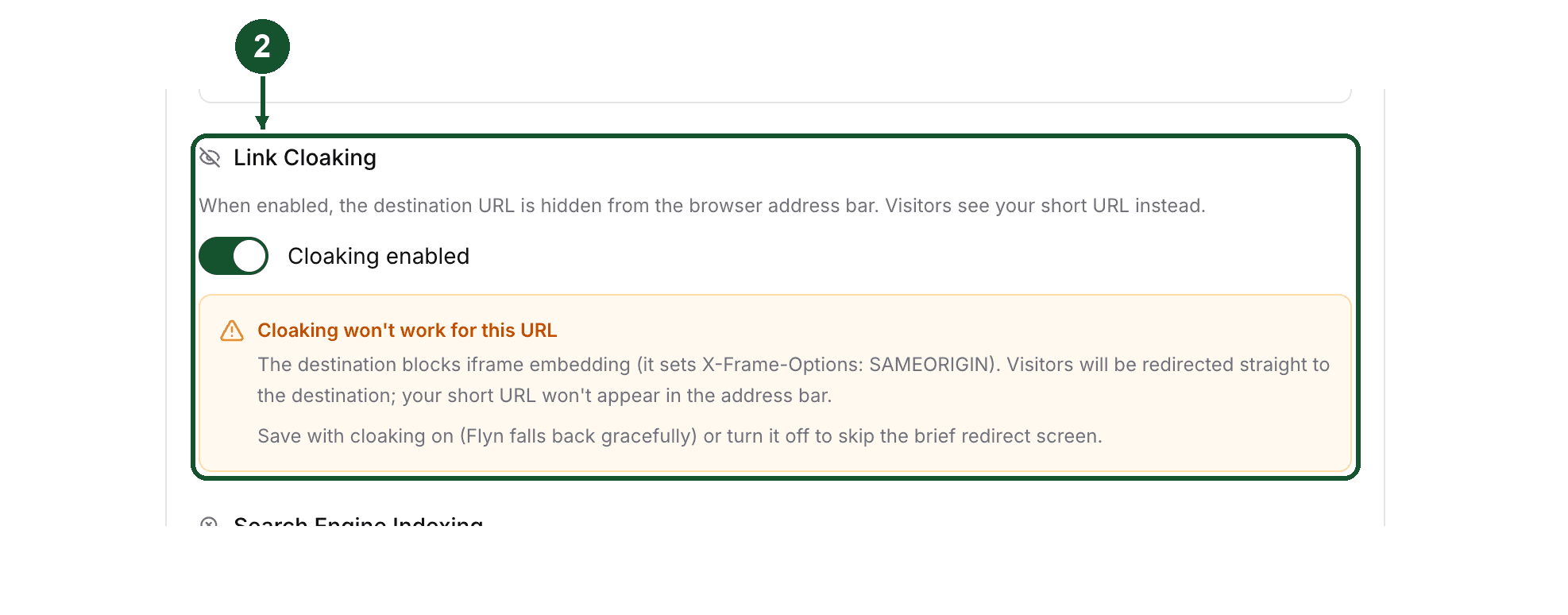
Turn on the Link Cloaking switch. In the create form it reads "Cloaking enabled" once it is on.
While cloaking is on and a destination is filled in, Flyn checks that destination's headers in the background. If the site refuses framing, an amber warning appears under the toggle saying cloaking will not work for that URL.
Step 3: save
In the create form, click Create Link. In the Link Details panel, click Save (the button appears once you change something).
On a free plan the Advanced settings show cloaking as locked with an upgrade prompt, and the API rejects cloaking on both link creation and link updates.
What the visitor sees
The address bar keeps the short URL, on whatever domain the link uses: a Flyn domain, or your own if you have a custom domain connected.
The cloaked page shows the framed destination. There is no Flyn logo, no toolbar, and no visible link that exposes the real destination. Flyn used to paint a bar with an "Open directly" link on cloaked pages; both were removed in July 2026.
The destination URL is still in the page's source, since the frame has to point at it. Cloaking hides the destination from the address bar, not from someone who inspects the page.
The browser tab title comes from the link's social preview title if you set one, then the link's title, and falls back to the short URL itself when neither is set. Cloaked pages also carry noindex, nofollow, noarchive, so they are not meant to be indexed.
A cloaked link records the click the same way a normal redirect does, so cloaking does not cost you analytics.
Why cloaking sometimes does not work
The destination forbids framing
This is the common one, and it is not something Flyn can fix. Many sites send an X-Frame-Options header (DENY or SAMEORIGIN), or a Content-Security-Policy with a frame-ancestors rule. Those headers tell the browser which sites, if any, may load that page inside a frame, and a cloak page served from a Flyn or custom domain is not the destination's own origin. The headers come from the destination, so an iframe-based cloak like Flyn's cannot override them.
Flyn handles it in the link editor and again at click time:
- Before you save. The link editor probes the destination and warns you upfront when the headers refuse framing.
- At click time. Flyn reads the destination's headers again before serving the cloak page. When they refuse framing, the visitor gets a plain redirect instead of a broken frame. They reach the destination, but the address bar shows the real URL.
If that check misses the refusal, times out, or errors, Flyn serves the cloak page anyway, and a script on the page detects the blocked frame and forwards the visitor to the destination. That rescue depends on the visitor's browser running JavaScript. With it, they land on the destination and only the masking is lost. Without it, they can be left looking at a blank, blocked frame instead.
Some destinations therefore cannot be cloaked at all. If yours sets those headers, the honest options are to accept the plain redirect or to point the link at a page you control.
The destination is not an http or https URL
Cloaking applies to http and https destinations. Anything else, such as a mailto: or tel: link, is sent to the destination without cloaking.
Another setting on the same link takes priority
These settings run before cloaking:
- Click limits. Once a link reaches its click limit, visitors go to the link's fallback URL as a plain redirect, or to a dead-link page when no fallback is set. A cloaked link at its cap stops being cloaked.
- Password protection. A password-protected link shows the password gate first.
- Deep Links. If Deep Links is on (in the link's Routing settings) and the destination is an app Flyn recognises, the visitor's browser user-agent decides: one reporting iPhone, iPad, iPod, or Android gets the app handoff page instead of the cloak, and anything else gets the cloak.
You are on a free plan
Cloaking is Pro. If the setting does not stick after saving, check your plan first.
Trying it without an account
The link cloaker tool shows what your cloaked link would look like on a branded domain. It is a preview: it does not create a live link, and links made anonymously with the free tools cannot be cloaked. You need an account and a paid plan for a working cloaked link.
Cloaking not behaving the way this article describes? Email [email protected] with the exact short link and its destination URL, the two things needed to look at the link's settings and the destination's headers.
Common questions
Is link cloaking free on Flyn?
No. Link cloaking is a Pro feature, included on paid plans. On a free plan the toggle is shown locked in the link editor, and the API rejects cloaking if you send it anyway. The free link cloaker tool page only previews what a cloaked link would look like, it does not create a working cloaked link.
Why does my cloaked link still show the real destination in the address bar?
Because that destination refuses to be loaded inside a frame. Sites do this by sending an X-Frame-Options header or a Content-Security-Policy frame-ancestors rule. Flyn reads those headers before serving the cloak page and falls back to a normal redirect when it sees framing refused. When the frame gets blocked anyway, a script on the cloak page detects it and forwards the visitor to the destination, so in practice they still land there, with the real URL now in the address bar. That fallback needs JavaScript to run, so a visitor with JavaScript disabled can be left looking at a blocked, blank frame instead.
Does a cloaked link show a Flyn bar or a button that reveals the real URL?
No. Cloaked pages used to carry a Flyn toolbar with an "Open directly" link, and both were removed in July 2026. A cloaked page now renders the destination in a frame with no Flyn interface drawn over it. What a visitor can still see is the short domain in the address bar, which you can replace with your own custom domain on Pro.
Do cloaked links still count clicks?
Yes. A cloaked link records the click the same way a normal redirect does, so cloaked links appear in your analytics like any other link.
Related articles
Did this answer it? If not, email [email protected] and a human will help.
Try it yourself
Create a branded, trackable short link free and follow along with this guide.