How do I delete my Flyn account?
Updated August 13, 2026
Account deletion lives in Settings, in the Data & Privacy tab. It is not instant: confirming schedules the deletion for 7 days later, and you can cancel at any point before that date.
Two things do happen straight away: your links stop redirecting and your API keys stop working. Both come back if you cancel. Nothing is erased until the 7 days are up.
Before you delete
- Export your data. In the same Data & Privacy tab, click Download my data. You get a JSON file with your profile, links, click events, folders, domains, API keys and webhooks. After the deletion completes there is nothing left to export.
- Cancel a recurring plan separately. Deleting your account does not cancel a recurring Flyn Pro subscription. Cancel it first in Settings, in the Billing tab, using Manage to open the Polar billing portal. That button shows for accounts with a recurring subscription; a lifetime purchase has no recurring billing to cancel. How to cancel your plan walks through it.
- You do not have to delete to take a break. The free plan costs nothing to keep. Two things to know before you leave an account idle: a custom domain owned by a free-plan account is warned and then paused, and links on that domain stop redirecting until the plan is paid again; and free-plan click history is shown for the last 30 days.
Delete your account
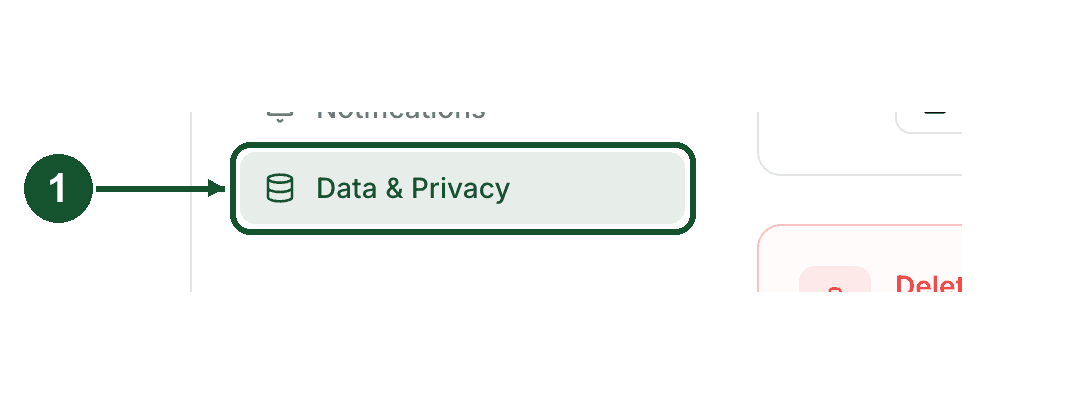
Step 1: open Data & Privacy
Open Settings and choose the Data & Privacy tab.
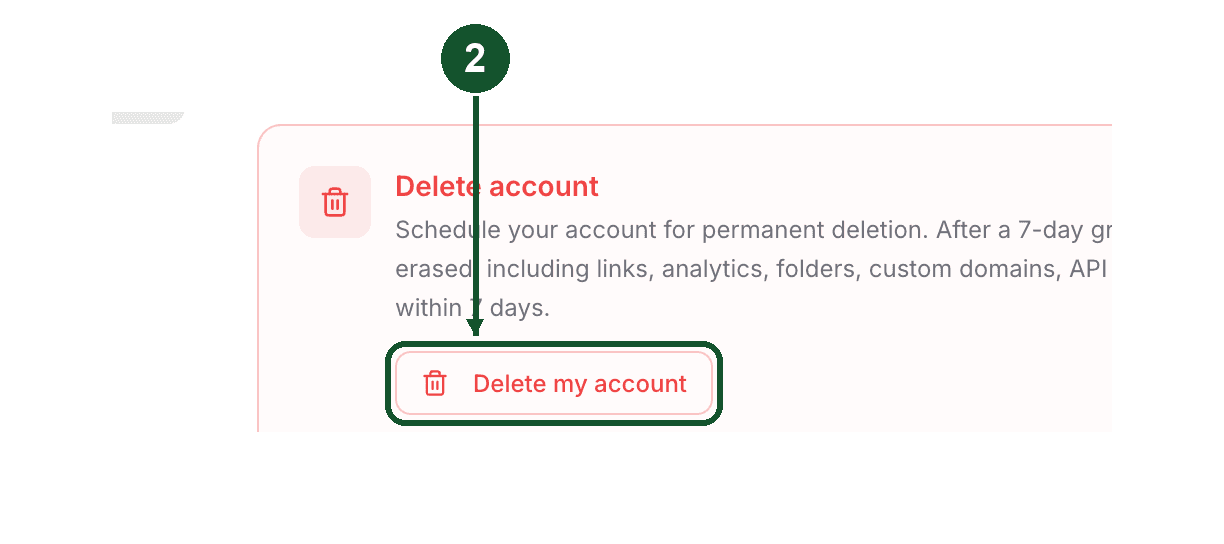
Step 2: click Delete my account
In the Delete account section near the bottom of the page, click Delete my account.
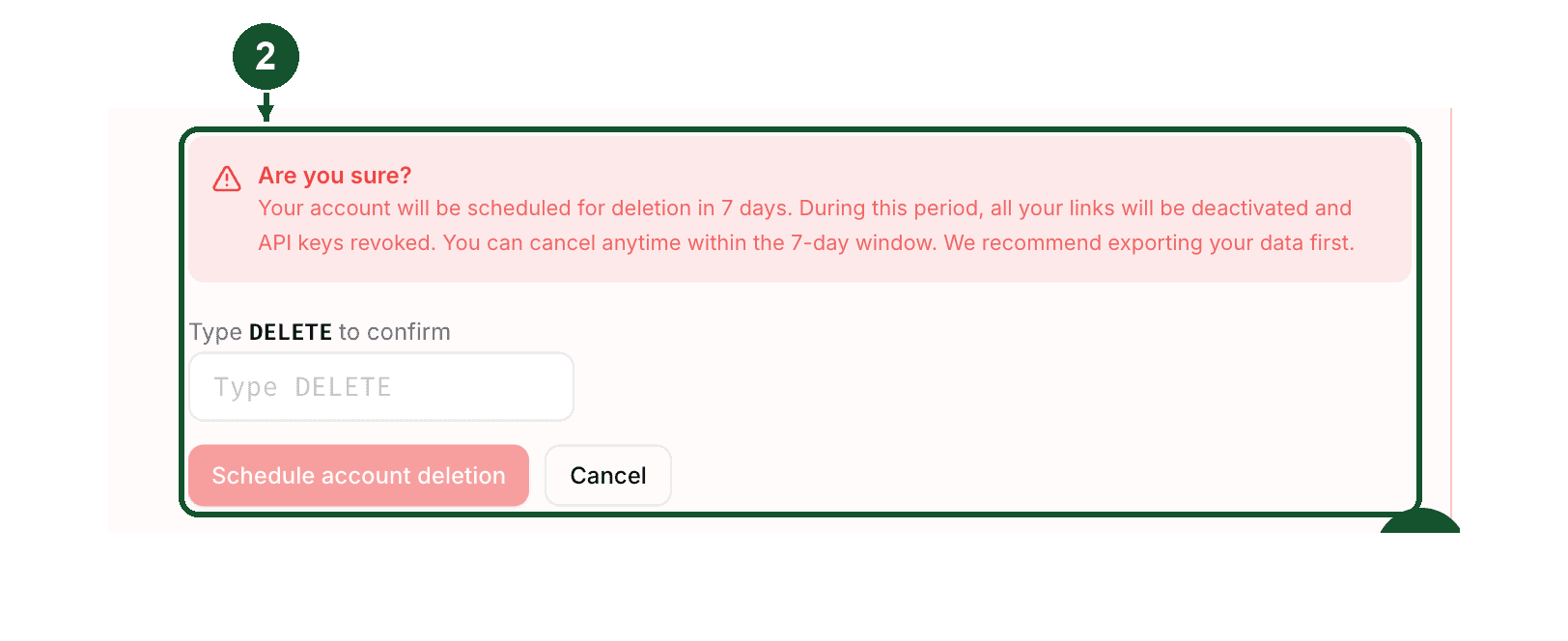
A confirmation box opens explaining the 7 day grace period.
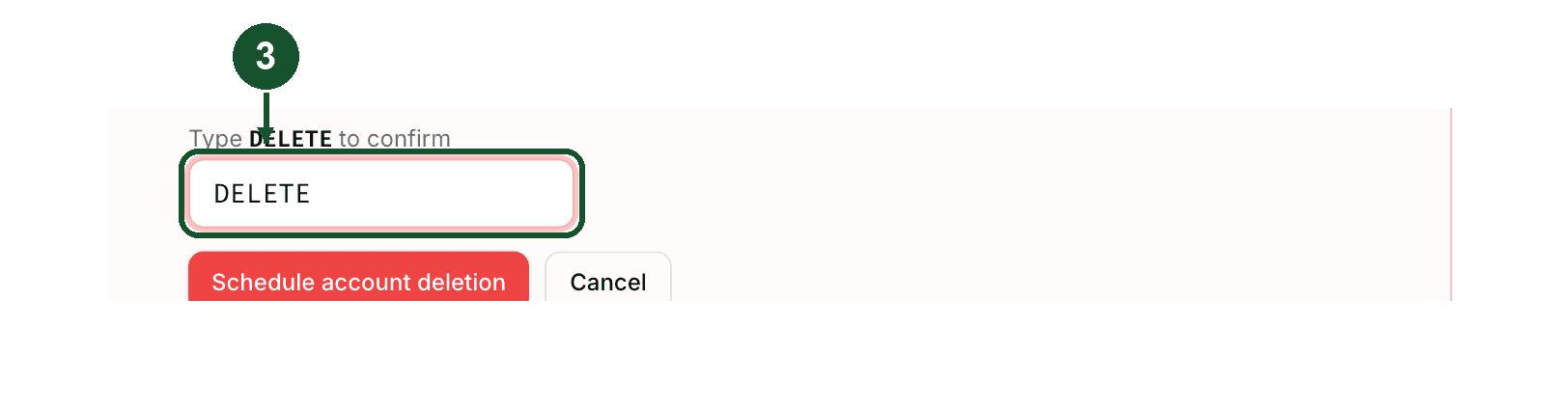
Step 3: type DELETE
Type DELETE in the confirmation box. The button stays disabled until the text matches exactly.
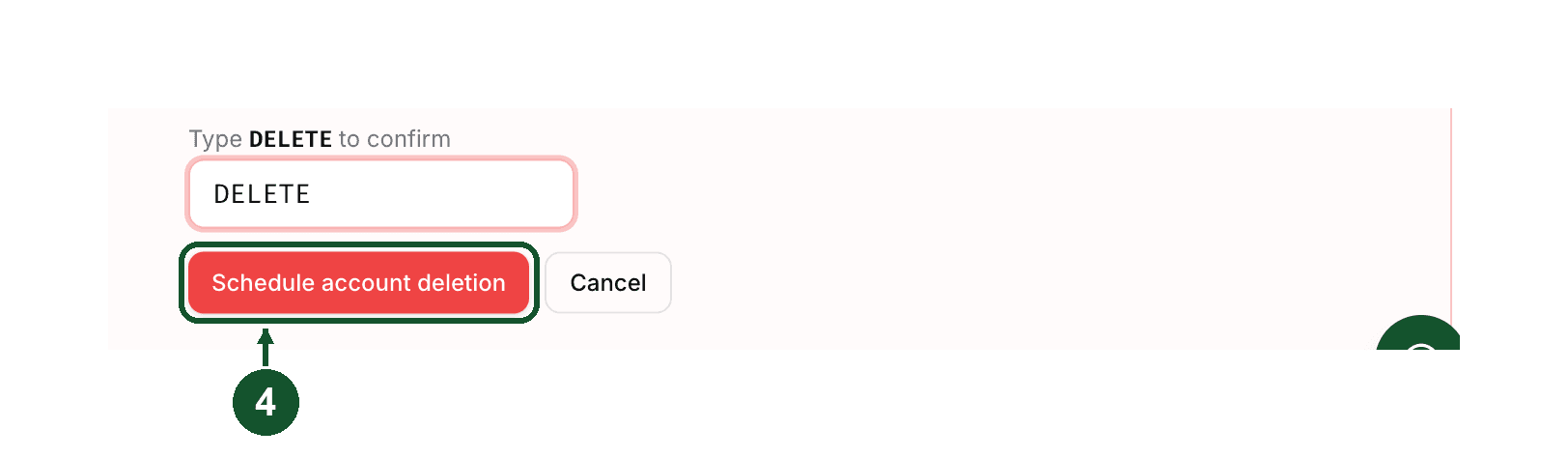
Step 4: click Schedule account deletion
Click Schedule account deletion.
Flyn emails you straight away with the deletion date and a Keep my account button. That email doubles as a security notice: if someone else asked for your account to be deleted, it is how you find out, and the button in it works without signing in.
What happens during the 7 days
Nothing is erased yet, but two things switch off the moment you confirm:
- Your links stop redirecting. Active links in your account are switched to a paused state, and visitors land on a page headed "Link archived". This includes links on a custom domain, and QR codes that encode one of those short URLs.
- Your API keys stop working. Anything calling the Flyn API with them fails until you cancel the deletion.
Your data is still stored: links, click history, folders, custom domains and webhooks are paused or idle, not deleted. Flyn sends reminders as the date approaches, one when 3 days or fewer remain and a final notice when 1 day or fewer remains.
Change your mind
Either route works:
- Signed in: open Settings, choose the Data & Privacy tab, and click Cancel deletion & restore account. The banner there shows your deletion date and the days remaining.
- From a deletion email: the scheduled-deletion notice and the reminders sent during the 7 days each carry a Keep my account button. Click it, then confirm on the page that opens. No sign in needed, which matters if you are locked out of the account.
Cancelling clears the scheduled date and reactivates the links and API keys that the deletion paused. Links you had archived yourself stay archived. If you did not request the deletion in the first place, change your password from Settings afterwards.
The Keep my account link refuses to restore anything once your deletion date has passed, even if the daily job has not run yet. If you are in that window, email [email protected] immediately rather than waiting.
What happens when the 7 days are up
A job runs once a day and permanently deletes accounts whose date has passed, so the erase happens on the first daily run after your deletion date. It removes your click events, links, folders, custom domains, API keys, webhooks, profile and login itself. Flyn then emails a confirmation to the address that was on the account.
After that:
- Your short URLs stop working for good, and their slugs are no longer reserved by you.
- Your click history goes with them, which is why the export is worth doing beforehand.
- Teams are handled one by one. A team you own that still has other members in it is transferred to the most senior of them, so their links and history survive. A team where you were the only member is deleted along with your account.
You are welcome to sign up again later, but a fresh account starts empty. Nothing from the deleted one comes back.
Still need help?
Email [email protected] from your account email address. If a deletion is scheduled that you did not ask for, say so in the subject line so it stands out, and cancel the deletion yourself from the Keep my account button in the email while you wait.
Common questions
Can I undo a Flyn account deletion?
Yes, at any point in the 7 day grace period. Sign in, open Settings, choose the Data & Privacy tab and click Cancel deletion & restore account. The Keep my account button carried by the scheduled-deletion notice and the reminder emails does the same thing and does not require you to sign in. Once the deletion date passes and the account is purged, it cannot be undone.
Does deleting my Flyn account cancel my paid subscription?
No. These are two separate actions. If you pay monthly or yearly, cancel the subscription first in Settings, in the Billing tab, using the Manage button that opens the Polar billing portal, then delete the account. A lifetime purchase has no recurring billing to cancel. Deleting the account on its own leaves a subscription in place.
What happens to my links while my Flyn account deletion is pending?
They stop redirecting the moment you confirm the deletion, and visitors land on a page headed Link archived instead. Your API keys stop working too. Nothing is erased during the 7 days, and cancelling the deletion turns the links and keys back on exactly as they were.
How long does Flyn keep my data after I ask for my account to be deleted?
7 days. Your profile, links, click history, folders, custom domains, API keys and webhooks are kept, not erased, during that window, though links and API keys are switched off the moment you confirm. A job that runs once a day then removes the data permanently. Flyn emails you a confirmation once the deletion has completed.
Related articles
Did this answer it? If not, email [email protected] and a human will help.
Try it yourself
Create a branded, trackable short link free and follow along with this guide.