How do I set a link to expire?
Steps verified on August 15, 2026
An expiry date tells Flyn to stop serving a link after a moment you choose. It is useful for a limited-time offer, an event registration that closes, or a file you only want reachable for a week.
Expiry works on every plan, including free. If you have hunted for it and come up empty, you are almost certainly looking in the right editor at a collapsed section: the control lives under Protection & Expiry, which starts closed.
Set an expiry on a link you already created
Step 1: open the link editor
Go to Links in your dashboard and hover over the row for the link you want to expire. Two icons appear on the right of that row: a pencil and a bin. Click the pencil.
Clicking the link name itself does something different, it opens that link's stats page, so use the pencil.
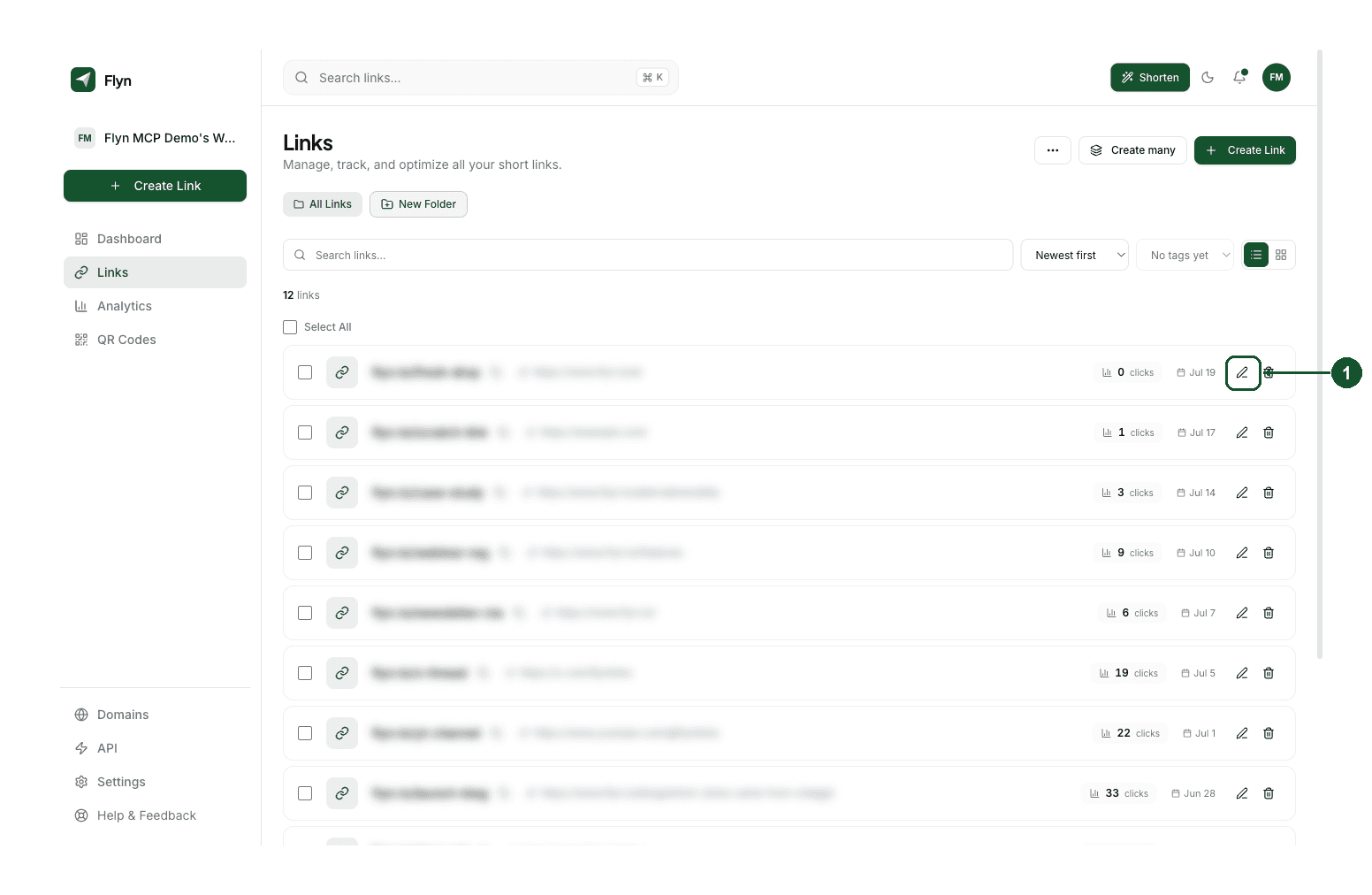
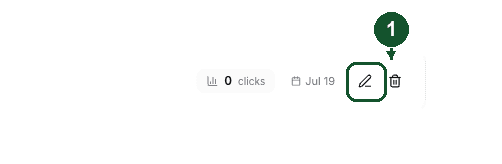
A panel headed Link Details slides in from the right.
Step 2: open the Protection & Expiry section
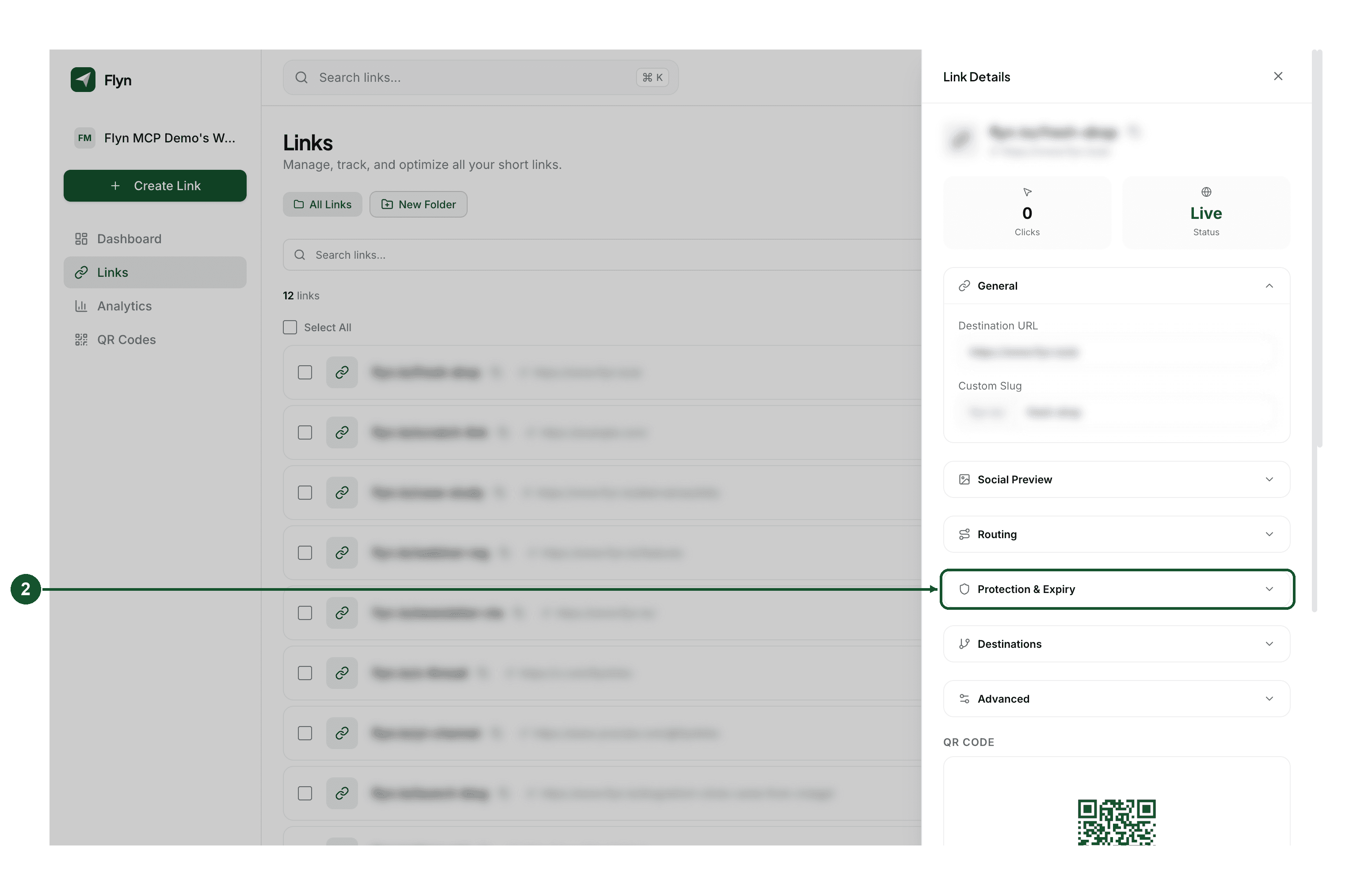
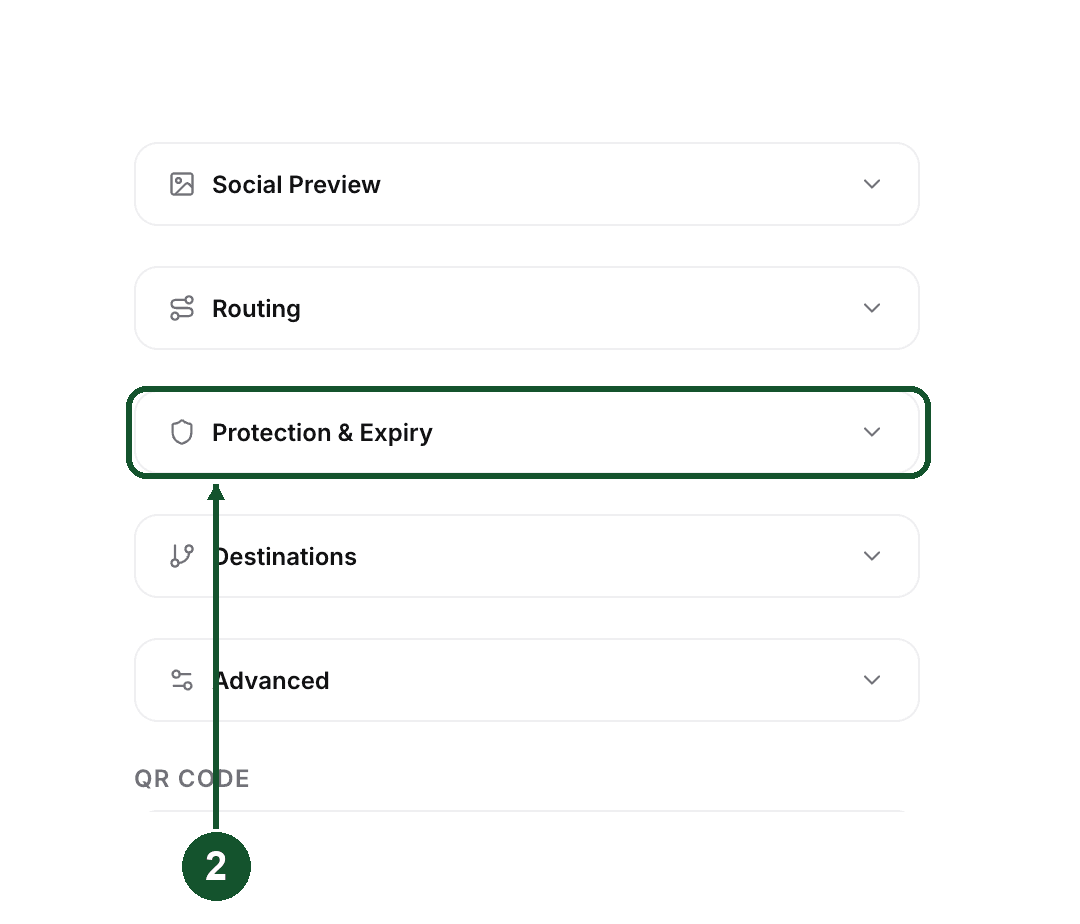
The panel is a stack of collapsible sections: General, Social Preview, Routing, Protection & Expiry, Destinations and Advanced. Only General is open when the panel loads, so the other five are just headings until you click them.
Click Protection & Expiry. This is the step nearly everyone misses, because the section is closed on load and the date field is invisible until you open it.
Step 3: set the date and time
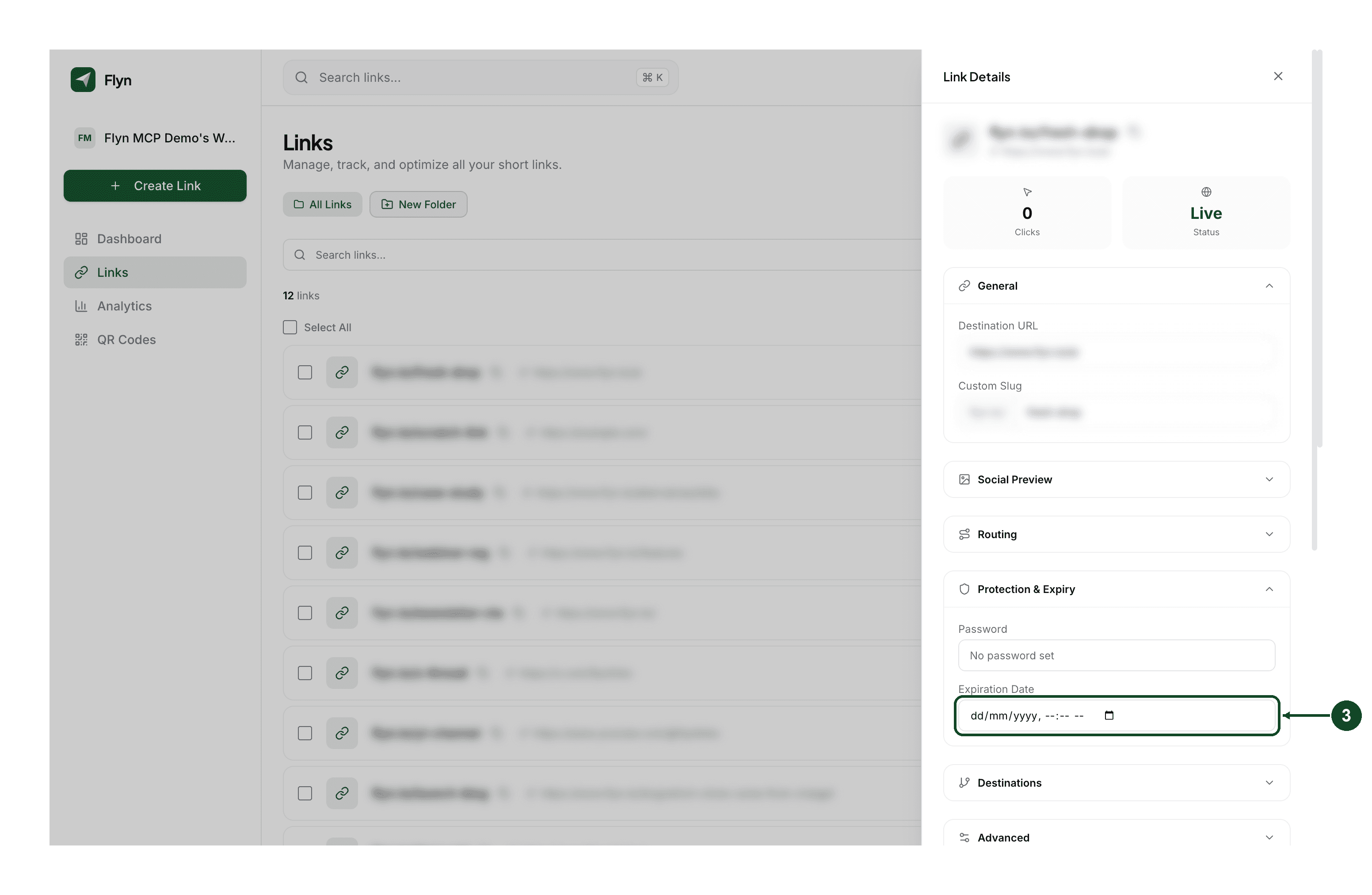
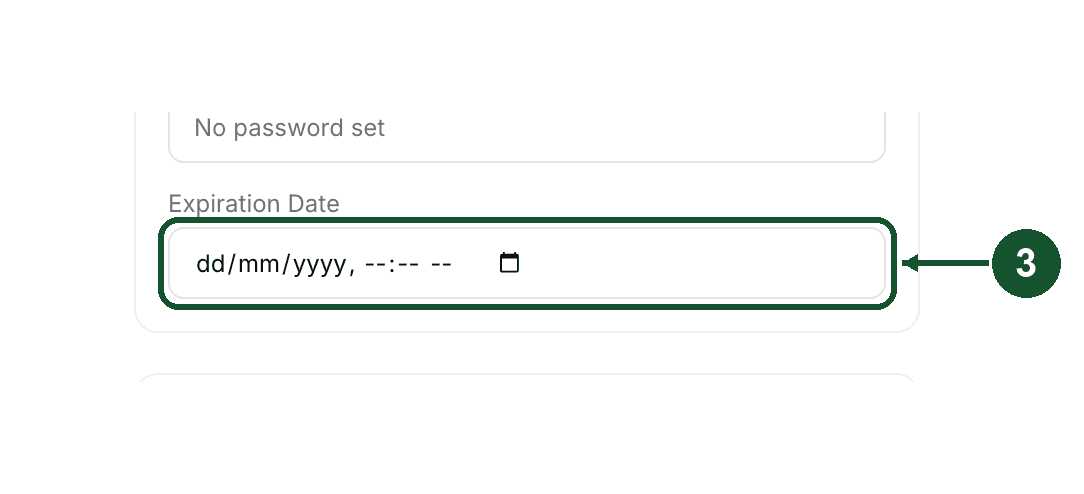
Protection & Expiry opens to reveal two controls. Password is first, and shows "No password set". Expiration Date is directly underneath, a date and time field reading dd/mm/yyyy, --:-- -- with a small calendar icon on its right.
Type the date and time, or click the calendar icon and pick it. The time is your own local time, not UTC.
Step 4: save
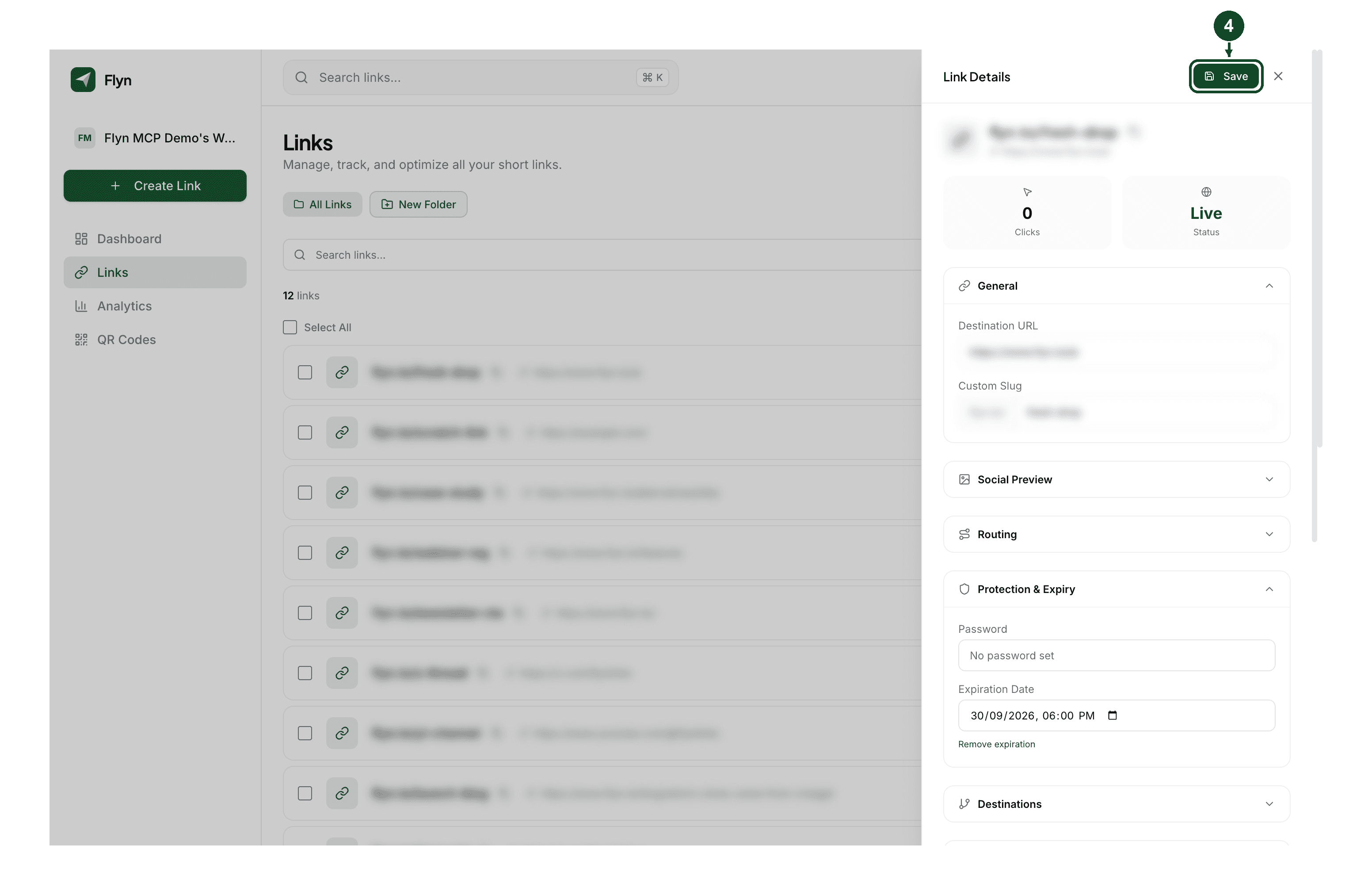
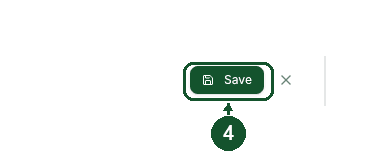
As soon as you change the date, a green Save button appears at the top of the panel, next to the close X. It is not at the bottom, which catches people out. Click it.
A Remove expiration link also appears under the date field once a date is set.
The link keeps working normally right up until the moment you chose.
Set an expiry on a brand new link
The same panel appears while you are creating a link, so you can set the date before the link is ever shared. In the link creator, open the Protection & Expiry tab and fill in Expiration Date before you save.
Remove or change an expiry
Open the link, open Protection & Expiry, and either pick a new date or click Remove expiration under the field. Then Save, at the top of the panel.
Removing the expiry brings an already-expired link back to life straight away. Nothing is lost while a link sits expired, including its click history.
What your visitors see
After the expiry moment passes, anyone opening the link gets Flyn's link not found page instead of your destination. They are not told the link expired, only that it is not available.
If you would rather they land somewhere useful, the cleanest approach is to change the destination to a "this offer has ended" page instead of expiring the link. That way the link still resolves and you keep collecting clicks on it.
Before you expire anything that went out by email or text, check How Long Must a Link Keep Working?. Some links, unsubscribe links above all, have a legal minimum lifetime and should never be set to expire.
Expiry is not the same as deleting
Three things that look similar and are not:
- Expiring a link stops it resolving at a time you choose. The link, its slug and its click history stay in your dashboard, and you can undo it.
- Deleting a link removes it permanently. The slug becomes free for reuse and the click history goes with it.
- A disabled link was switched off by Flyn's safety scanner, not by you. That is a different situation and why is my link disabled covers it.
Anonymous links expire on their own
Links made from the free tools without signing in expire automatically after 24 hours, and you cannot extend them. That timer is separate from the expiry date described here. Anonymous link expired explains how to keep one permanently by claiming it into an account.
Common questions
Is setting an expiry date a Pro feature?
No. Expiration dates work on every plan, including free. Password protection sits next to it in the same panel and is Pro, which is why the two are sometimes confused.
Why can I not find the expiry setting?
It is inside the Protection & Expiry section of the link editor, and that section starts collapsed. Click the heading to open it and the Expiration Date field is the second control, under Password.
What do visitors see after the link expires?
They land on Flyn's "link not found" page rather than your destination. The link is not deleted, so you can clear or change the expiry date at any time and it starts working again immediately.
Can I set an expiry when I first create the link?
Yes. The same Protection & Expiry panel appears in the link creator, so you can set the date before the link ever goes out.
Does an expired link free up a slot on the free plan?
No. The free plan counts links you create in a month, and an expired link still exists in your dashboard. Deleting it is what removes it.
Related articles
Did this answer it? If not, email [email protected] and a human will help.
Try it yourself
Create a branded, trackable short link free and follow along with this guide.