How do I remove or disconnect a custom domain?
Updated August 13, 2026
Removing a custom domain from the Domains tab takes the short links on that domain offline. Flyn deletes the domain from your account and stops serving the hostname, but it does not move your existing links: they keep the removed hostname in their short URL, so they stop redirecting. Read the next section before you click the trash icon.
Before you remove it: what actually breaks
- Links on that domain stop working. A short link resolves by its hostname, so once Flyn stops serving
links.yourbrand.com, requests tolinks.yourbrand.com/your-slugno longer reach your link. - Nothing is deleted. The links, their slugs, destinations and click history all stay in your account and in analytics. They just have a short URL nobody can reach.
- You cannot move an existing link to another domain from the dashboard. In the link editor, the domain sits next to the Custom Slug field as fixed text, not a picker. Recreating the link on a domain you are keeping gives you a new short URL, so anything already printed or shared with the old one still breaks. The API can move a link without changing its slug, which is covered below.
If the links on that domain matter, decide what replaces them before you remove it.
Remove the domain
Step 1: open the Domains tab
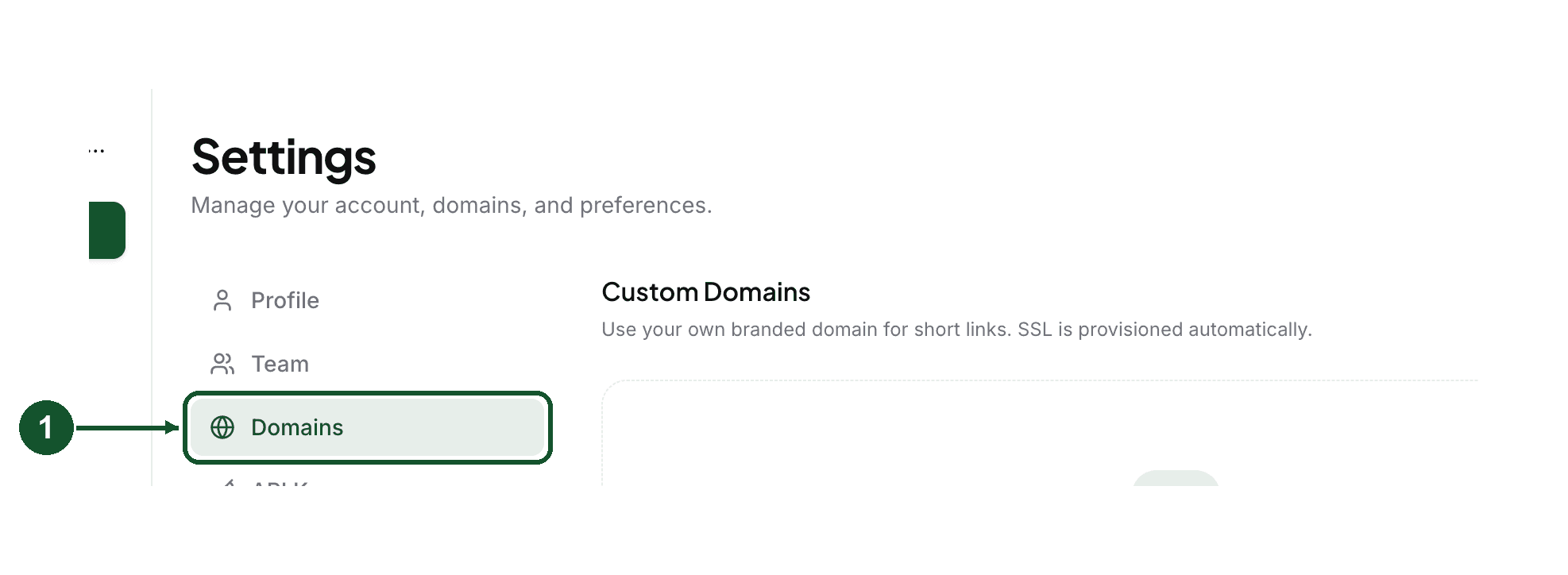
Open Settings in your dashboard and choose Domains in the settings menu.
Step 2: click the trash icon on the domain row
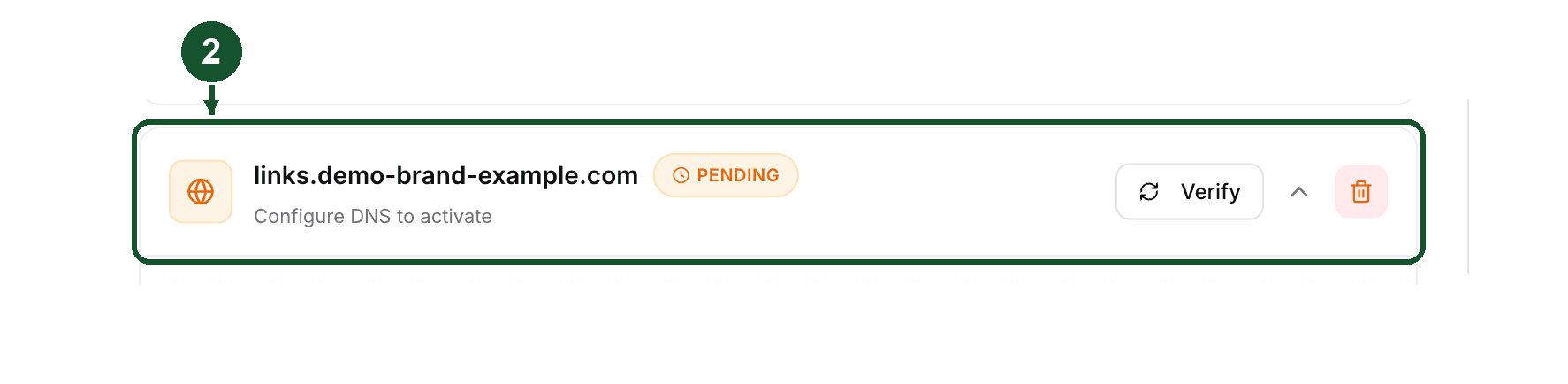
Each domain row ends with a trash icon (its tooltip reads "Remove domain"). Clicking it once does not delete anything, it arms the button and the tooltip changes to "Click again to confirm".
Step 3: click it again to confirm
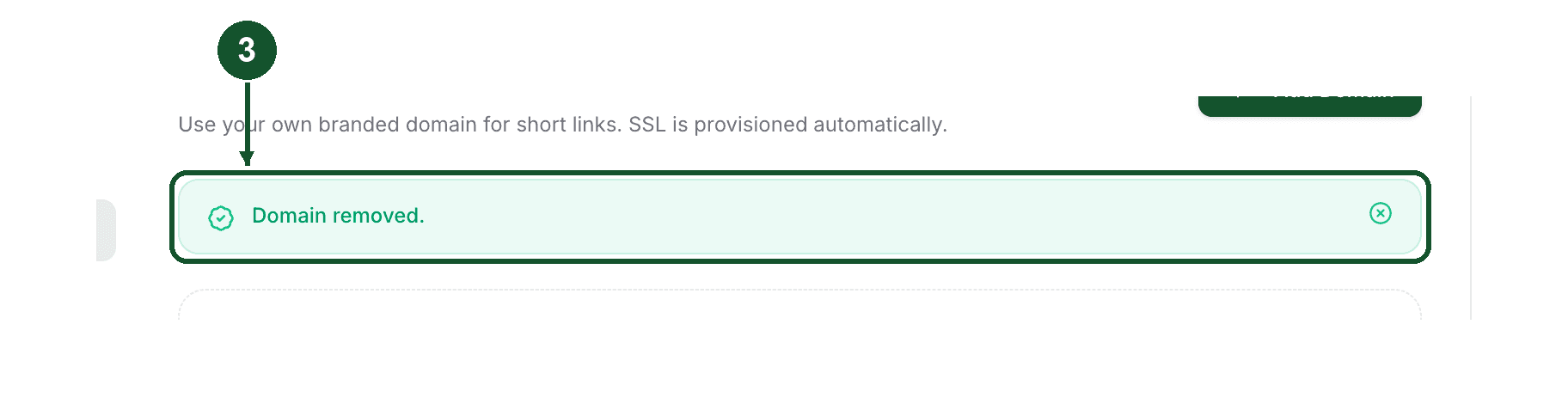
The second click removes the domain. If you click away from the button first, it disarms and nothing happens. When it finishes you see "Domain removed." and the domain leaves the list.
If you removed a domain by mistake
Add it back. Click Add Domain, enter the same domain, and verify it again. Because removing the domain from the Domains tab does not change your links, they start resolving again as soon as the domain shows Active.
What to expect on the second pass:
- The TXT record value is regenerated, so the old
flyn-verifyvalue at_flyn.yourdomain.comno longer matches. Copy the new one from the Domains tab and replace it. - Your CNAME (or the A record on a root domain) can stay as it is, since it points at the same target as before.
Removal is not the same as a paused domain
These are different things and they look similar from the outside.
A pause is automatic. Custom domains are a paid feature, so when the account that pays for a domain is no longer on a paid plan, Flyn warns the owner by email with a dated 14 day grace period, then pauses the domain. Visitors then see a page saying the link is paused, the domain stays in your account, and nothing is deleted. Being on a paid plan again clears the pause, but a daily job does the clearing rather than the upgrade itself, so expect up to about a day between paying and the links resuming.
A removal is deliberate. It happens when someone removes the domain on purpose, from the Domains tab or through the API, and the domain is gone from your account until you add it back.
So if your branded links stopped working, check both. If the Domains tab shows an upgrade prompt instead of your domain list, that is the pause case: look at your plan. If the list is there and the domain is missing from it, it was removed, and an API key or a teammate on a team-owned domain can do that as well as you can.
Removing a domain to free up a slot
Pro and Lifetime include 3 custom domains per account. At 3, adding another one fails with a message telling you to remove an existing domain first. Removing the one you no longer use frees the slot immediately, with the same consequence as above for any links still on it.
A note for API users
There are two delete endpoints, and the difference is between them, not between the dashboard and the API. Both accept an API key, so either can be called without anyone touching the trash icon.
DELETE /api/domains/:id/deleteis the one the trash icon calls. It detaches the hostname from Flyn's hosting, then deletes the domain record. It does not touch your links.DELETE /api/domains/:idfirst tries to move links back to the defaultwww.flyn.todomain, then deletes the domain record.
Things that second endpoint does not tell you in its response:
- A slug is unique per domain, across every Flyn account, not just yours. If anyone already has a link with the same slug on
www.flyn.to, the move hits that constraint. The route does not check the result of the move, so none of the links move, the domain is deleted anyway, and the response still sayssuccess. - It moves only links whose owner is the calling account, so on a team-owned domain a teammate's links stay on the removed hostname.
- It does not detach the hostname from Flyn's hosting, which the trash icon path does.
If what you actually want is to move a link rather than remove a domain, PATCH /api/links/:id accepts a domain field on a paid plan. That keeps the slug, so the printed URL changes only in its hostname. The same per-domain slug rule applies to the destination domain.
See the domains API reference for the exact request.
Still stuck?
If the Domains tab shows an upgrade prompt instead of your domain list, your account is on the free plan. That prompt replaces the domain list, so there is no domain row to remove there.
Email [email protected] with the exact domain. Tell us whether you want it removed, restored, or moved to another account, and we can check its state from our side.
Common questions
What happens to links that already use the domain I remove?
They stop redirecting. Removing the domain from the Domains tab does not move those links, so each one keeps the removed hostname in its short URL, and Flyn no longer serves that hostname. The links themselves, their slugs, destinations and click history stay in your dashboard.
Can I get a removed domain and its links back?
Yes. Add the same domain again in Settings, under Domains, and verify it. Removing it from the Domains tab does not change your links, so they resolve again once the domain is active. Re-adding generates a new flyn-verify TXT value, so you have to update that record at your registrar before verification passes.
Is removing a domain the same as a domain being paused?
No. A pause is automatic and happens when the account paying for the domain is no longer on a paid plan. The domain stays in your account, visitors see a page saying the link is paused, and nothing is deleted. Removal is something you do on purpose, and it takes the domain out of your account.
Do I have to remove a domain before adding a new one?
Only if you are at the limit. Pro and Lifetime include 3 custom domains per account. At 3, adding another returns a limit error until you remove one.
Related articles
Did this answer it? If not, email [email protected] and a human will help.
Try it yourself
Create a branded, trackable short link free and follow along with this guide.