My short link says "link not found"
Updated August 13, 2026
Check the domain before you check anything else. Flyn's dashboard lives on www.flyn.to, but a short link you create while signed in is issued on flyn.co. Typing your slug after www.flyn.to gives you the "Link not found" page, even though the link itself is working fine, unless a separate link with that same slug happens to exist on flyn.to.
1. Check the domain
A link is stored with the domain it was created on, and the redirect matches your slug against the links stored for the host you requested. A slug requested on a host that holds no link with that slug returns "Link not found".
Flyn serves short links on more than one host:
flyn.cois where links you create while signed in are issued today.flyn.linkserves the links that were created on it. It no longer issues new ones.flyn.tostill serves the links that were created on it, so older short URLs keep working.flyn.imserves links created without signing in, both from the homepage shortener and from the free tools.- Your custom domain, if you have one, serves the links created on it.
flyn.co and flyn.link cover for each other. If a slug is not found on the host you requested, and that host is one of those two, the redirect tries the other before giving up. So a short URL you already handed out as flyn.link/yourslug also works as flyn.co/yourslug, which helps if the flyn.link version is being blocked in your browser. A slug that exists on the requested host itself is served first. flyn.to and flyn.im are outside this pairing, in either direction.
The fix is to stop retyping the URL:
- Open Links in your dashboard.
- Find the link. The box at the top of the page reads "Search links...".
- Use the copy button on the link's row. It copies the whole short URL, domain included.
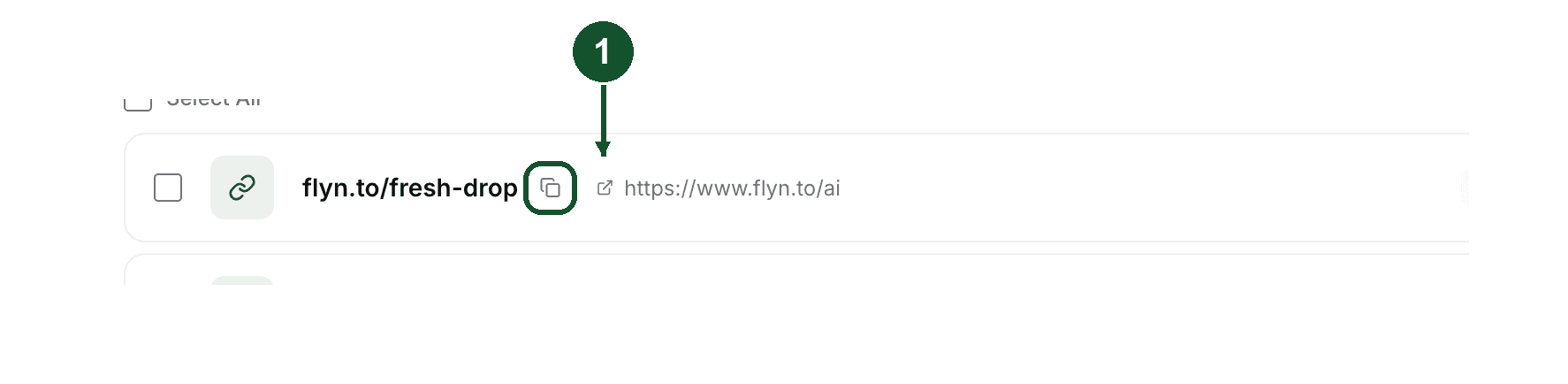
Then paste that. If the pasted URL works and the one you typed does not, the domain was the problem.
2. Check the slug character by character
Slugs are case sensitive. The lookup matches the slug exactly as it was stored, so flyn.co/SpringSale and flyn.co/springsale point at two different rows. Slugs that Flyn generates for you mix uppercase letters, lowercase letters and digits, which is exactly the kind of string that gets retyped wrong.
Watch the end of the URL. When a short link sits at the end of a sentence in a chat message, a caption or an email, the punctuation often gets swallowed into the link. A trailing period or closing bracket becomes part of the slug and stops it matching. A query string such as ?x=1 sits outside the slug and does not affect the match.
3. If the link was deleted, its slug is gone
Deleting a link from your dashboard removes the row. From that moment its slug returns "Link not found", and there is nothing to restore.
The slug itself is free again, and custom slugs are not a paid feature, so you can create a new link that reuses it. What you cannot choose is the domain: the create form issues new links on the domain Flyn currently mints on, or on one of your own verified custom domains. So reusing the slug revives the old short URL in some cases and not others.
- If the deleted link was on
flyn.to, a new link with the same slug does not answer the oldflyn.toURL, because new links are not issued there. - If it was on
flyn.link, a new link with the same slug onflyn.coanswers the oldflyn.linkURL too, through the pairing described in section 1, as long as the visitor's browser lets the request reach us. - If it was on your own custom domain, and that domain is still verified on your account, you can pick it again when you create the replacement.
Check which domain the old URL used before you delete anything you have already handed out.
4. "Link not found" is not the same as disabled or expired
The wording on the page narrows it down:
- "Link not found": the lookup found no link with that slug for the host that was requested. Sections 1 to 3 above.
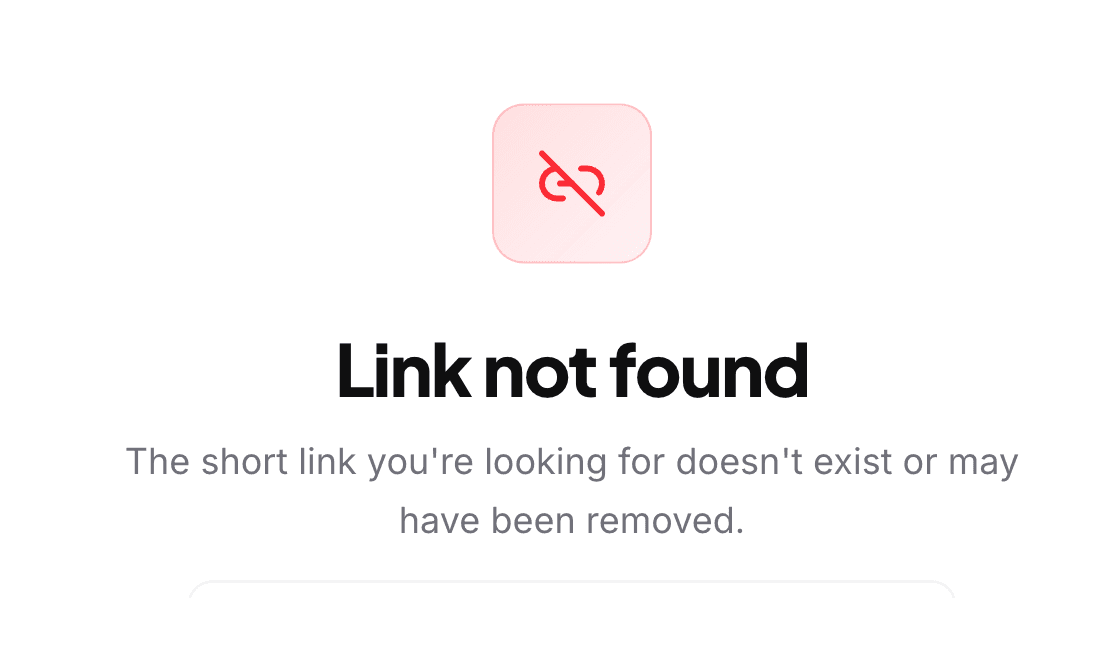
- "This link has expired": the link passed an expiry date, or an anonymous link ran out its timer, or a link with a click limit reached that limit and had no fallback URL set. See Why did my free short link expire?.
- "Link archived": the owner archived the link, or Flyn's safety system disabled it. See Why is my short link disabled?.
So "Link not found" is not the safety system talking. A link that Flyn's safety system disabled shows "Link archived" instead.
Still not working?
Email [email protected] and paste the exact short link, copied rather than retyped. The full URL is what lets us check which domain it belongs to and whether the slug exists at all.
Common questions
Why does my link work on flyn.co but not on flyn.to?
New links created while you are signed in are issued on flyn.co. A slug requested on flyn.to is matched against links stored on flyn.to, so a flyn.co slug typed after flyn.to returns the "Link not found" page. Copy the full short URL from your dashboard instead of typing the slug after flyn.to.
Are Flyn short link slugs case sensitive?
Yes. The redirect matches the slug exactly as it was stored, so /SpringSale and /springsale are two different links and one of them can be "Link not found". Auto-generated slugs mix uppercase and lowercase letters, so copy them rather than retyping them.
Does "Link not found" mean my link was flagged or blocked?
No. It means the lookup found no link with that slug for the host you requested. A link stopped by Flyn's safety system shows a different page, headed "Link archived", not "Link not found".
Can I get a deleted link back?
No. Deleting a link removes the row, and from then on its slug returns "Link not found". The slug itself is free again, so a new link can reuse it, but the create form issues new links on the domain Flyn currently mints on, which may not be the domain the deleted link was on.
Related articles
Did this answer it? If not, email [email protected] and a human will help.
Try it yourself
Create a branded, trackable short link free and follow along with this guide.