How do I upgrade, cancel, or change my Flyn plan?
Steps verified on July 31, 2026
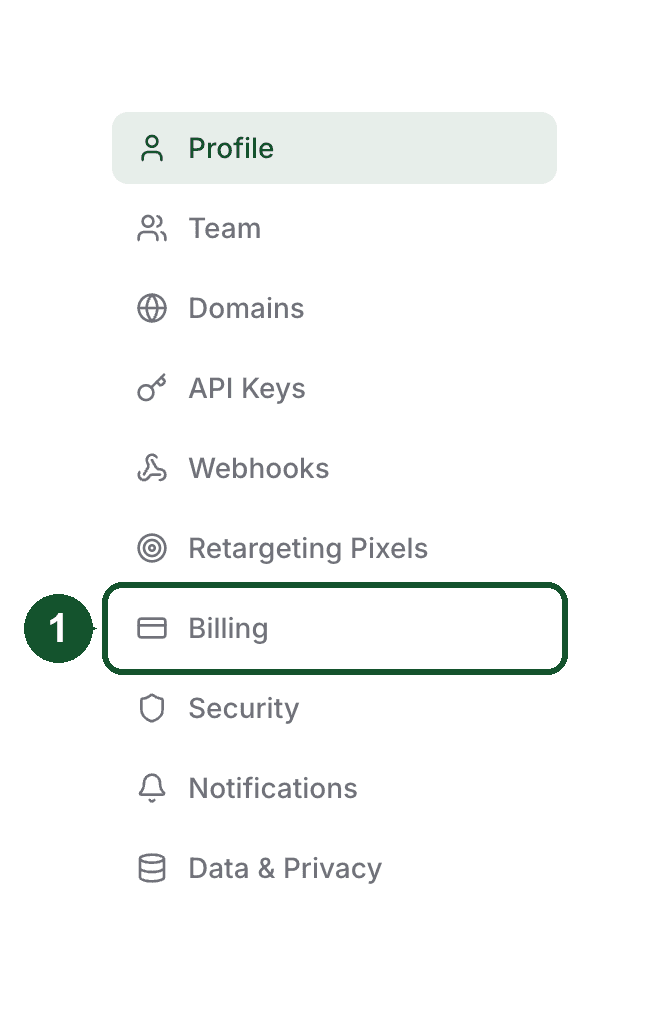
Everything about your subscription lives in Settings, in the Billing tab. Checkout and payments are handled by Polar, our billing provider, so card details never touch Flyn.
Upgrade to Pro
- Open Settings and choose the Billing tab.
- Pick a billing cycle: Annual at $9 per month ($108 billed once a year) or Monthly at $12 per month.
- Complete the secure Polar checkout. Pro is active as soon as payment goes through.
Any Upgrade button inside the app opens the same Annual or Monthly choice, so you can start from wherever you ran into a Pro feature. In a hurry, flyn.to/upgrade skips the choice and takes you straight into the annual checkout (sign in first if you are not already). The full Free vs Pro comparison is on /pricing.
Manage billing details
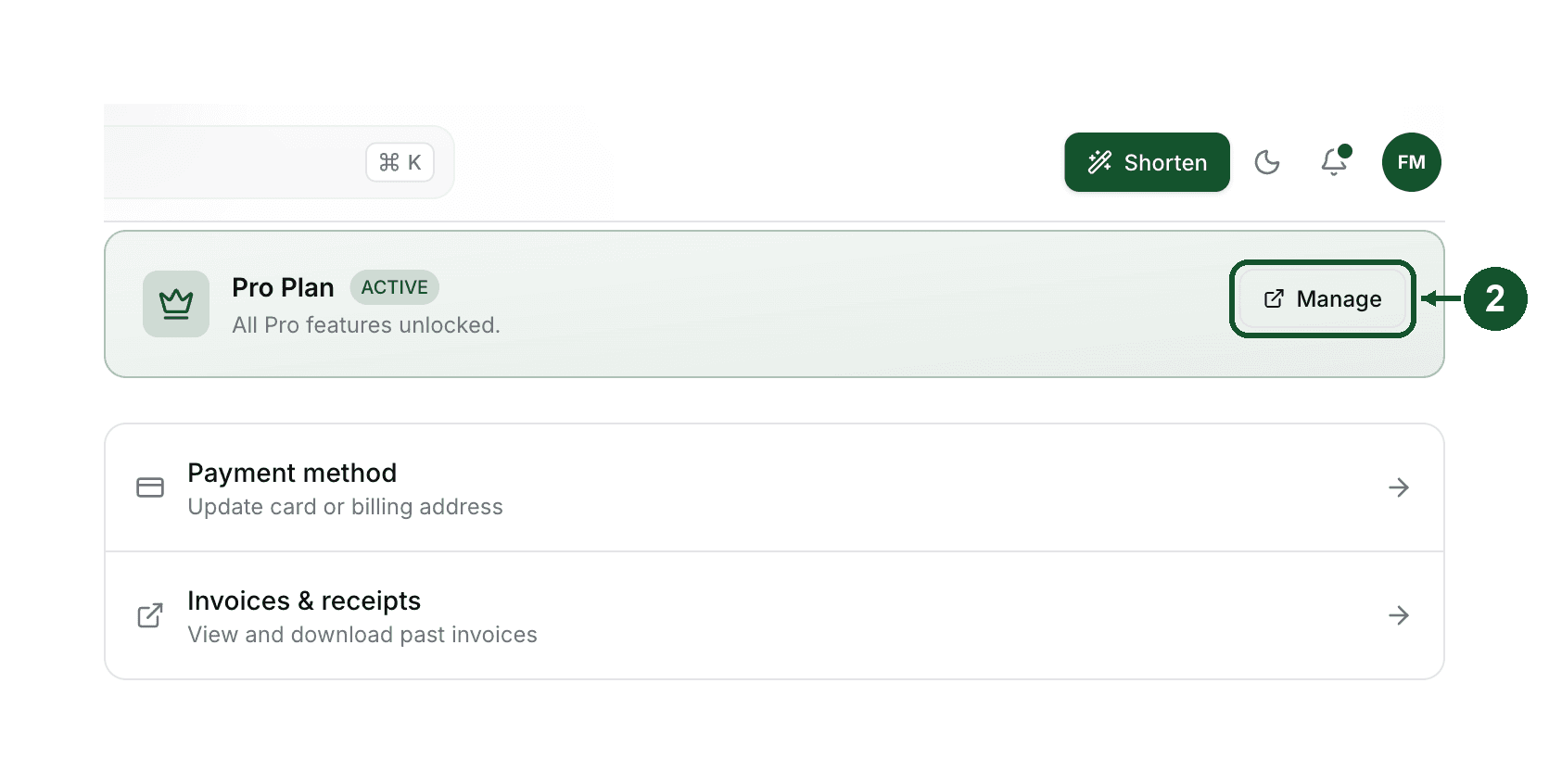
In the Billing tab, click Manage to open the Polar billing portal. From there you can update your card, change your billing address, and download invoices and receipts.
If you want to switch between monthly and annual billing and cannot find the option in the portal, email [email protected] and we will sort it out.
Cancel Pro
- Open Settings, then the Billing tab.
- Click Manage to open the billing portal.
- Cancel the subscription there.
You keep every Pro feature until the end of the period you already paid for. The Billing tab shows the status as Canceling and the exact date under Access Until. If you change your mind before that date, open the portal again and press Resume: your subscription continues and nothing lapses.
What happens when Pro ends
Your account moves to the Free plan. The important part first: links created in your account are never deactivated over plans or billing, and nothing is deleted, click history included. Upgrading again later restores everything.
What does change:
- New links are capped at 25 per month.
- Pro options stop being available on new links: password protection, deep links, A/B testing, retargeting pixels.
- Creating a new API key needs a paid plan, so you cannot mint one on Free. Keys you already hold keep working, and your AI assistant keeps working too: connecting one to the Flyn MCP server by signing in has no plan requirement. Both are then bound by the free limits below.
- Analytics keep counting clicks on every link for free, but the geo, device, and referrer breakdowns are Pro.
- Analytics shows the last 30 days on the free plan. Older clicks are kept, not deleted, and the full history reappears if you upgrade again.
- Custom domains are a Pro feature, but yours does not stop the day Pro ends. You get an email with the exact pause date, and links on the domain keep forwarding through a 14 day grace period. After that the domain is paused, never deleted, and links on it stop forwarding. Reactivating restores the domain and every link on it.
Links on flyn.to itself are unaffected and keep redirecting.
Refunds
Flyn does not offer refunds. The free plan has no time limit and needs no card, so you can try every part of the product before you pay for it.
Cancelling stops future charges and you keep full Pro access until the end of the period you already paid for. Your links and click history are never deleted over billing.
If something is genuinely broken, email [email protected] and we will fix it.
Common questions
Do I lose my links or analytics if I cancel Pro?
No. Links created in your account are never deactivated over plans or billing, and nothing is deleted, click history included. On the free plan analytics shows the last 30 days, and the older history returns in full if you upgrade again. Only links on a custom domain pause with the domain, and they return when you reactivate.
When does my Pro access actually end after cancelling?
At the end of the billing period you already paid for. Your Billing tab shows Canceling as the status and the exact date under Access Until. Until that date every Pro feature keeps working.
Can I get a refund on Flyn Pro?
No. Flyn does not offer refunds. The free plan has no time limit and needs no card, so you can use the product properly before deciding to pay. If you cancel, you keep full Pro access until the end of the period you already paid for, and nothing is deleted. If something is genuinely broken, email [email protected] and we will fix it.
Related articles
Did this answer it? If not, email [email protected] and a human will help.
Try it yourself
Create a branded, trackable short link free and follow along with this guide.