How do I create a short link?
Steps verified on July 31, 2026
There are two ways to create a short link with Flyn: instantly on the homepage with no account, or from your dashboard, where the link is saved, editable, and tracked. Both take under a minute.
Option 1: shorten without an account
- Go to flyn.to.
- Paste your long URL into the box that says "Paste a long URL".
- Click Shorten.
- Click the copy button next to the short link that appears.
This creates a temporary link on a Flyn domain with a random slug. It expires 24 hours later unless you sign up, and the pill under the result counts down the time left. Sign up in the same browser and the link is claimed into your account automatically, which removes the expiry.
Option 2: create it in your account
Step 1: open Create Link
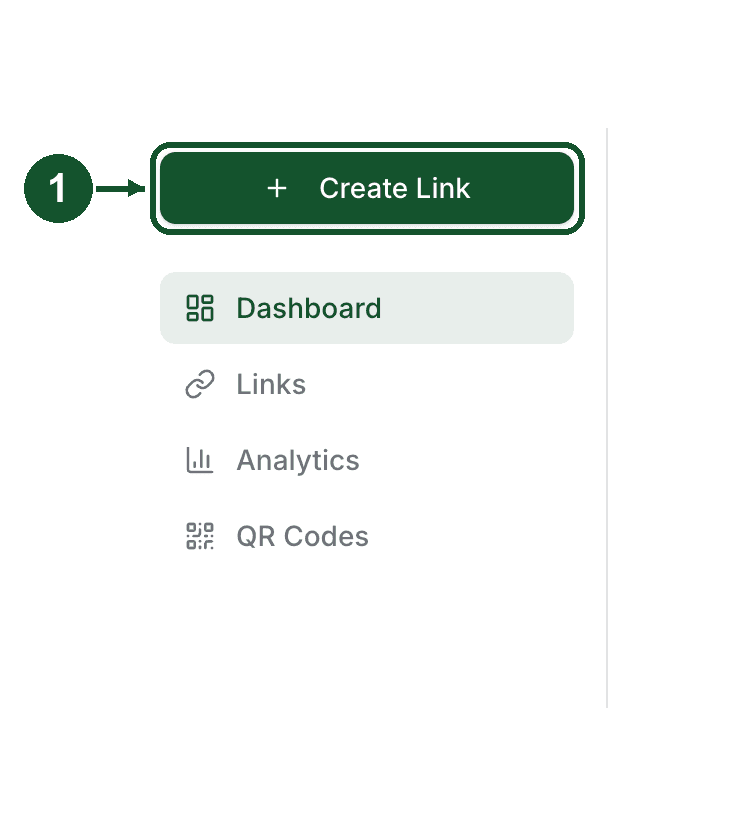
Log in and click Create Link at the top of the left sidebar. On mobile, tap the round plus button in the bottom bar.
Step 2: paste your destination URL
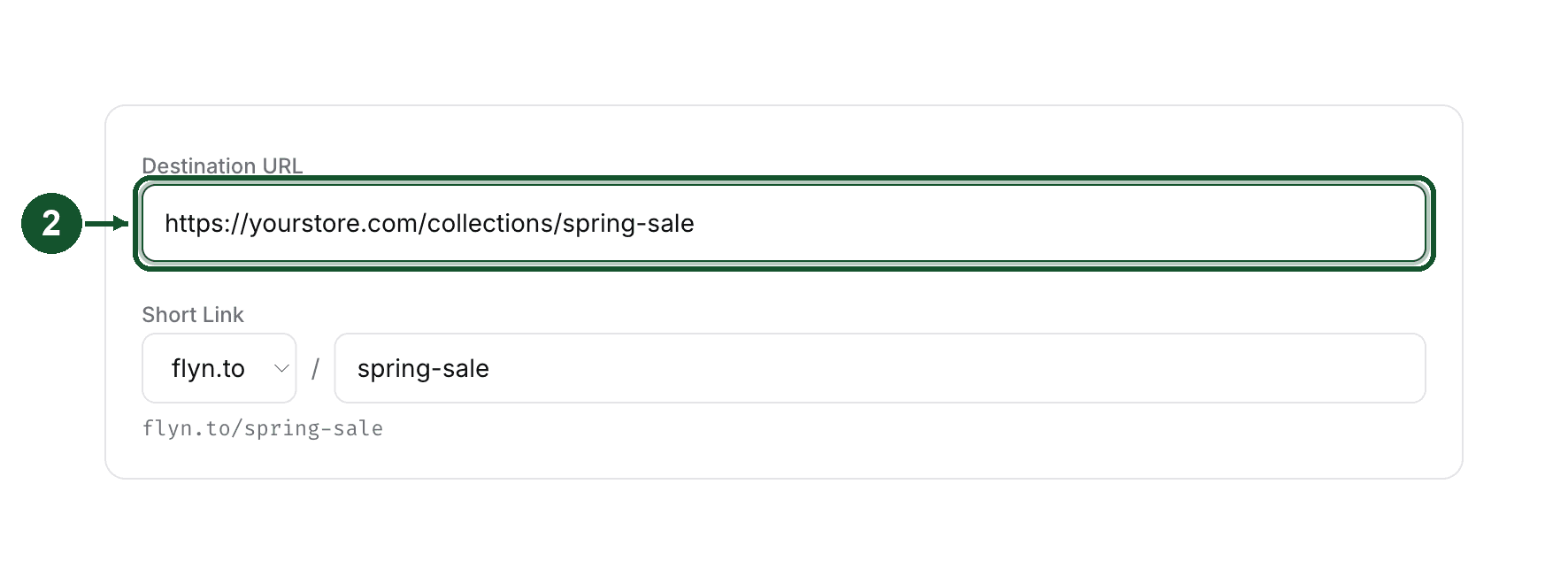
Paste the long URL you want to shorten into the Destination URL field.
Step 3: pick your slug
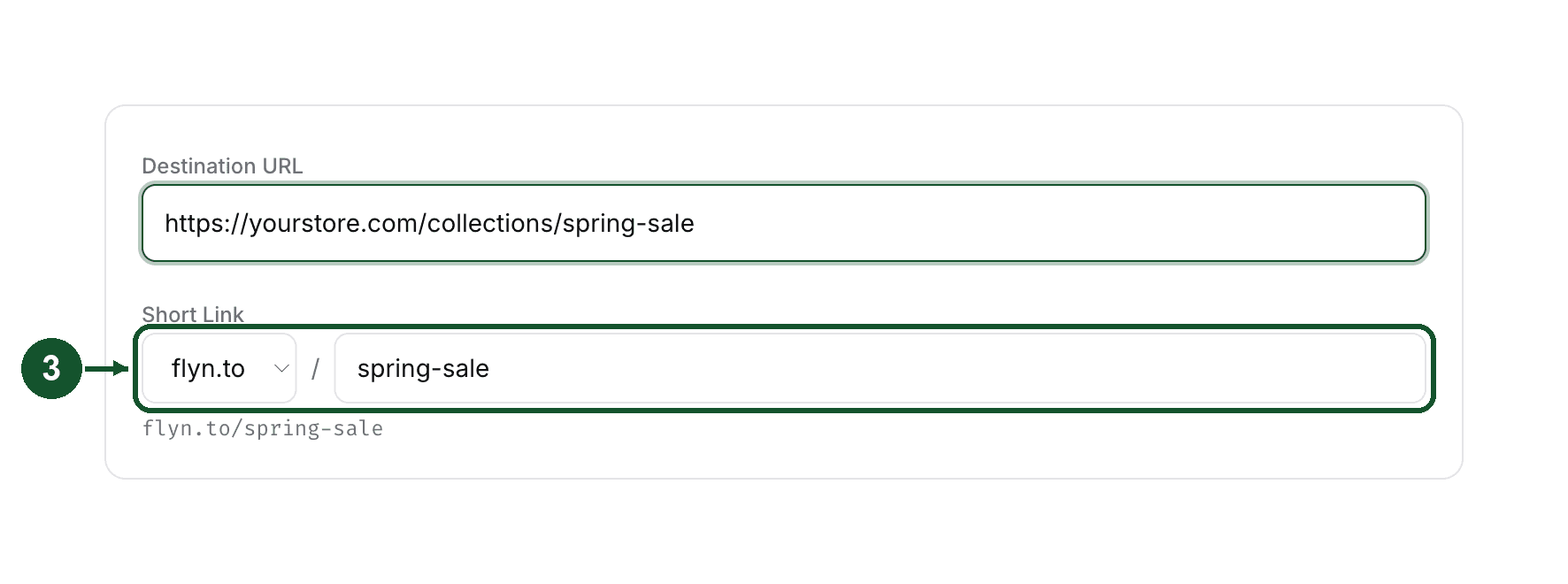
Optional: type a custom slug of your own in the Short Link row. Slugs can contain letters, numbers, hyphens, and underscores, and the preview under the field shows the exact link you will get. If the slug is already taken, you are asked to try a different one.
Step 4: create the link
Click Create Link at the bottom of the form.

Step 5: copy and share
Your new link appears at the top of your Links list. Click the small copy icon next to the slug to put the short link on your clipboard, ready to share.

Already in the dashboard? The Quick Shorten box on the Dashboard page does the same thing: paste the URL, click Shorten, then hit Copy on the result.
Links created while signed in are never deactivated over plans or billing. You can also edit the destination later without changing the short URL, so the link you shared keeps working even if the page behind it moves.
What the free plan includes
- 25 links per calendar month. The counter resets at the start of each month, and paid plans remove the cap entirely.
- A click count for every link, free, with the last 30 days of click history.
- Geo, device, and referrer breakdowns are part of Pro. If you want to know where your clicks come from, that is the upgrade to look at.
Next steps
Once your first link works, the usual next moves are putting your own domain on your links (a Pro feature, see the related article on connecting a custom domain) and checking the click count from your dashboard.
If a step here does not match what you see, email [email protected] and tell us where you got stuck. We read every message.
Common questions
How many links can I create on the free plan?
25 links per calendar month, with the counter resetting at the start of each month. Pro and Lifetime plans have no monthly link limit.
Can I choose my own slug?
Yes, when you are signed in. The create form has an optional custom slug field that accepts letters, numbers, hyphens, and underscores. Links made on the homepage without an account get a random slug.
Do links made without an account last forever?
No. Anonymous links are temporary and expire on their own, most within 24 hours. Sign up in the same browser and the link is claimed into your account, where links are never deactivated over plans or billing.
Related articles
Did this answer it? If not, email [email protected] and a human will help.
Try it yourself
Create a branded, trackable short link free and follow along with this guide.