Why did my free short link expire?
Steps verified on July 31, 2026
Short links created with Flyn's free tools without signing in are temporary by design. Most last 24 hours, and anonymous password-protected links last 3 hours. When the timer runs out, the link stops redirecting immediately, and Flyn permanently deletes it and its click history soon after. Links created in a Flyn account have no such timer.
How long anonymous links last
- Most free tools, including the homepage shortener: 24 hours.
- The password-protected link generator: 3 hours.
The exact expiry is shown next to the link the moment you create it, so the timer on your result card is always the authoritative answer for that specific link.
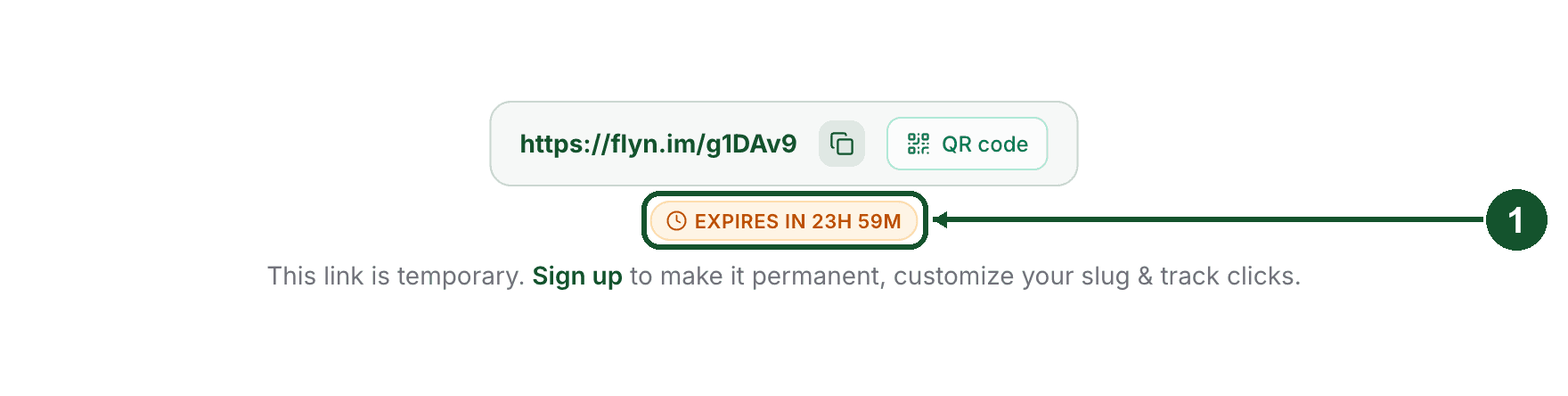
Anonymous links live on Flyn's public short domain and have no owner, so there is no dashboard to manage them from and no account to keep them for. The short lifetime also keeps the free tools unattractive to spammers, which protects the domain every free link shares.
Can I get an expired link back?
No. The moment an anonymous link expires it stops redirecting, and visitors who open the old short URL see a "Link expired" page. Flyn then permanently deletes the link and its click history, so there is nothing to restore. Creating the same link again produces a new short URL, so update it anywhere you shared the old one.
How to keep a link permanently
- If your link is still live: sign up, or sign in, in the same browser you used to create it. Flyn automatically claims the links this browser created into your account and removes their expiry. This works only in the same browser, because the claim proof lives in that browser's cookies.
- If you are already signed in when you use a tool: the link is created directly in your account and never gets an expiry in the first place.
- If the link has already expired: create it again while signed in. Signed-in links go straight to your dashboard as permanent links.
Links in your account are never deactivated over plans or billing. The only things that stop an account link are your own actions (deleting it, or setting an expiry date or a click limit) and the safety system, which disables links to unsafe destinations. If your link stopped working and you had an account, see Why is my short link disabled? instead.
Still not sure what happened to your link?
Email [email protected] and include the exact short link. We can look up whether it expired, was disabled, or never existed, and tell you the fastest way to get a working link back up.
Common questions
Can an expired anonymous link be restored?
No. Once the timer passes the link stops redirecting, and Flyn permanently deletes the link and its click history soon after, so it cannot be restored. Create the link again while signed in and it will not expire, but it will have a new short URL.
Do links in my Flyn account expire too?
No. Links created in a Flyn account are never deactivated over plans or billing. They only stop redirecting if you delete them, set an expiry date or click limit yourself, or if the safety system disables an unsafe destination.
How do I keep a tool link before it expires?
Sign up, or sign in, in the same browser you used to create the link, before its timer runs out. Flyn automatically claims the link into your account and removes the expiry. This only works in the browser that created the link.
Related articles
Did this answer it? If not, email [email protected] and a human will help.
Try it yourself
Create a branded, trackable short link free and follow along with this guide.