How do I connect a custom domain to Flyn?
Steps verified on July 31, 2026
Custom domains are a Pro feature: Pro includes up to 3 per account with unlimited links, for $9 a month billed annually or $12 monthly, and the $249 Lifetime deal includes them too. Links on the Free plan use Flyn's own short domain.
You connect a custom domain in Settings, under the Domains tab: add the domain, add two DNS records at your registrar, then click Verify. SSL is provisioned automatically for each domain.
Before you start
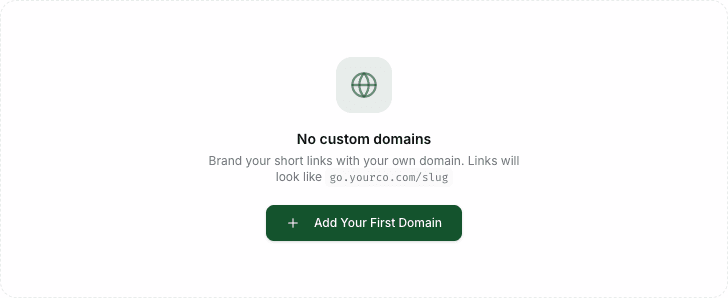
- You need a paid plan (Pro or Lifetime). On the free plan the Domains tab shows an upgrade prompt instead of the domain list.
- You need access to the DNS settings of a domain you own, at Cloudflare, GoDaddy, Namecheap, or wherever it is registered. A subdomain like
go.yourbrand.comorlinks.yourbrand.comis the easiest setup.
Connect the domain
Step 1: open the Domains tab
Open Settings in your dashboard and choose Domains in the settings menu.
Step 2: add your domain
Click Add Domain, type the domain (for example links.yourbrand.com), and confirm. Flyn registers it and shows the exact DNS records to add.

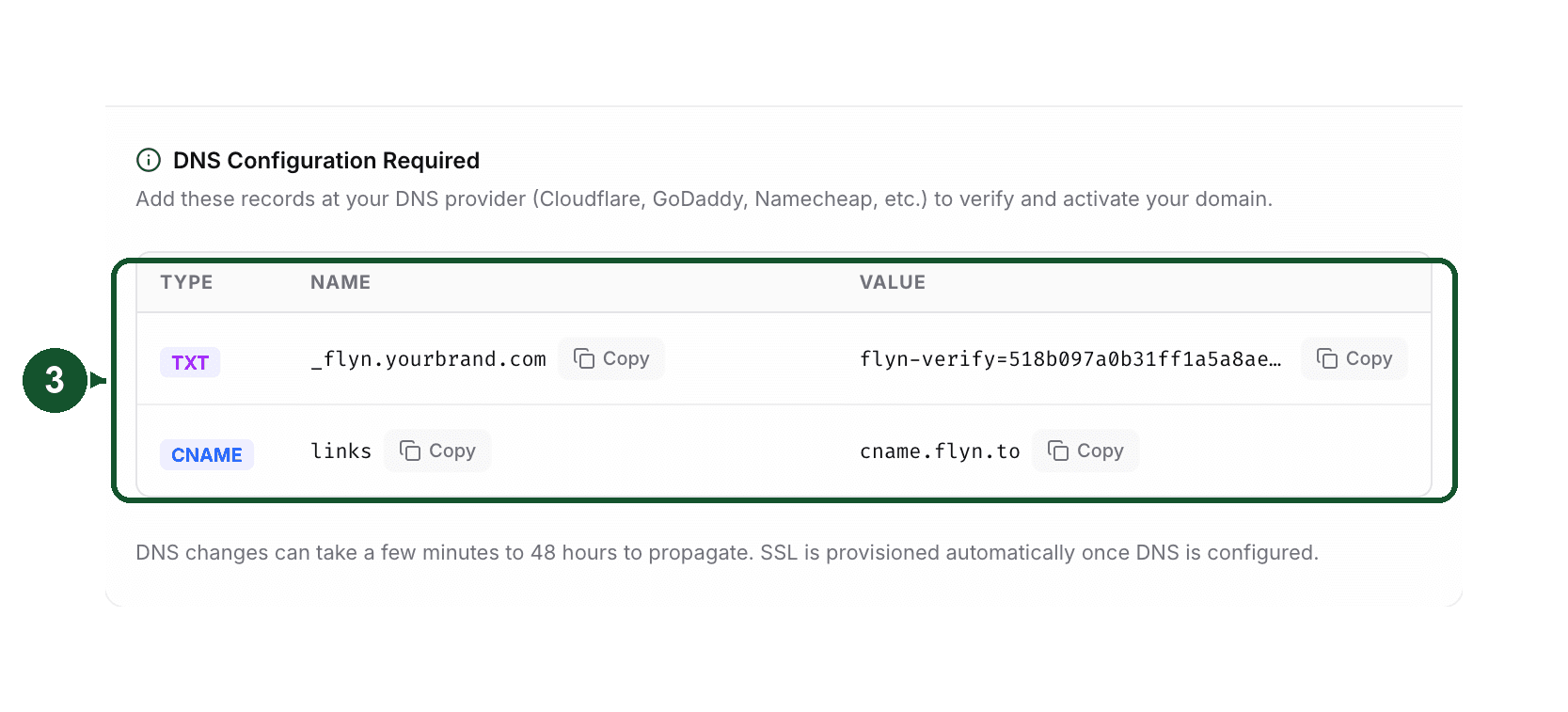
Step 3: add the two DNS records at your registrar
Use the Copy buttons so nothing is mistyped:
- A TXT record at
_flyn.yourdomain.comwith theflyn-verifyvalue Flyn generated. This proves you own the domain. - A CNAME record pointing your subdomain to
cname.flyn.to. This routes visitors to Flyn.
Step 4: verify
Wait for DNS to update, then click Verify next to the domain. Flyn checks both records and activates the domain once they resolve.
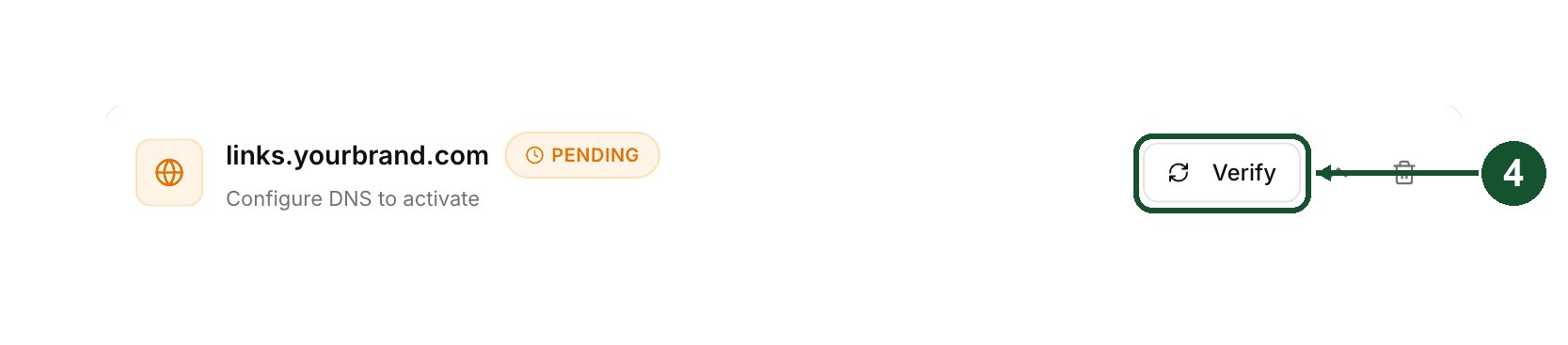
When the domain shows Active, select it while creating links and your URLs look like links.yourbrand.com/your-slug.
Using a root domain
Connecting yourbrand.com itself (no subdomain) works too, with one change: use an A record pointing to 76.76.21.21 instead of the CNAME, because most DNS providers do not allow a CNAME on the root. Providers like Cloudflare offer CNAME flattening for root domains, which also works. The TXT record stays the same.
About DNS propagation
DNS changes are not instant. Most registrars update within 5 to 15 minutes, but propagation can take up to 48 hours depending on the provider and caching of old records. Clicking Verify again is safe: it checks the current DNS state each time, so if verification fails, wait a little and try again before changing anything.
Troubleshooting
- Ownership not verified: the TXT record is missing or at the wrong name. It must sit at
_flyn.yourdomain.com(the_flynlabel on your root domain, even when you are connecting a subdomain), with the exactflyn-verifyvalue from the Domains tab. - DNS routing not configured: the CNAME (or the A record on a root domain) is missing or still points somewhere else. Remove any conflicting record on the same name.
- Certificate pending, one more record is needed: your DNS records are correct, but this domain, or the main domain it belongs to, is connected to another account at our hosting provider, often the one that hosts your website. Flyn then shows one extra TXT record (its name starts with
_vercel). Add it at your DNS provider and click Verify again. Once it verifies, the exact address you are connecting is served by Flyn straight away, so add the record only when you are ready to switch: a website or another service's links at that exact address stop there. Other addresses on your domain are not affected, and nothing needs to be removed from the other account. - Reached the 3 domain limit: remove a domain you no longer use, then add the new one.
Still stuck?
Email [email protected] with the exact domain you are connecting. We can check its DNS from our side and tell you which record needs to change.
Common questions
How many custom domains can I add?
Pro includes up to 3 custom domains per account. If you hit the limit, remove a domain you no longer use, then add the new one.
How long does domain verification take?
Most DNS providers update within 5 to 15 minutes, but propagation can take up to 48 hours. You can click Verify again at any point; it checks the live DNS state each time.
Can I use my root domain instead of a subdomain?
Yes. For a root domain like yourbrand.com, add an A record pointing to 76.76.21.21 instead of a CNAME. Some providers, such as Cloudflare, also support CNAME flattening on root domains.
Related articles
Did this answer it? If not, email [email protected] and a human will help.
Try it yourself
Create a branded, trackable short link free and follow along with this guide.