My domain already has an A record, how do I connect it to Flyn?
Updated September 23, 2026
Do not touch the A record your website uses. Connect Flyn on a subdomain instead, for example go.yourbrand.com or links.yourbrand.com. A subdomain is a separate DNS record at a separate name, so your site on the root domain keeps serving exactly as it does now.
The A record at @ is your website. Most DNS providers do not allow a CNAME on a root domain, so a root domain typically points at an IP address with an A record. Replace that record and your visitors reach Flyn, which serves short links, not your pages.
Why the root domain is the wrong target
A custom domain on Flyn is for short links. If you point yourbrand.com at Flyn, a request for https://yourbrand.com/ is redirected to www.flyn.to, and most other paths are treated as short link slugs. Paths that do not match a link return a not found page. Your homepage, your product pages, and your contact form are not served.
That is what you want from a link domain and a disaster for a domain that already hosts a site. Hence the subdomain.
Connect a subdomain instead
Custom domains are a paid feature. On the free plan the Domains tab shows an upgrade prompt instead of the domain list.
Step 1: pick a subdomain that is not in use
go, links, and url are the usual choices. Check your DNS records first and pick a name that has no record yet. If blog.yourbrand.com already points somewhere, do not reuse blog.
Step 2: add it in Flyn
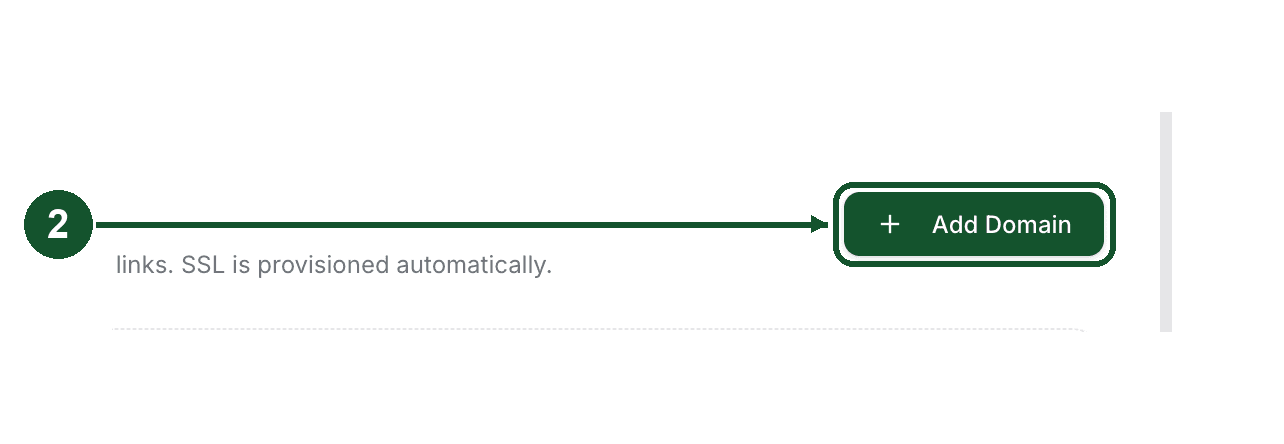
Open Settings, choose Domains, and click Add Domain in the top right.
Type the full subdomain in the field that appears, for example go.yourbrand.com, then click the (now enabled) Add Domain button next to it. Flyn registers it, opens its DNS panel, and shows the exact records to add.
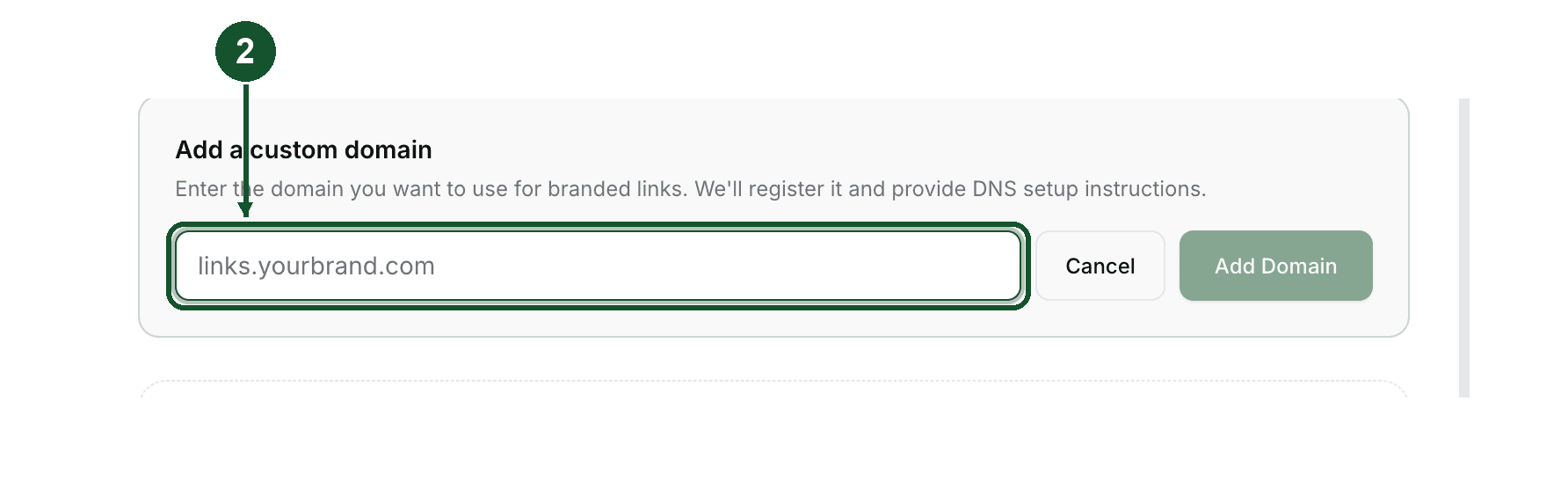
Type the whole subdomain, not just the label. Do not type www. in front of it: the field strips a leading www, so www.yourbrand.com is registered as yourbrand.com, which is the root domain you are trying to protect.
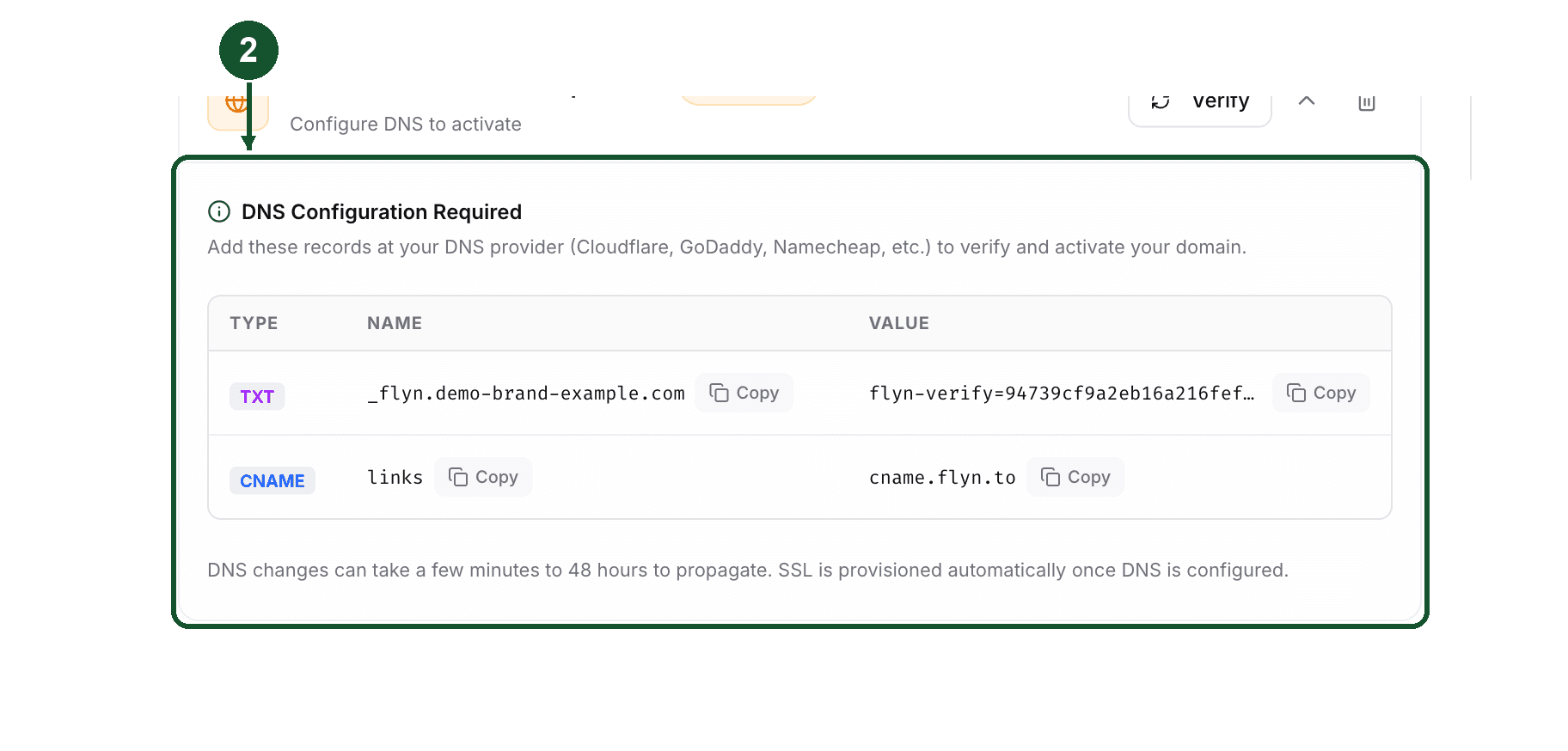
Step 3: add two records at your DNS provider
Both are new records. Neither one edits or removes the A record at @.
| Type | Name | Value |
|---|---|---|
| TXT | _flyn.yourbrand.com | the flyn-verify= value shown in the panel |
| CNAME | go | cname.flyn.to |
The TXT record proves you own the domain. It goes on the root domain even when you are connecting a subdomain, but at the _flyn label, which is a different name from the root itself. Your existing TXT records at the root, such as SPF and verification strings, are not affected.
The CNAME record routes visitors. A CNAME cannot share a name with an A record, which is exactly why this works on go and not on @.
Use the Copy buttons in the panel so nothing is mistyped.
Step 4: click Verify
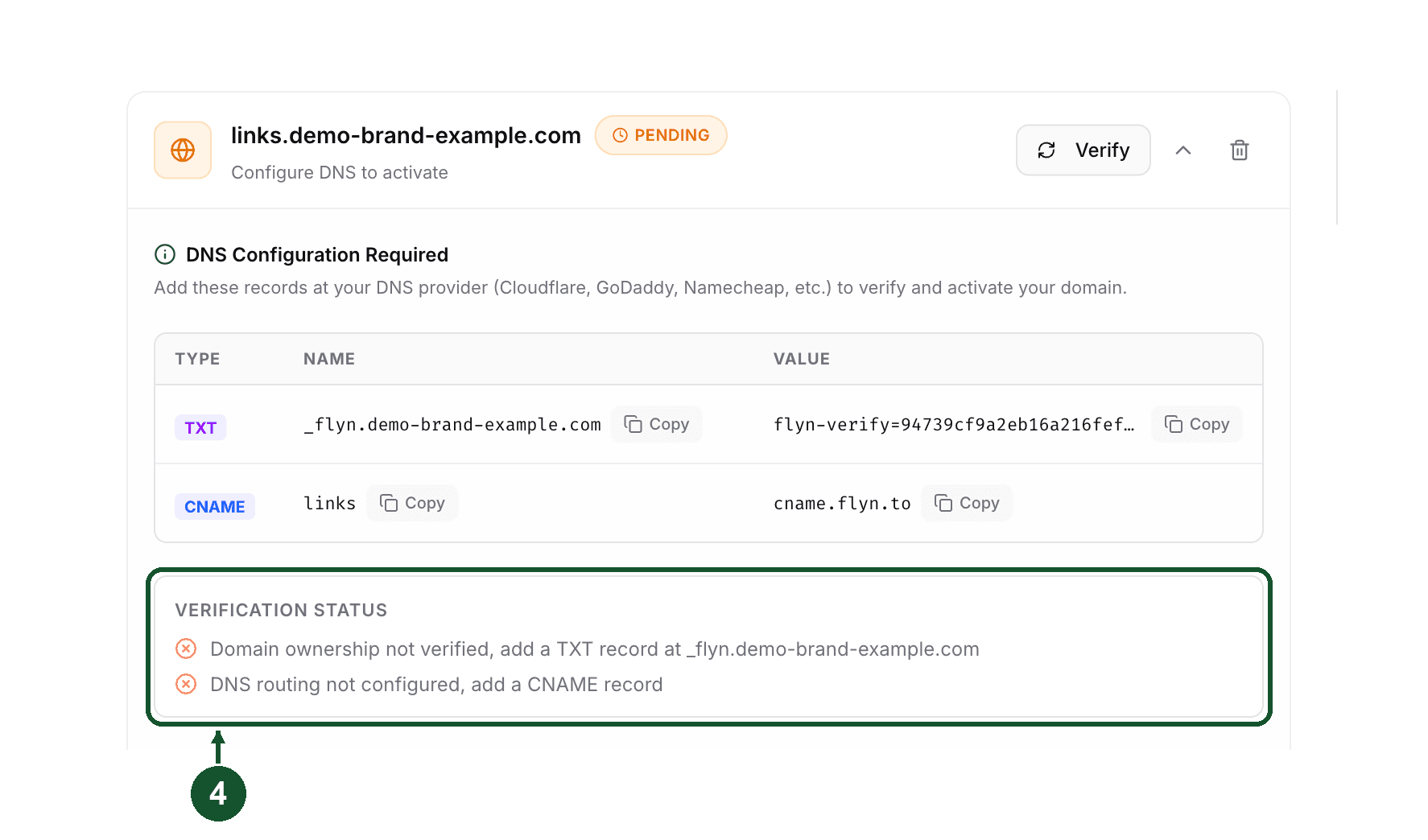
Wait for DNS to update, then click Verify on the domain row. Flyn looks up the TXT record live, checks the routing, and moves the domain from Pending to Active once everything resolves. If a check fails, a Verification Status list appears under the records showing which ones passed, so you can see exactly what still needs fixing.
Where the records live at common hosts
The screen you need is the DNS zone editor for the domain, not the website or hosting settings:
- Bluehost, HostGator, GoDaddy, Namecheap, Hostinger, SiteGround: look for the DNS or DNS records screen for the domain, then add a record.
- Cloudflare: the DNS tab of the site.
- If your registrar and your web host are different companies, the records go wherever the nameservers point, which is usually the host, not the registrar.
Two things vary between panels and are easy to get wrong:
- Some panels want just the label (
go,_flyn) and append the domain for you. Others want the full name (go.yourbrand.com,_flyn.yourbrand.com). Flyn's panel mixes the two: it shows the TXT record as a full name and the routing record as a bare label, so do not assume both should be pasted the same way. If you enter a full name in a panel that appends the domain, you end up withgo.yourbrand.com.yourbrand.comand verification fails. Copy the style of a record already in the list. - Some panels expect a trailing dot on the CNAME value (
cname.flyn.to.) and others reject it. Again, copy the style of a record that already works.
If you really do want the root domain
Only do this on a domain with no website on it, for example one you bought purely for short links. Add the domain in Flyn, then add an A record at @ pointing to 76.76.21.21 instead of the CNAME. The TXT record at _flyn.yourbrand.com stays the same. You will need to remove or replace the existing A record at @, which is the step that takes the current site offline, so move the site first.
Troubleshooting
- Verify says ownership is not verified: the TXT record is missing, or it is at the wrong name. It belongs at
_flynon your root domain even when you are connecting a subdomain. - Verify says DNS routing is not configured: the CNAME is missing, points somewhere else, or a leftover record still occupies that name. Remove any other record on the same subdomain, since a CNAME cannot coexist with an A or another CNAME on one name.
- You added the record and nothing changed: DNS changes are not instant. Verify checks the live DNS state each time, so waiting and clicking again is safe and is usually the right move before you edit anything.
- The domain ends in a two part suffix such as .com.br, .co.uk or .com.au: the TXT record still goes on the domain you registered, for example
_flyn.yourbrand.co.ukforlinks.yourbrand.co.uk. If your DNS panel addsyourbrand.co.ukto the name for you, type only_flynfor the TXT record andlinksfor the CNAME, otherwise the panel doubles the name. - "Certificate pending: this domain is registered on another account": both DNS checks passed, so there is no record to fix here. Flyn reports that the domain is still claimed on another account at our hosting provider, which is blocking the certificate. Remove it from that account.
- "This domain is already registered": that exact subdomain is already on a Flyn account. Check your own Domains list first, since it may be one you added earlier and forgot.
Still stuck?
Email [email protected] with the exact subdomain you are connecting and the name of your DNS provider.
Common questions
Can I use a subdomain instead of my root domain?
Yes. Flyn works on a subdomain you own, for example go.yourbrand.com or links.yourbrand.com. A subdomain uses a CNAME record at its own name, which is separate from the A record your website sits on, so the website keeps running.
Will connecting Flyn break my existing website?
Not if you connect a subdomain. You add two new records, a TXT record named _flyn on your root domain and a CNAME on the subdomain. Neither one replaces the A record your site uses. Pointing the root domain itself at Flyn is the move that takes a site down.
What happens if I point my root domain at Flyn anyway?
A custom domain on Flyn serves short links only. A request for the homepage of that domain is redirected to www.flyn.to, so your website stops loading there. Only point a root domain at Flyn if no website lives on it.
Can I connect www.yourbrand.com?
No. The Add Domain field strips a leading www, so typing www.yourbrand.com registers yourbrand.com, the root domain. Pick a different subdomain such as go.yourbrand.com or links.yourbrand.com instead.
Related articles
Did this answer it? If not, email [email protected] and a human will help.
Try it yourself
Create a branded, trackable short link free and follow along with this guide.