Best Link Management Tools Compared: 7 Honest Reviews
Seven link management tools, pricing verified mid-2026, and the weaknesses vendors leave off their own comparison pages. Here is how Flyn, Bitly, Rebrandly, Short.io, Dub, TinyURL, and BL.INK really stack up.


Why your link tool choice matters more than you think
Here is how most teams pick a link tool: Google "URL shortener", click the first familiar logo, and start paying $29 a month for 500 links they never fully use. Six months later the link caps bite, the click history expires, and switching feels impossible because thousands of live links point at a domain they cannot take with them. If you are choosing a link management platform for a marketing team, an agency, or a product, this guide compares seven tools (Flyn, Bitly, Rebrandly, Short.io, Dub, TinyURL, and BL.INK) with pricing verified in mid-2026, plus the weaknesses each vendor leaves off its own comparison page.
A URL shortener is not a link management platform
A URL shortener does exactly one job: it turns a long address into a short one. A link management platform treats every short link as a living asset. You can edit the destination URL after the link is printed on 10,000 boxes, serve it from a branded domain, choose a readable custom slug, watch click analytics update in real time, and fire retargeting pixels so every click feeds your ad audiences. All seven tools here shorten URLs. They differ wildly on everything after that.
If you only need to shorten a link for yourself, not manage links for a team, this comparison is aimed too high. Read the best URL shorteners compared instead, which covers the free, no-signup, and simple options this buyer-focused list leaves out.
The capabilities that separate the tiers:
- Editable destinations: repoint a live link without touching anything you already published
- Custom domains: short links on your own domain, which measurably lifts click-through rate
- Analytics retention: whether your click history survives past 30 days
- Automation: an API and webhooks for creating links programmatically
- Growth features: QR codes, deep links, UTM tracking, and A/B testing
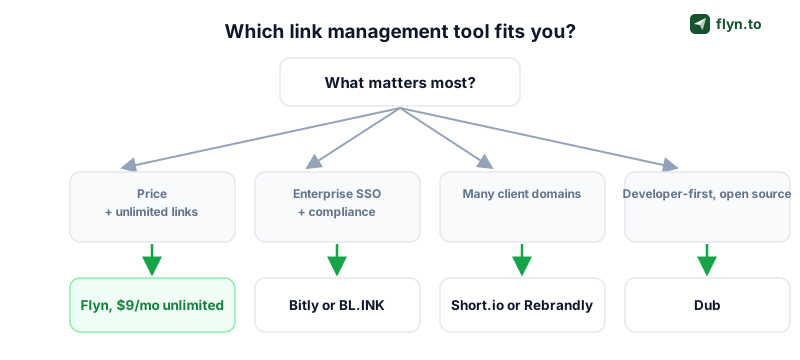
How to choose: a five-question decision framework
Skip the review paralysis. Five questions eliminate most of these tools for your situation before you read a single feature list, and they stop you from paying for capabilities you will never switch on.
 Tap to enlarge
- How many links do you create per month? Under 100, almost anything works. Past 500, per-link pricing turns painful.
- Do you need a custom domain on day one? Entry plans range from zero domains to ten.
- Which capabilities are non-negotiable? Retargeting pixels, deep links, QR codes, A/B testing, API access.
- How many people touch the links? Several strong plans are strictly single-seat.
- What does leaving cost? Confirm CSV export exists and that the short domain is yours, not the vendor's.
Start with volume and the pricing model
The seven tools price three different ways. Flat unlimited plans (Flyn, Short.io) charge one price regardless of volume. Per-link quotas (Bitly, Rebrandly, TinyURL, Dub) charge for links created each month. Click and event caps (Rebrandly, Dub, BL.INK) meter the traffic your links receive. That third model deserves the most scrutiny: a post that goes viral should be good news, not a quota breach. If you batch-create links for product catalogs or shorten programmatically through an API, per-link quotas are the first filter to apply.
Run one real campaign through a tool's free plan before subscribing. A week of actual use tells you more about dashboard speed, analytics lag, and export quality than any comparison post, including this one.
Match capabilities to your channels
Your channel mix decides which features matter. Email and social need UTM tracking and readable slugs (start with the free UTM builder). Print and packaging need QR codes pointing at editable destinations. Mobile products need deep links that survive a tap from every social app. Paid acquisition needs retargeting pixels, and affiliate work needs link cloaking plus clean redirects. Write down the two channels that drive most of your revenue, then weight everything below accordingly.
Feature comparison: the top five side by side
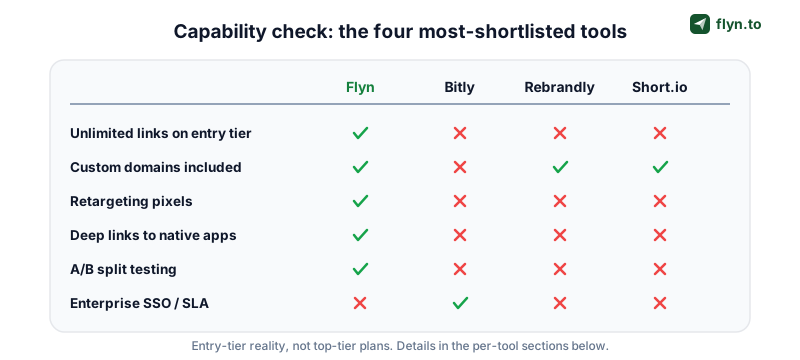
This matrix covers the five tools most buyers shortlist. TinyURL and BL.INK sit at the extremes (bare-bones casual and heavyweight enterprise) and get full treatment in their mini-reviews below.
 Tap to enlarge
| Capability | Flyn | Bitly | Rebrandly | Short.io | Dub |
|---|---|---|---|---|---|
| Entry paid plan | $9/mo (annual) | Core, $10/mo | Essentials, $11/mo | Pro, $18/mo | Pro, $25/mo |
| Links included | Unlimited | 100/mo | 250/mo | Unlimited | 1,000/mo |
| Custom domains | 3 | 0 (1 on Growth) | 1 | 10 | 10 |
| Retargeting pixels | Yes | No | Higher tiers | Yes | No |
| Deep links | Yes | Higher tiers | Higher tiers | Team plan | No |
| A/B testing | Yes | No | No | Yes | Beta |
| QR codes | Yes | Yes | Yes | Yes | Yes |
| API + webhooks | Yes | Yes | Yes | Yes | Yes |
| Free plan | Yes | Yes (limited) | Yes (10 links/mo) | Yes | Yes |
Two things a matrix cannot show: how each price scales as you grow (covered in the pricing section below) and how the product feels at 9 am on launch day (covered in the mini-reviews). Treat the grid as a filter, not a verdict.
Flyn: unlimited links at a flat $9 per month
Full disclosure: Flyn is our platform, so read this section knowing that. Every claim below is public and checkable on the pricing page, and the weaknesses list is real.
 Tap to enlarge
What Flyn does best
Flyn Pro is built around one idea: you should never have to count links. The plan includes:
- Unlimited short links with no monthly creation quota, including bulk creation for catalogs and campaigns
- 3 custom domains, enough for a main brand plus two campaign or client domains
- Retargeting pixels that fire on every click, so links you share anywhere quietly build your ad audiences
- Deep links that open the right app instead of a mobile browser, with device-aware routing
- A/B testing to split traffic between destinations and keep the winner
- QR codes generated for every link, with editable destinations behind them
- A full REST API and webhooks for programmatic link creation and click events
- Team workspaces as a $4/seat add-on with owner, admin, member, and viewer roles and shared links, domains, folders, and pixels, so a whole team collaborates without per-seat platform pricing
- Unlimited analytics retention with real-time, city-level geo, device, browser, and referrer breakdowns and period-over-period trends, no 30-day or 1-year history cap
Flyn pricing reality
Pro is $9 per month on annual billing, and that is the entire pricing story, which is the point. The free plan covers casual use; the paid plan removes every quota that matters to a growing team. For contrast: 500 links on Bitly Growth cost $29 per month, and the 501st link requires a bigger plan. On Flyn the 501st link costs nothing, and so does the 5,001st.
Where Flyn falls short
- No link-in-bio pages. If you want a hosted bio page with buttons, Flyn does not include one and Bitly bundles one.
- No native Zapier or Slack integrations. Automation runs through the API and webhooks only, which suits developers but adds setup time for no-code teams.
- No deferred deep linking. Flyn deep links open installed apps, but they cannot carry context through an app store install the way Branch can. If that is your core need, start with our Firebase Dynamic Links alternative guide.
Bitly and Rebrandly: the household names
These two dominate brand searches, and both are competent platforms. The question is whether you are paying for the product or for the logo.
Bitly: the default choice with a link-cap problem
 Tap to enlarge
Bitly is the name your finance team already knows, and for enterprise buyers that genuinely matters: SSO, security reviews, a polished QR code suite, mobile apps, and a huge integration catalog. The pricing is where it stings. Core at $10 per month includes 100 links, 30 days of click history, and no custom domain. Growth at $29 per month is the first tier with a branded domain, and it lifts you to 500 links with about 4 months of analytics retention.
- Best at: enterprise procurement, brand recognition, QR plus link-in-bio bundling
- Weakest at: value per dollar, analytics retention, custom domains on lower tiers
If you already run Bitly and the caps hurt, the Bitly vs Flyn comparison covers the exact feature deltas and the Bitly migration guide covers the exit.
Rebrandly: branding first, analytics capped
 Tap to enlarge
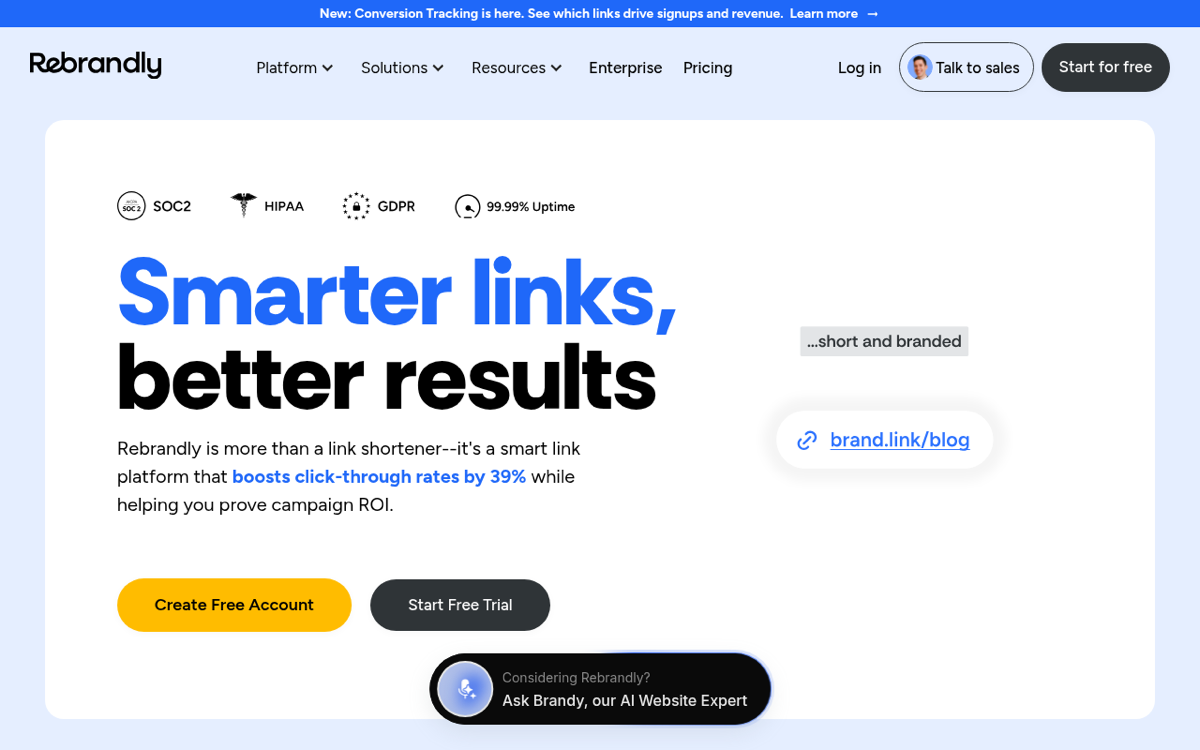
Rebrandly leads with domains: you can search, buy, and connect a branded domain without leaving the app, and its domain marketplace is the best in the category. Essentials at $11 per month ($8 on annual billing) includes 250 branded links, 1 custom domain, and a cap of 10,000 tracked clicks per month. That click cap is the trap: one good newsletter send can consume it, and deeper analytics plus retargeting scripts live on pricier tiers. The Rebrandly vs Flyn breakdown runs the numbers side by side.
Choose the pricing model you never have to think about. If a viral post can turn into a quota breach, the tool is managing you, not your links.
Short.io and Dub: the power-user picks
Neither shows up first in brand searches, and both out-spec the household names in specific, deliberate ways.
Short.io: the most generous entry plan after Flyn
 Tap to enlarge
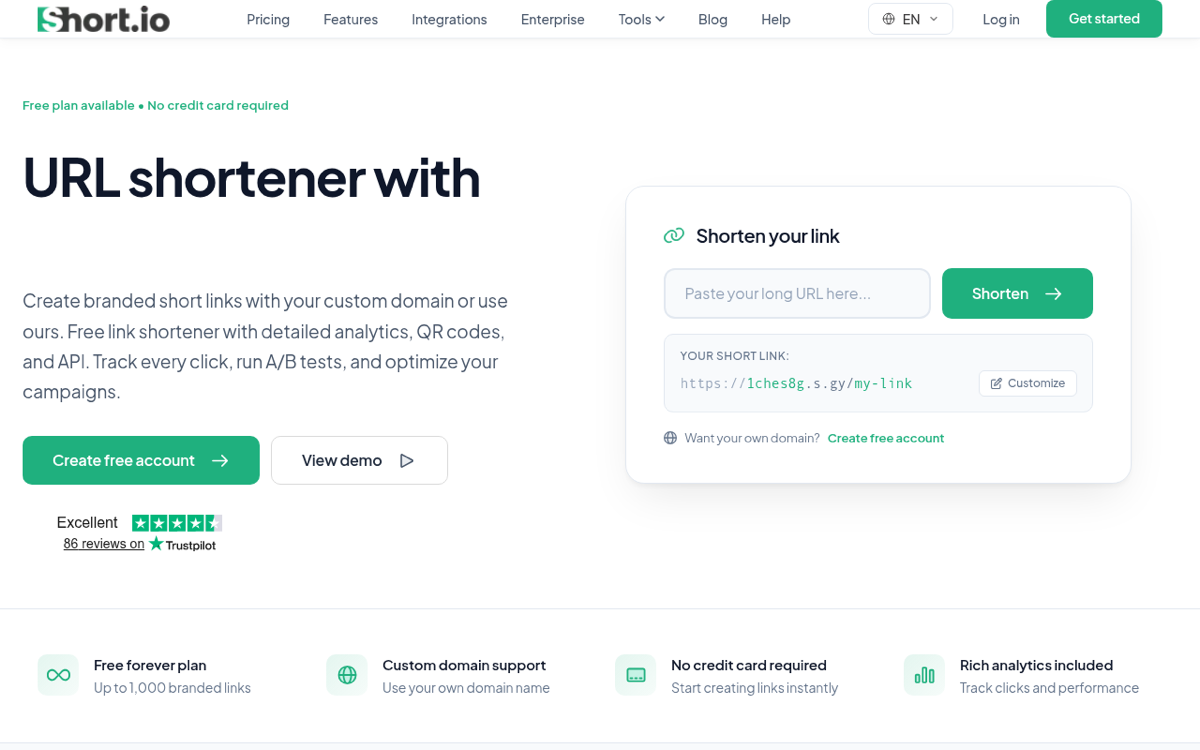
Short.io Pro at $18 per month carries a serious spec sheet:
- Unlimited branded links and unlimited tracked clicks
- 10 custom domains on the entry paid plan
- Password protection, link expiration, cloaking, and A/B testing built in
The catch is the seat count: Pro is single-user. The moment a second teammate needs access, or you want city-level geo targeting and mobile deep links, you are on the Team plan at $48 per month. Solo power users get a bargain; growing teams should model the real price before committing. The Short.io vs Flyn comparison runs the head-to-head.
Dub: open source and developer-first
 Tap to enlarge
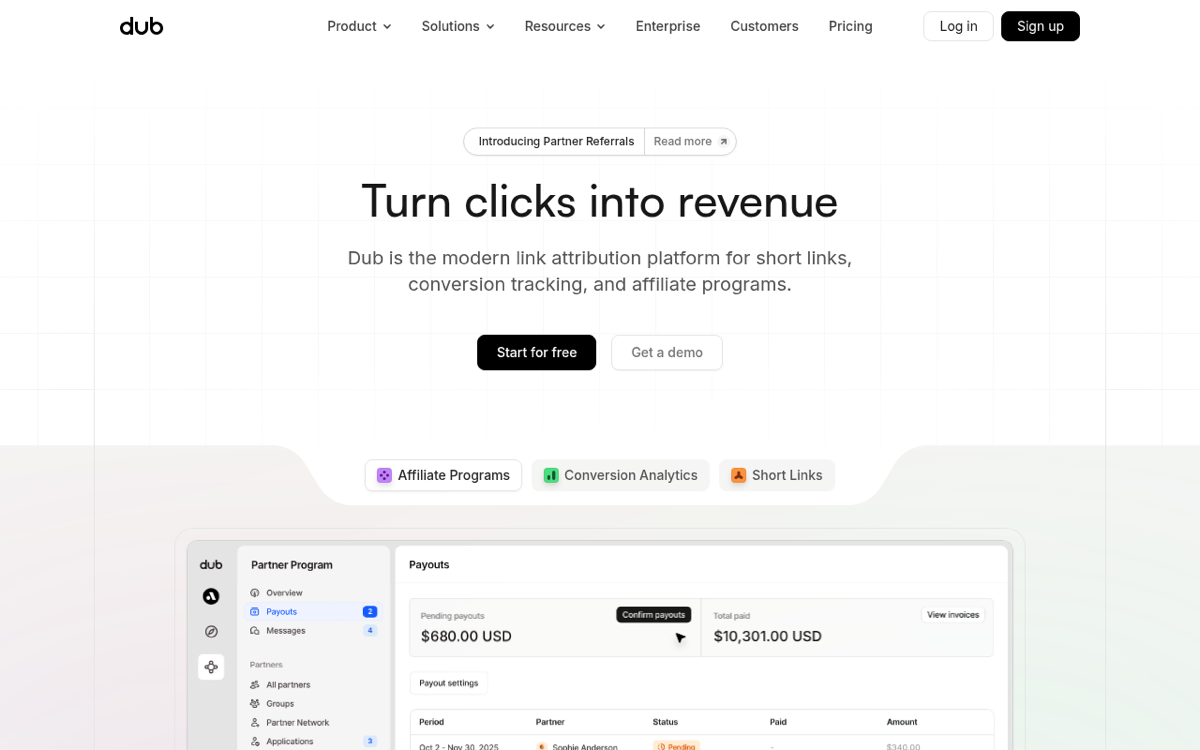
Dub is built developer-first: open source, a genuinely modern dashboard, first-class API ergonomics with typed SDKs, and an event-based analytics model that tracks clicks, leads, and sales rather than clicks alone. Pro at $25 per month covers 1,000 new links per month, 50,000 tracked events per month, a full year of analytics retention, 10 domains, and 3 users. Two caveats: the link quota is monthly, so programmatic creation at scale climbs tiers fast, and event-based billing means a traffic spike consumes quota. Evaluating link APIs specifically? Our link shortener API guide shows what to look for.
TinyURL and BL.INK: the veteran and the enterprise play
One of these predates half the internet; the other prices like a compliance department. Both serve real niches the middle of the market ignores.
 Tap to enlarge
TinyURL: fine for casual use, thin for teams
 Tap to enlarge
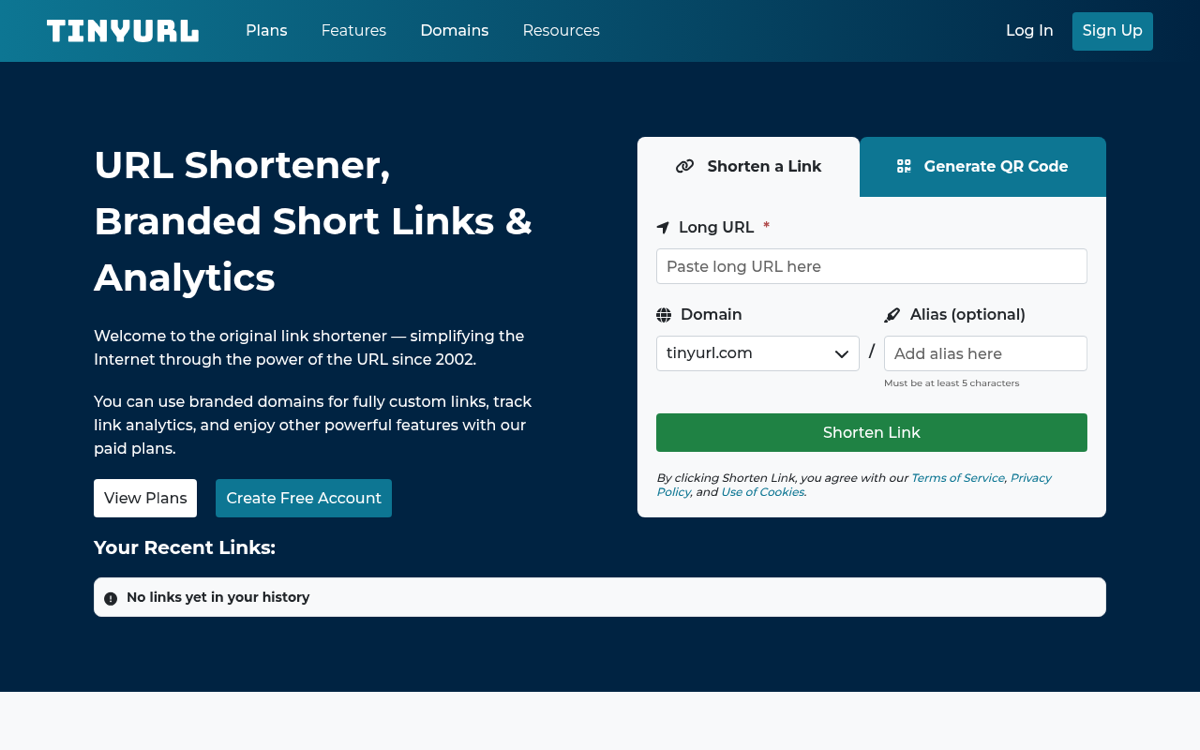
TinyURL has been shortening links since 2002, and anonymous no-signup shortening is still its superpower: paste, shorten, done. As a paid platform it is thinner. Pro at $16 per month (around $13 on annual billing) covers roughly 250 links, custom domains, and API access capped at 10,000 calls per month. Analytics are basic next to everything else in this roundup, and the link quota makes it a poor fit for teams that create links daily. Casual personal use: great. Marketing operations: look elsewhere. The TinyURL vs Flyn comparison covers when it is time to upgrade.
BL.INK: enterprise features at enterprise prices
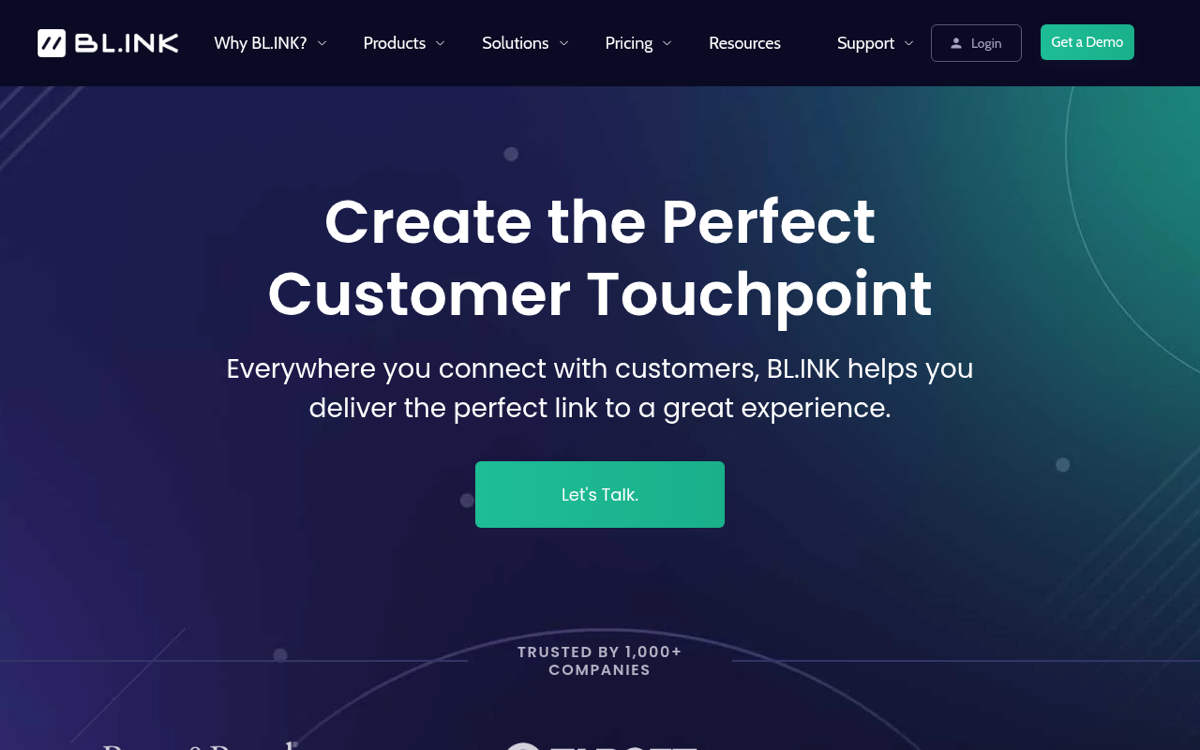
BL.INK targets large organizations, and its pricing says so: the entry Expert+ plan runs $48 per month for 1 user, 1 domain, and 10,000 active links, with clicks capped around 7,500 per link. There is a 21-day trial but no permanent free tier.
- What the premium buys: a mature compliance posture, strong QR workflows at scale, SMS-friendly short domains
- What you give up: five times the entry price of most rivals, unusual per-link click caps, single-user entry plan
Pricing compared: what you actually pay
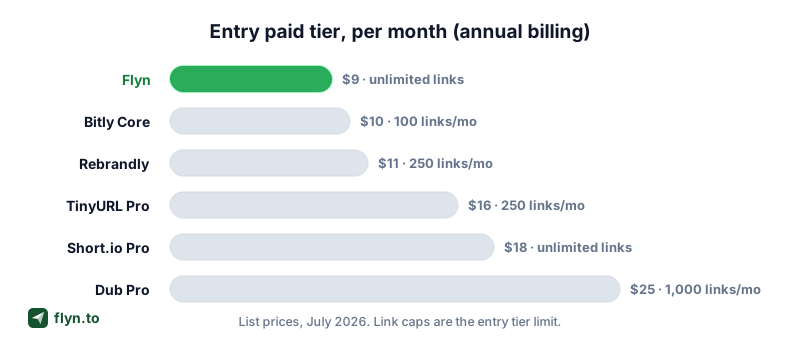
Headline prices hide four multipliers: link quotas, click or event caps, analytics retention, and seat counts. Here is the honest per-tool summary, verified mid-2026. Prices move, so confirm on vendor pages before you commit.
 Tap to enlarge
| Tool | Entry paid plan | What you get | The catch |
|---|---|---|---|
| Flyn | $9/mo (annual) | Unlimited links, 3 domains, pixels, A/B testing | No link-in-bio, no native Zapier or Slack |
| Bitly | Core, $10/mo | 100 links/mo, 30-day analytics | No custom domain until $29/mo Growth |
| Rebrandly | Essentials, $11/mo | 250 links/mo, 1 domain | 10,000 tracked clicks/mo cap |
| TinyURL | Pro, $16/mo | ~250 links, custom domains | Basic analytics, 10k API calls/mo |
| Short.io | Pro, $18/mo | Unlimited links and clicks, 10 domains | Single seat; teams pay $48/mo |
| Dub | Pro, $25/mo | 1,000 links/mo, 50k events, 1-year retention | Event caps bite on traffic spikes |
| BL.INK | Expert+, $48/mo | 10,000 links, 1 domain | ~7,500 clicks per link, single user |
The per-link pricing trap
Run the math on your actual volume. At 500 links per month, Bitly Growth costs $29, roughly 6 cents per link for every month you keep paying. At the same volume, Flyn costs $9 flat and Short.io $18 flat. Past 500 links, per-link platforms push you toward custom pricing, while flat plans do not change at all. The pattern to internalize: per-link pricing punishes exactly the growth you are hoping for.
Link quotas meter links created per month, not links you keep. On most per-link platforms, deleting links does not refund the quota, so one batch mistake can burn a full month's allowance. Test bulk workflows on a free tier before pointing an API at a paid quota.
Best picks by use case
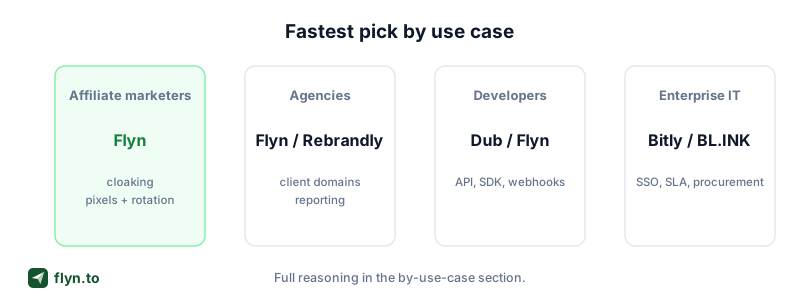
Averages lie. The right tool depends on the job, so map your primary use case before you shortlist anything.
 Tap to enlarge
Affiliate marketers
You need volume without quotas, link cloaking for ugly affiliate URLs, A/B testing to compare offers, and retargeting pixels that turn every click into an ad audience. Flat-price unlimited plans win here: Flyn (see the affiliate marketing playbook) or Short.io. Avoid click-capped plans entirely; a winning promotion should never be a billing event.
Marketing agencies
The deciding spec is custom domains per plan, because every client wants links on their own brand. Flyn includes 3 domains at $9; Short.io includes 10 at $18 but only one seat; Bitly wants $29 for the first domain. Add exportable click reports for month-end decks, then shortlist from the agency solution page.
Developers
Judge the API before the dashboard: clean REST endpoints, webhooks for click events, sane rate limits, and readable docs. Flyn ships a full links API and webhook events on every paid plan, with no link quota to budget around. Dub is the open-source option and a pleasure to build on. Start from the developer solution page and prototype against the free tier of each finalist.
Ecommerce brands
Everything printed must stay editable: dynamic QR codes on packaging mean a discontinued product page never strands a printed code. Layer in disciplined UTM tagging for attribution and retargeting pixels for paid social. Flyn and Bitly offer the strongest QR-plus-links bundles; the ecommerce solution page maps the full workflow.
Switching tools without breaking your links
The biggest hidden cost in this market is switching, so plan the exit before you enter. If your links live on a custom domain you own, migration is a weekend project. If they live on a vendor domain like bit.ly or tinyurl.com, those short URLs stay behind forever, which is the strongest argument for using your own domain from day one.
- Export everything. Pull a CSV of slugs, destinations, and tags from the old tool.
- Recreate in bulk. Use a bulk URL shortener or the API to rebuild hundreds of links in minutes.
- Redirect the old domain. Keep it live with 301 redirects (here is why 301 vs 302 matters) so old clicks and SEO equity survive.
- Verify. Run the redirect checker on your top links and a broken link checker across published content.
- Re-standardize tracking. Rebuild campaign naming conventions so analytics stay comparable across the switch.
The full migration hub has tool-specific guides for every platform in this comparison.
The bottom line: if what you mostly want is unlimited links, real analytics, pixels, and an API at the lowest flat price, start with Flyn free and upgrade when quota anxiety on your current tool gets old. Otherwise, pick Bitly if procurement demands the famous logo, Rebrandly if you are shopping for a domain anyway, Short.io if you work alone and want maximum spec, Dub if you want open source and event tracking, TinyURL for casual personal links, and BL.INK for enterprise QR programs. Either way, kick the tires with the free tools first.
Frequently Asked Questions
What is the difference between a URL shortener and a link management tool?
Which link management tool offers unlimited links for the lowest price?
Is Bitly still worth it in 2026?
Can I switch link management tools without breaking existing links?
Do I really need a custom domain for short links?
Which link management tool is best for developers?
What are link caps and click caps, and why do they matter?
What does Flyn not do?
Are short links from these tools safe to click?
Free tools for this
Three Flyn tools that pair well with the strategy in this article, all free, no signup needed.
UTM Builder
Build campaign-tracked URLs in seconds.
Broken Link Checker
Scan any page for dead links and 404s.
Redirect Checker
Trace 301/302 redirect chains.
Keep reading
Three related deep-dives from the Flyn blog.
Best Link Rotators for A/B Testing and Traffic Splitting
16 min read
Best Link Shorteners for Affiliate Marketers Who Need Cloaking
16 min read
Best URL Shorteners That Filter Bot Clicks From Analytics
15 min read
Ready to try Flyn?
Free plan includes 25 links/month, full analytics, and access to all 30+ free tools above. No credit card required.
Already a member? Log in
Karan Bhakuni is the founder of Flyn. He writes about branded links, click analytics, and the link-management tooling growth teams and creators actually need, drawn from building Flyn and reading a lot of user feedback.
Find these guides useful? Add Flyn as a preferred source so more of them show up in your Google results.