How to Make a Hyperlink in Google Docs, Word & More
There is one keyboard shortcut that makes a hyperlink in almost every app you use, and a few per-app quirks worth knowing. Here is how to add, edit, and remove a link in Google Docs, Word, Gmail, Sheets, Notion, HTML, and more.


The One Shortcut That Works Almost Everywhere
You want to turn a few words into a clickable link, in a Google Doc, an email, a Notion page, and you do not want to memorize a different method for every app. Good news: you mostly do not have to. A hyperlink is just visible text pointing at a destination, and almost every modern editor builds one the same way.
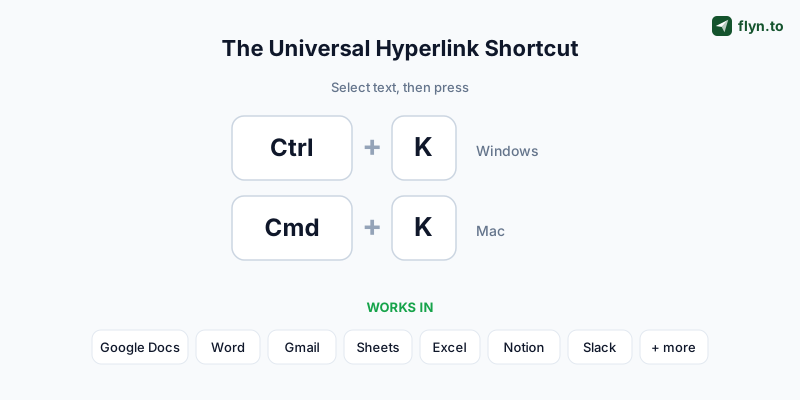
The single most useful thing to know: select your text and press Ctrl + K on Windows, or Cmd + K on a Mac. That keyboard shortcut opens the "insert link" box in Google Docs, Microsoft Word, Gmail, Outlook, Google Sheets, Excel, Notion, Slack, WordPress, and most other tools. Paste the URL, press Enter, done. Learn that one move and you can hyperlink in 90% of the software you touch.
 Tap to enlarge
What a hyperlink is made of
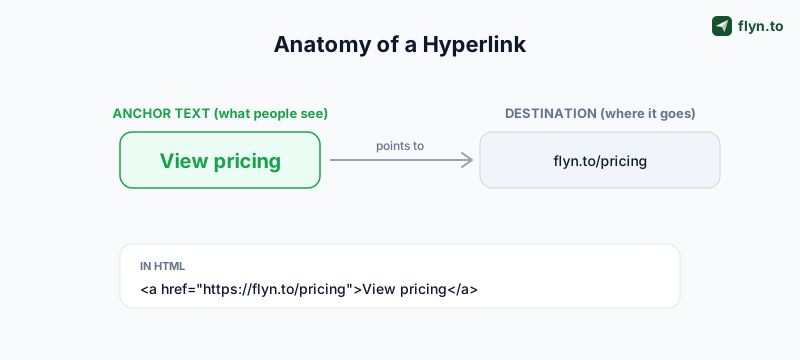
Every hyperlink has two parts: the anchor text (the visible, clickable words) and the destination (the URL it opens). When you "make a hyperlink," you are gluing those two together. In a visual editor like Docs or Word, the app hides the plumbing. In HTML you write it out by hand, which we cover near the end.
 Tap to enlarge
The rest of this guide is the per-app specifics, the exact menus, the quirks, and how to edit or remove a link once it is in. Skip to whichever app you are in.
How to Make a Hyperlink in Google Docs
Google Docs is the most-searched of all of these, so let us start there. The flow takes about three seconds once you know it.
- Select the text you want to turn into a link by dragging across it.
- Press
Ctrl + K(orCmd + Kon Mac), or click Insert → Link in the top menu. - Paste or type the URL in the box that appears. Docs also suggests pages and headings inside the same document.
- Press Enter or click Apply. Your text is now a blue, underlined, clickable link.
Editing or removing a link in Google Docs
Click directly on the link and a small preview pops up. Click the pencil icon to change the text or URL, or the broken-link icon to remove it. To strip a link entirely while keeping the words, select it and choose Format → remove link, or right-click and pick Remove link.
Highlight text and paste a URL directly over it (Ctrl/Cmd+V) and Docs auto-creates the hyperlink, no menu needed. This is the fastest method of all once it becomes muscle memory.
Linking to a spot inside the same doc
The same link box lets you point to headings and bookmarks within the document. Add a bookmark via Insert → Bookmark, then link to it, handy for long docs, internal tables of contents, and proposals.
How to Make a Hyperlink in Microsoft Word
Microsoft Word works almost identically, whether you are on Windows, Mac, or the web version. If you already know the Google Docs steps, you know these.
- Select the text you want to be clickable.
- Press
Ctrl + K(orCmd + K), or go to Insert → Link on the ribbon. - In the Insert Hyperlink dialog, paste the URL into the Address field. The Text to display field lets you change the visible words without retyping.
- Click OK.
Editing and removing in Word
Right-click any link to Edit Hyperlink, Open Hyperlink, or Remove Hyperlink. To clear every link in a document at once, select all (Ctrl + A) and press Ctrl + Shift + F9 on Windows, a lifesaver when you paste content full of unwanted links.
The mistake people make in Word is leaving the raw URL as the anchor text. "Read the 2026 report" is a better link than "https://example.com/reports/2026/q2-final-v3.pdf", for readers and for screen readers.
Word loves to auto-format anything that looks like a web address into a live link. If that annoys you, turn it off under File → Options → Proofing → AutoCorrect Options → AutoFormat As You Type, and uncheck "Internet and network paths with hyperlinks."
How to Add a Hyperlink in Gmail and Outlook
Email is where good hyperlinks earn their keep, a clean "book a call" link converts better than a pasted URL, and it looks far more professional in a signature.
Gmail
- Start composing, then select the text you want to link (or place your cursor where you want the link).
- Click the Insert link icon (the chain link) at the bottom of the compose window, or press
Ctrl + K/Cmd + K. - Enter the Text to display and the Web address, then click OK.
Outlook
In both desktop and web Outlook, select your text and press Ctrl + K, or use Insert → Link. Paste the address and send. The dialog mirrors Word's because they share the same engine.
For an email address that opens a pre-filled message instead of a web page, you want a mailto: link, not a normal URL. Build one, with subject, body, and CC pre-filled, using our free Mailto Link Generator, then paste it as the link destination.
One caveat unique to email: some clients strip or rewrite links, and you usually cannot see who clicked. If a campaign's click data matters, wrap the destination in a trackable short link first, more on that below.
How to Hyperlink in Google Sheets and Excel
Spreadsheets give you two ways to make a hyperlink: the menu (for one cell) and a formula (for many). The formula is what makes spreadsheets special.
The quick way (one cell)
Click a cell, press Ctrl + K / Cmd + K (or Insert → Link), paste the URL, and confirm. In Google Sheets you can link a cell to another sheet, a range, or a web address.
The HYPERLINK formula (for bulk and dynamic links)
Both Google Sheets and Excel support a formula that builds a link from a URL and a label:
=HYPERLINK("https://flyn.to/pricing", "View pricing")
This is the only practical way to hyperlink hundreds of rows at once, point the formula at a column of URLs and a column of labels and fill down. Marketers use it to turn an export of campaign URLs into clickable, labeled links in seconds.
| App | Quick shortcut | Bulk / formula method |
|---|---|---|
| Google Docs | Ctrl/Cmd + K | - |
| Microsoft Word | Ctrl/Cmd + K | - |
| Gmail / Outlook | Ctrl/Cmd + K | - |
| Google Sheets | Ctrl/Cmd + K | =HYPERLINK() |
| Excel | Ctrl/Cmd + K | =HYPERLINK() |
| Notion | Ctrl/Cmd + K | - |
| HTML | - | <a href> |
Long campaign URLs with UTM parameters overflow cells and break the eye-test in a shared sheet. Shorten them first (our guide on how to shorten a URL takes 30 seconds, or audit them with the UTM Parser and URL Cleaner) so the sheet stays readable, and so you get click tracking the raw URL can never provide.
How to Make a Hyperlink in Notion, Slack, and Other Editors
The modern block-and-chat editors follow the same Ctrl/Cmd + K convention, with a couple of nice shortcuts of their own.
Notion
Select text and a formatting toolbar appears, click Link, or just press Ctrl/Cmd + K, then paste. Even faster: paste a URL directly onto selected text and Notion offers to link it. To remove a link, click it and choose Unlink.
Slack
Select your text and press Ctrl/Cmd + Shift + U, or paste a URL over highlighted text. Slack shows a small dialog for the link text and address. This keeps messages tidy instead of dumping a long raw URL into the channel.
WordPress and most CMSs
In the WordPress block editor, select text and press Ctrl/Cmd + K, paste, and press Enter. The same shortcut works in Ghost, Medium, Webflow's rich-text fields, and nearly every other content editor, which is exactly why it is worth committing to memory.
If your tool is more technical and expects raw markup, you will need HTML or Markdown, which is the next section.
How to Make a Hyperlink in HTML and Markdown
When there is no toolbar, a website, a README, a docs page, a raw email template, you write the link yourself. There are two formats worth knowing.
HTML
The HTML hyperlink is the anchor element:
<a href="https://flyn.to/pricing">View pricing</a>
The href holds the destination; the text between the tags is what people click. You can add target="_blank" to open it in a new tab (always pair that with rel="noopener" for security), and rel="nofollow", "sponsored", or "ugc" for SEO and ad disclosure, see our guide to nofollow vs dofollow links for when each applies.
Markdown
Markdown, used by GitHub, Reddit, and most docs tools, is shorter:
[View pricing](https://flyn.to/pricing)
You do not have to hand-write either format. Paste your URL and link text into the free Hyperlink Generator and it outputs a clean HTML anchor and the Markdown version, with new-tab and rel options handled for you. If your URL has special characters, run it through the URL Encoder first so nothing breaks.
Hyperlink Best Practices (and How to Make Links Trackable)
Making the link is the easy part. Making it a good link, one that helps readers, ranks well, and tells you whether it worked, takes three small habits.
1. Write descriptive anchor text
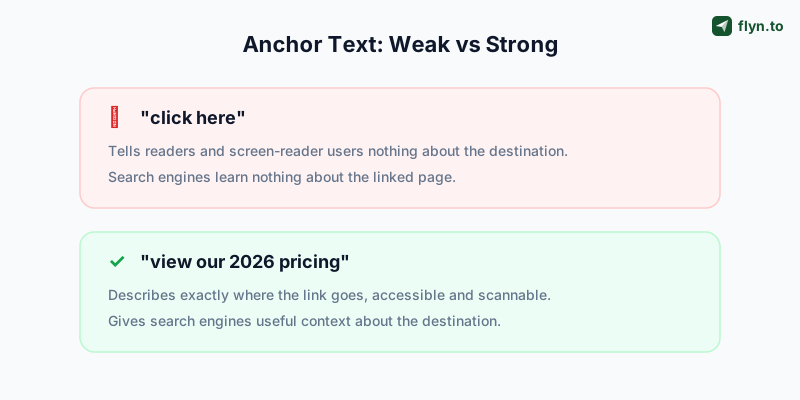
The clickable words should describe the destination. "Read the onboarding guide" beats "click here" every time. Screen-reader users often jump from link to link, and a screen full of "click here" tells them nothing. Search engines also read anchor text to understand the page you are linking to. This one habit improves click-through rates and accessibility at once.
2. Be deliberate about new tabs
Open external links in a new tab so people do not lose your page, but keep internal links in the same tab. In HTML that is target="_blank" with rel="noopener noreferrer"; in Docs, Word, and Notion the app handles it.
3. Make the link trackable
Here is the gap every method above shares: a normal hyperlink tells you nothing about who clicked it. You will never know if that link in your newsletter, proposal, or link-in-bio got 5 clicks or 500. The fix is to point the hyperlink at a short link instead of the raw URL. Shorten the destination first, then use that short link as your hyperlink's address, in any app above.
Now every click is logged with country, device, browser, and referrer, and you can see it in real time. It is the difference between guessing and knowing. The same trick powers click tracking on any link, QR codes, and deep links that open native apps. Use your own domain for branded links people trust, see every click on a free or Pro plan, browse the full free tool kit, or create a free account to start tracking the links you are already sharing.
 Tap to enlarge
Frequently Asked Questions
What is the keyboard shortcut to make a hyperlink?
How do I make a hyperlink in Google Docs?
How do I turn text into a clickable link in Word?
How do I add a hyperlink in Gmail?
How do I hyperlink in Google Sheets or Excel?
What is the HTML code for a hyperlink?
Why is "click here" considered bad anchor text?
How can I tell if anyone clicks my hyperlink?
Free tools for this
Three Flyn tools that pair well with the strategy in this article, all free, no signup needed.
UTM Builder
Build campaign-tracked URLs in seconds.
Broken Link Checker
Scan any page for dead links and 404s.
Open Graph Checker
Preview how URLs unfurl on social.
Keep reading
Three related deep-dives from the Flyn blog.

How to Track Which Posts Drive Sales, Not Just Clicks
19 min read

Email Newsletter Click Tracking: Measure Your Real CTR
12 min read

How to Choose a Branded Short Domain for Your Links
13 min read
Ready to try Flyn?
Free plan includes 25 links/month, full analytics, and access to all 30+ free tools above. No credit card required.
Already a member? Log in
Karan Bhakuni is the founder of Flyn. He writes about branded links, click analytics, and the link-management tooling growth teams and creators actually need, drawn from building Flyn and reading a lot of user feedback.
Find these guides useful? Add Flyn as a preferred source so more of them show up in your Google results.