Free Deep Link Generator
Build links that open straight in the native app, WhatsApp, Instagram, Spotify, YouTube, Telegram, X, or your own custom scheme, each with a web fallback.
Digits only, include the country code, drop the + and any spaces.
A raw scheme dead-ends. A Flyn deep link never does.
Push link-in-bio taps into the native app via app intents and universal links (so people can actually subscribe), with automatic web fallback and click analytics. A free account saves your links and counts every click; smart deep links and analytics breakdowns are Pro features.
How to Make a Deep Link in 3 Steps
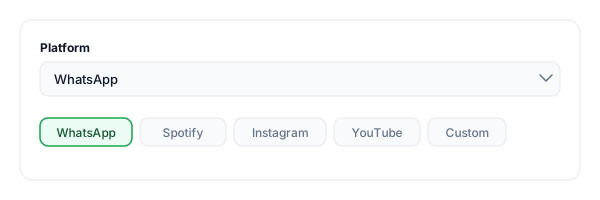
Pick a platform
Choose WhatsApp, Instagram, Spotify, YouTube, Telegram, X, or a custom URI scheme for your own app.
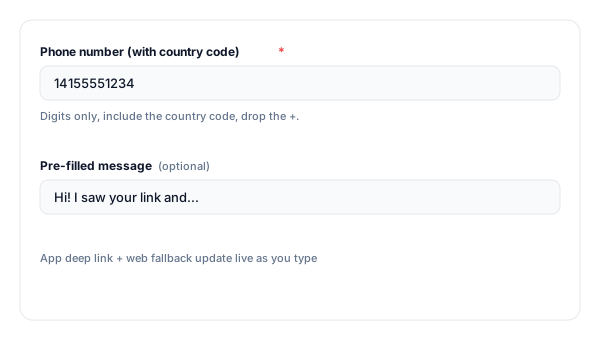
Enter the target
Paste the username, phone number, or share URL of the exact content you want the link to open in the app.
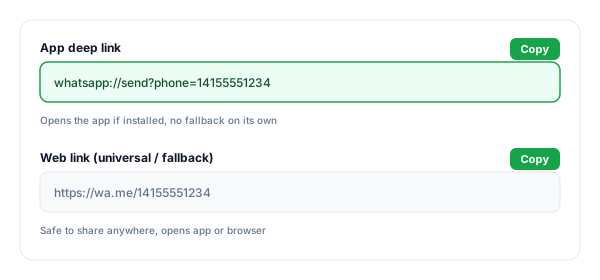
Copy the deep link + fallback
Copy the app-scheme deep link and the web fallback. Test both on a real device before you share or print them.
What Is a Deep Link?
A deep link opens a specific screen inside an app, a track, a profile, a chat, instead of just launching the app to its home screen. Tap a Spotify deep link and you land on the exact song; tap a regular web link and you might get bounced to a login wall or the app's front page.
There are two flavours. A custom URI scheme (spotify:, instagram://) opens the app directly but fails silently if the app is not installed. A universal link (iOS) or App Link (Android) is a normal https:// URL that opens the app when installed and the website when not. This tool gives you both.
Watch out
A raw custom scheme has no fallback. If the app is not installed, the tap does nothing, no app store, no website. For campaigns that reach people who may not have the app, always pair it with a web link or use a smart routing link.
Deep Link vs Normal Link on Mobile
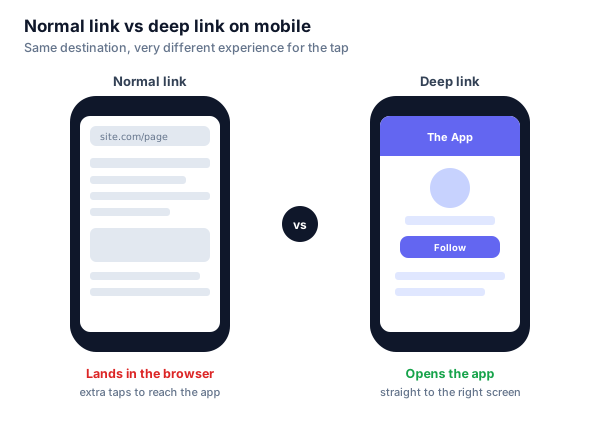
Short answer: a normal link opens your phone's browser and leaves people on the mobile web, while a deep link opens the native app straight to the exact screen. Same destination, far fewer taps.
How to Open a Link in the App, Not the In-App Browser
This is the problem most creators actually have. When someone taps your link in bio on Instagram, TikTok, or Facebook, it does not open in Chrome or Safari. It opens inside the app's own in-app browser, a stripped-down webview. There the visitor is often signed out, extensions don't run, and many one-tap actions are missing.
That quietly kills conversions. Tap a YouTube link inside Instagram's browser and you land on a logged-out web page, to subscribe you would have to sign in, so most people bounce. Open the same link in the YouTube app, where the viewer is already logged in, and subscribing, liking, or following is a single tap. Same destination; the container decides whether you convert.
What a raw deep link can and can't do here
The app-scheme link this tool generates (youtube://, instagram://) opens the app on a normal tap. But inside a locked-down in-app browser it is unreliable, the webview can swallow the scheme, and if the app is not installed the tap dead-ends with no fallback. A static link cannot detect where it was opened or react to it.
The reliable fix: a link that runs logic on tap
To escape the webview dependably, the link has to do something when tapped. Flyn deep links serve a lightweight redirect page that uses Android App Intents and iOS Universal Links to push the visitor into the native app, and fall back to the web automatically if the app is not installed. That fallback is the part a raw scheme can never do, and it is why a smart link lands far more taps in the right app.
Watch out
No method is 100% inside every in-app browser. The webview is deliberately restrictive. But a redirect page with app intents plus a web fallback is dramatically more reliable than a bare scheme, which simply fails when the app is missing.
Setting it up: shorten your destination with Flyn, turn on deep links, and use that one short link in your bio. It opens the app for people who have it, the web for everyone else, and logs every tap. Create a free account to save and track your links, and smart deep links are a Pro feature.
Deep Link Scheme Reference
The app-scheme formats this generator produces for each platform. The tool also outputs the matching https link as a fallback.
| Platform | App scheme | Notes |
|---|---|---|
| https://wa.me/<number> | Official click-to-chat link; add ?text= to pre-fill a message. | |
| Telegram | tg://resolve?domain=<user> | Or the universal https://t.me/<user> link. |
| instagram://user?username=<user> | Opens a profile in the app when installed. | |
| Spotify | spotify:track:<id> | Also album, artist, playlist, episode, show. |
| YouTube | vnd.youtube://<id> | The youtu.be/<id> link also deep-links into the app. |
| X / Twitter | twitter://user?screen_name=<h> | twitter://status?id=<id> opens a specific post. |
Built your link? Test it with our Deep Link Tester to confirm your iOS Universal Links and Android App Links are configured correctly before launch.
Why Use Flyn for Deep Links?
Smart fallback
One link opens the app if installed, or routes to the store or your website if not, no dead taps.
Device detection
Send iOS, Android, and desktop visitors to the right destination automatically.
Click analytics
See how many people opened the app vs the web; Pro breaks it down by device, country, and referrer.
Branded + trusted
On Pro, use your own short domain instead of an exposed raw scheme that scanners flag.
Frequently Asked Questions
What is a deep link?
What is the difference between a deep link, a universal link, and an app link?
How do I make a deep link?
Why does my deep link not open the app when it is not installed?
What is a custom URI scheme?
How do I make a WhatsApp deep link?
How do I open an Instagram, Spotify, or X link in the app?
What is deferred deep linking?
How are deep links different on Android vs iOS?
Do deep links work inside Instagram and TikTok in-app browsers?
How do I test a deep link?
Can a deep link fall back to the web automatically?
How do I make my link in bio open in the app instead of Instagram's browser?
Why do links open in the Instagram or Facebook in-app browser?
How do I get a YouTube link to open in the YouTube app so people can subscribe?
Comparing full platforms that route iOS and Android traffic from one short link? See our ranking of the best link shorteners with device-based routing.
More Free Link Tools
Build it here, test it next, plus more free tools from Flyn.
Deep Link Tester
Verify iOS Universal Links and Android App Links are configured correctly.
App Store Link Generator
Build smart App Store and Google Play links for your app downloads.
App Install Campaign Link Generator
Tag App Store and Play install links, with the Play referrer double encoded for you.
Apple App Site Association Generator
Build the apple-app-site-association JSON file that iOS Universal Links need.
Deep links that never dead-end
A raw scheme breaks when the app is missing. A Flyn deep link detects the device, opens the app or your fallback, and tracks every click, from one short, branded URL.