Best Link Shorteners with Device-Based Routing: 6 Compared
One link that sends iPhone users one place and Android users another is table stakes for app marketing. Here are the six tools that actually do it, what each really costs, and which one to pick.

One Link, Every Device: Why Device-Based Routing Matters
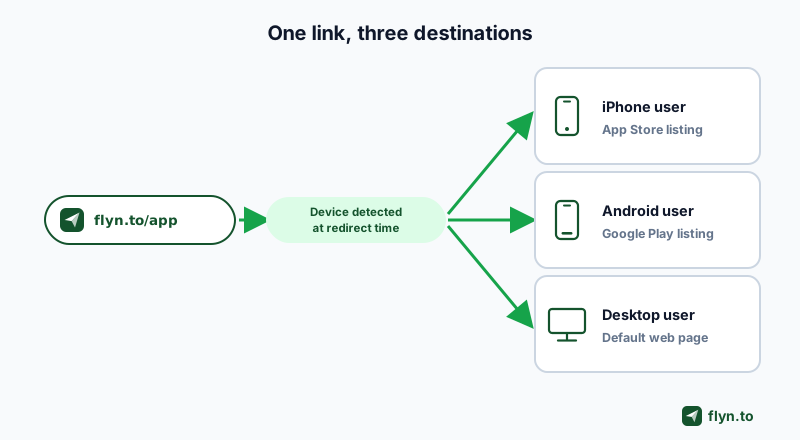
You run app-install campaigns, or you sell through the Amazon app, or you print one QR code on packaging, and the same painful thing keeps happening: an iPhone user taps your link and lands on a Google Play page they cannot use. Device-based routing fixes that. One short link reads the visitor's device at click time and sends iOS traffic, Android traffic, and desktop traffic to different destinations, so nobody ever sees the wrong store. This guide ranks the six tools that actually do it, with pricing verified in July 2026, opinionated on purpose.
To be clear about scope: this is a feature-specific ranking. If you want the general roundup across every use case, read our guide to the best URL shorteners; this page goes deep on the single feature that decides app campaigns. Device routing is one flavor of what the industry calls smart links: URLs that pick a destination per visitor instead of sending everyone to the same page. If your split is by country rather than device, the geo redirect tools comparison covers that half.
Where device routing pays off
- App installs: one link in an ad or a bio sends iPhones to the App Store and Android phones to Google Play. No more "iOS link in bio, Android link in comments".
- Affiliate revenue: mobile shoppers convert better inside a retailer's app than in a mobile browser, which is why routing Amazon links device-aware is real money for affiliates.
- Software downloads: a single download link that hands Mac users a .dmg and Windows users an .exe (Flyn does this with its Windows and Mac fields, and Linkly adds a Linux rule on top).
- QR codes: a printed QR code cannot know who scans it, so the link behind it has to do the sorting.
 Tap to enlarge
The Two Kinds of Device Routing (and Which One You Need)
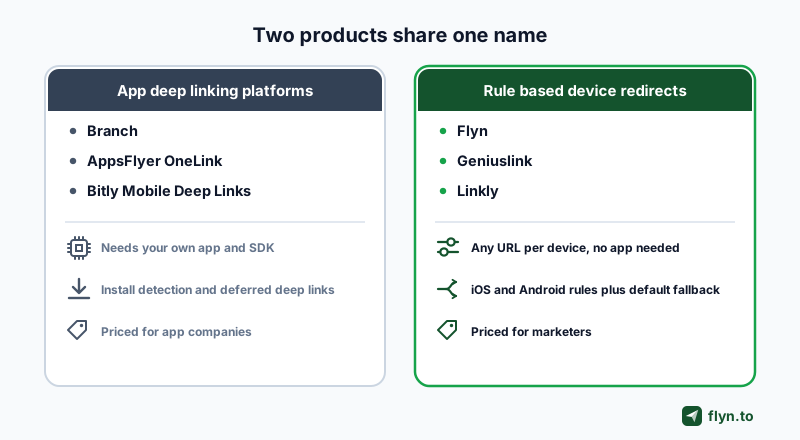
Here is the thing no vendor page tells you, and the reason most people overpay: "device routing" is two different products wearing one name. We scraped every listed tool's current pricing and feature pages in July 2026, and the split is unmistakable.
Rule-based device redirects
Flyn, Geniuslink, and Linkly sit here. No app, no SDK. You set any destination URL per device or OS: iOS goes here, Android goes there, everyone else falls to a default. This covers app-store splits too, because a store listing page is just a URL, which is why most marketers need this half of the market and not the expensive half.
App deep-linking platforms
Branch, AppsFlyer OneLink, and Bitly's Mobile Deep Links live here. They route by device, but the routing is built around your own mobile app: install detection, app store fallback, and deferred deep linking (the click context survives the install, so a brand-new user still lands on the right product screen after first open). The price of admission is real: an SDK integration or app registration, and pricing designed for app companies, not marketers.
Half of these tools assume you own a mobile app. The other half just ask where you want the click to go. Buying the wrong half is how you end up paying attribution-platform prices for a two-line redirect rule.
Quick decision rule: if you need one link that opens different URLs by device, the rule-based half does it for a tenth of the price. If you need clicks to survive an app install and report install attribution, you need the app-centric half (Branch, AppsFlyer OneLink).
 Tap to enlarge
Top Smart Link Tools for Directing iOS and Android Traffic Separately
We searched for this exact comparison before writing it. As of July 2026, what ranks is vendor feature pages and one generic roundup that mentions device targeting in passing; nobody had compared the tools side by side, so we did. The ranking below weighs four things: whether you must own an app, how granular the device rules get, what it genuinely costs to unlock the feature, and what else the tool does for the money.
- Flyn: cheapest any-URL device rules plus native-app deep links, on a full shortener (Pro, $9/mo billed annually, see pricing).
- Branch: the deepest deferred-deep-linking stack, if you own an app and can survive sales-led pricing.
- AppsFlyer OneLink: attribution-grade routing with a genuinely free on-ramp for owned media.
- Geniuslink: the affiliate specialist, metered at $6/mo plus click overages.
- Linkly: the most granular OS split on the list (iOS, Android, Mac, Windows, Linux) at $32/mo.
- Switchy: a one-click deep-link toggle on a retargeting-first shortener, from $47/mo.
Bitly nearly made the list; its verdict lives in the comparison section below.
1. Flyn: Cheapest Device-Based Routing for iPhone and Android Users
We build Flyn, so discount the ranking however you like, but every number here is checkable. Flyn is the cheapest way on this list to give iPhone and Android users different destinations from one short link, and it comes attached to a full URL shortener rather than an attribution platform.
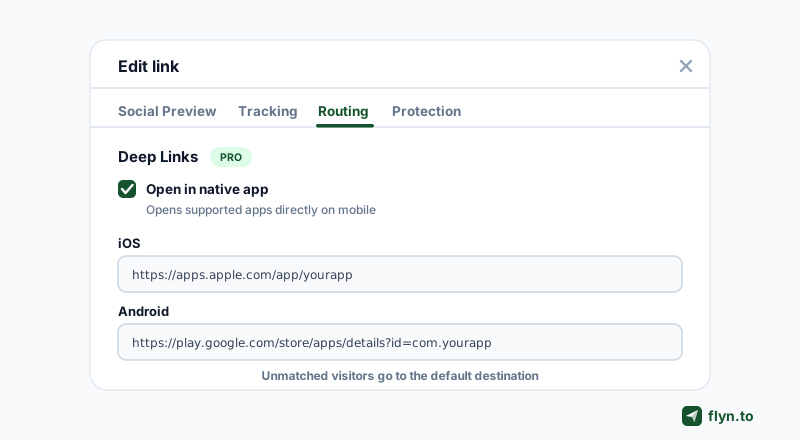
How the Routing tab works
Every Flyn link has a Routing tab in the link editor. You set an iOS URL and an Android URL, and if you want, a Windows URL and a Mac URL. Every device without a rule of its own falls through to your country rules, if you set any, then to an A/B split if the link has one, and then to the default destination you shortened in the first place, so when desktop should simply see your website, leave the Windows and Mac fields blank and your default URL is the desktop branch. When you ship desktop software, put your Microsoft Store listing or Windows download page in the Windows field and your Mac App Store listing or Mac download page in the Mac field. The link formats for both stores are in how to link to the Microsoft Store and the Mac App Store. Device targeting is a Pro feature.
The same tab holds deep links, also Pro: toggle Open in native app and mobile clicks to 16+ supported platforms (YouTube, Instagram, Spotify, TikTok, WhatsApp and more) open the native app instead of a browser tab, with an automatic web fallback when the app is not installed. The mechanics are documented in the deep links docs, and the same fields work through the API (also Pro).
 Tap to enlarge
What it costs
Pro is $9 per month billed annually ($12 month to month), and it unlocks the whole Pro surface at once, not just routing:
- Device targeting and deep links, the subject of this post.
- A/B testing (link rotation) and up to 3 custom domains.
- Per-device, geo, and referrer breakdowns in click analytics, plus colored QR codes.
The free plan gives you 25 new links a month with total click counts included, so you can run the shortener before paying; the full split is on the pricing page. Against Geniuslink's $50/mo custom-domain add-on or Bitly's $199/mo deep-link tier, the math is not close.
What Flyn honestly does not do
Flyn routes clicks; it does not attribute installs. There is no SDK, no install detection, and no deferred deep linking: if a user installs your app from the store, the click context does not survive into the first app open. If your KPI is cost per install by campaign, buy Branch or AppsFlyer OneLink, not a shortener. If your KPI is "every click lands somewhere it can convert", Flyn is the cheapest correct answer.
Before you ship a routed link, paste your store URLs into the free App Store link generator and dry-run the behavior with the deep link tester. Two minutes of testing catches the classic mistake: a Google Play link in the iPhone field, or an App Store link in the Android one.
2. Branch and 3. AppsFlyer OneLink: The App-First Heavyweights
 Tap to enlarge
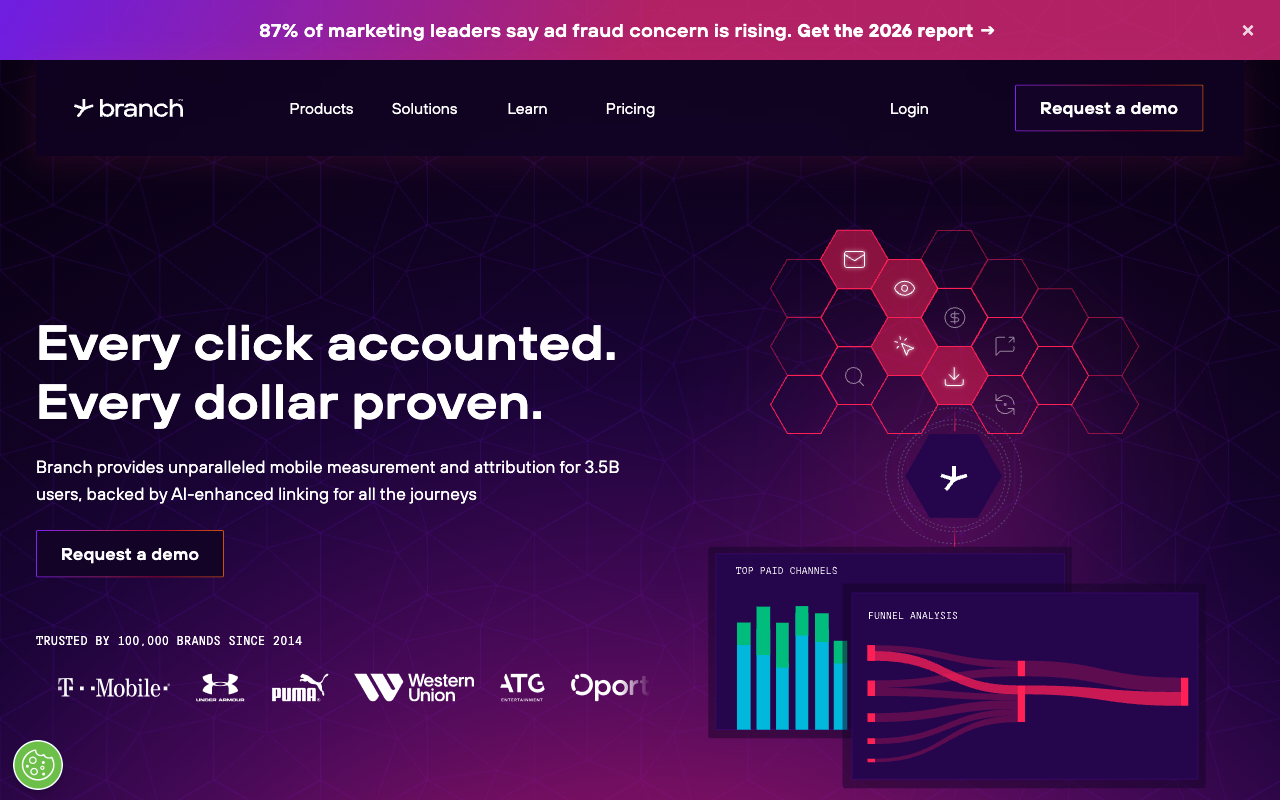
If you own a mobile app and live inside an attribution dashboard, the two heavyweights are the right shelf to shop on. They cost more (sometimes unknowably more), but they do things no rule-based shortener can.
Branch: the deepest deep-linking stack
Branch links detect iOS or Android and send users to the right app store, work across iOS, Android, web, and desktop without special configuration, and preserve click context through an install via deferred deep linking. A user without your app clicks a product link, installs, opens, and still lands on that product screen. That flow is Branch's home turf, and nobody does it deeper. The honest catches:
- No published pricing. Basics is a free trial tier; Essentials and Enterprise are both "request a demo", and procurement is sales-led.
- Basics caps ad partners, data webhooks, and ad-partner postbacks at 3 each, so anything serious pushes you into the demo-gated tiers.
- Full value requires the SDK integrated in your app; a marketer without an app is buying an empty seat.
Compare the trade-offs in more depth on our Branch alternatives page.
AppsFlyer OneLink: attribution-grade routing with a free on-ramp
 Tap to enlarge
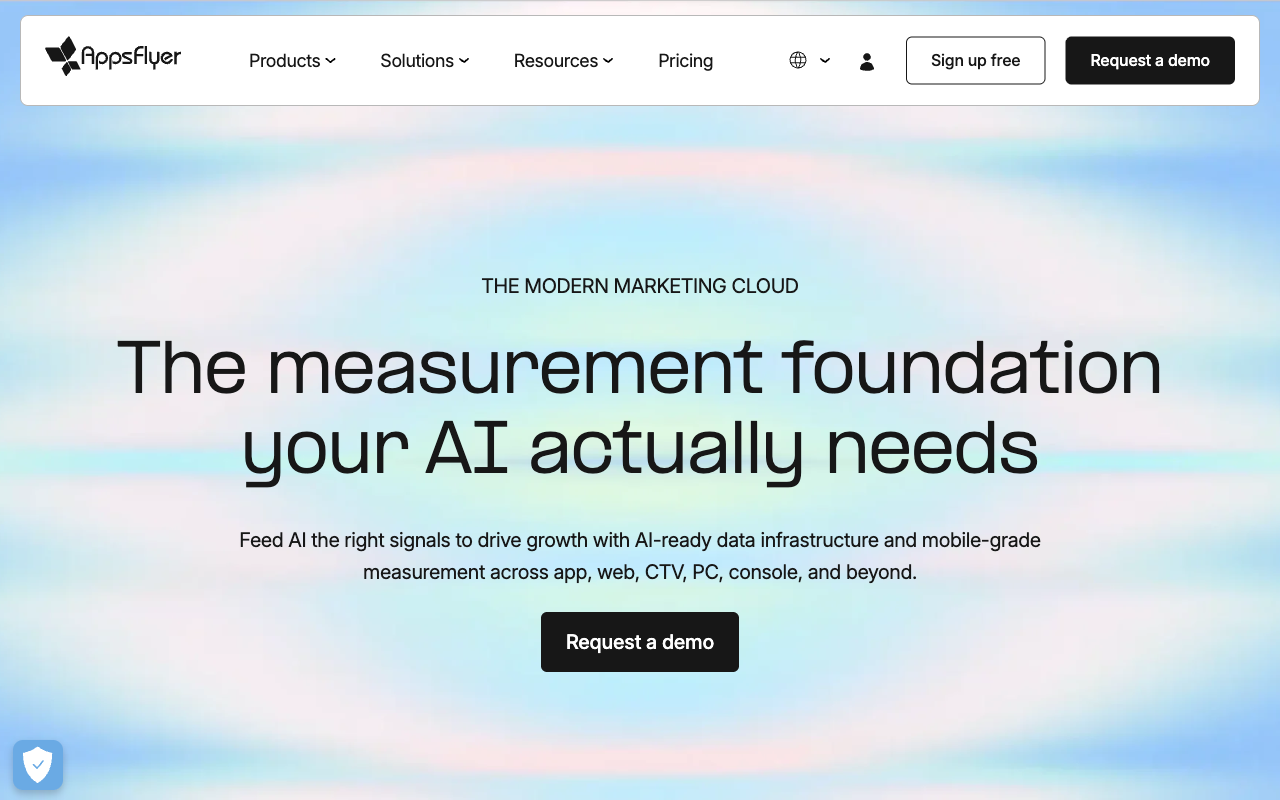
OneLink sends iOS and Android users to the right app or store, and, unusually for an app-centric tool, can redirect desktop users on Windows or Mac to a distinct URL. It is bolted to the best-known mobile attribution and fraud stack in the business, which is the actual reason app teams buy it.
Pricing is the interesting part. The Zero plan is genuinely free for owned-media links, though AppsFlyer itself flags it as not suitable for apps running paid campaigns. Growth is pay-as-you-go: 12,000 free conversions in year one, then $0.07 per conversion, which compounds fast at scale, and advanced deep-link analytics sit above the free tier. For an app company already paying for attribution, OneLink routing arrives almost free. For a marketer without an app, it is the wrong aisle entirely.
4. Geniuslink: The Affiliate Specialist with Device and OS Rules
 Tap to enlarge
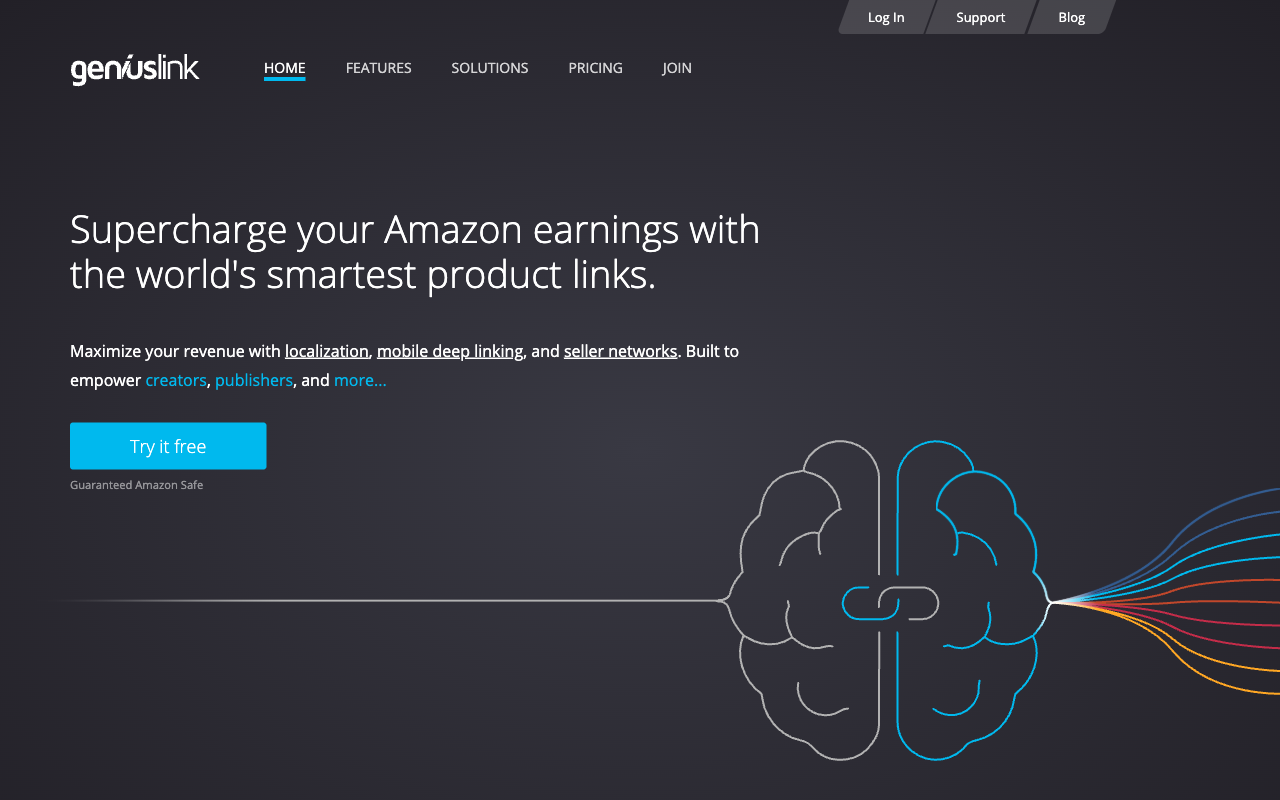
Geniuslink is what happens when device routing grows up inside affiliate marketing. Its Advanced Targets rules route visitors by language, device, operating system, country, and even time of click, no app required, and its mobile deep linking pushes shoppers into the Amazon app, where affiliates see stronger conversion than on the mobile web. It also auto-localizes Amazon links to the right country storefront and positions itself explicitly as safe for Amazon Associates.
Pricing and the $50 catch
Entry is $6 per month including 1,000 clicks, then $3.50 per additional 1,000 clicks, with volume discounts advertised up to 50%. Worth knowing before you start the 14-day trial (a valid credit card is required):
- Billing is purely click-metered: there is no flat unlimited tier, so a link that goes viral is a bill.
- A custom domain costs a striking $50/mo as an add-on, more than five Flyn Pro subscriptions for one branded domain.
- Commission tracking depth is iTunes-only, and the whole product leans hard toward Amazon affiliates.
If you are an Amazon affiliate, it is excellent at its specialty. If you are not, see how it stacks up on our Geniuslink alternatives page.
5. Linkly: The Most Granular OS Split (Mac, Windows, Linux)
 Tap to enlarge
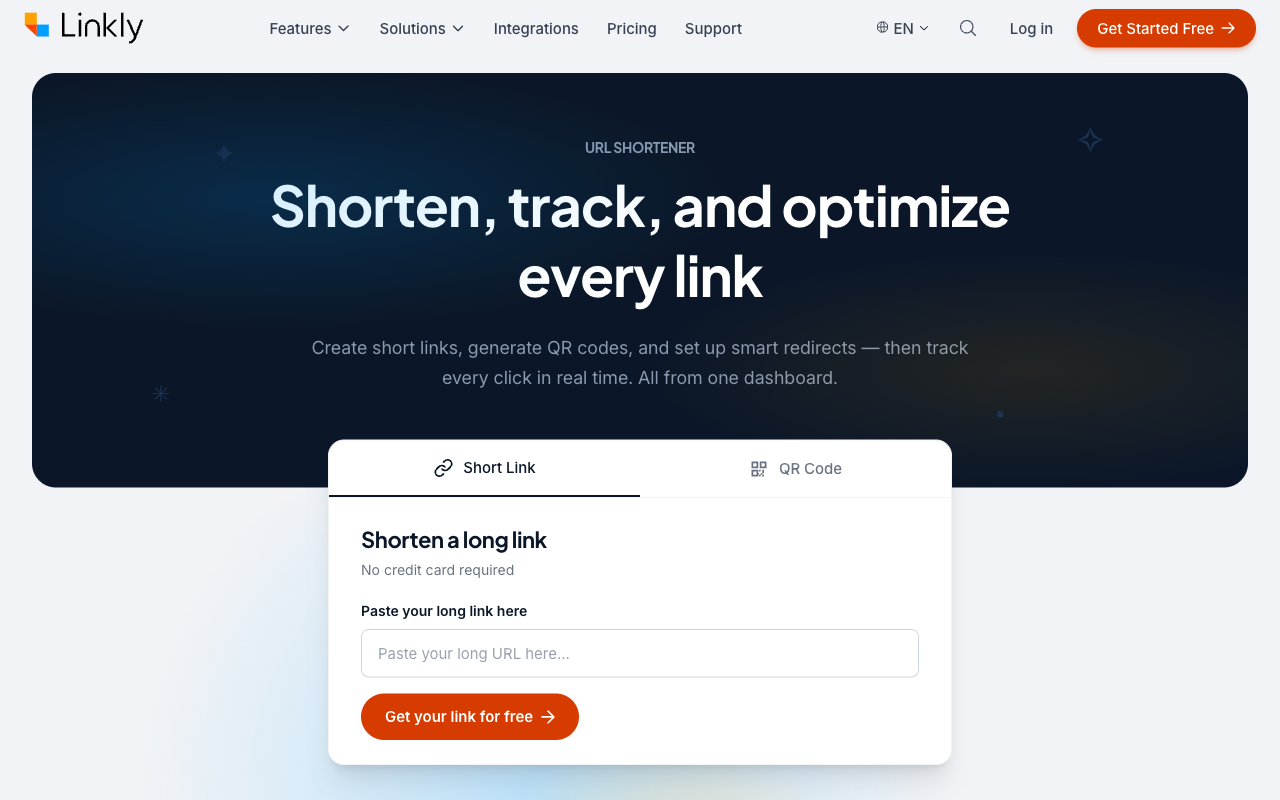
Linkly wins one category outright: OS granularity. Its device redirect automatically detects iOS, Android, Mac, Windows, and Linux, the only five-way split on this list. If you ship desktop software and your installer list includes Linux, Linkly is the specialist for the job, wrapped in a marketer-friendly shortener with rotators and pixels. For Windows and Mac alone, Flyn's Windows and Mac fields do the same job on Pro.
Pricing and quotas
The catch is where the feature sits. The free plan (100 links and 500 tracked clicks a month) and the $15/mo Starter plan do not include device rules. Device redirects start on Pro at $32/mo billed annually, which carries 1,000 links, 10,000 tracked clicks, and 3 custom domains; Business is $107/mo. Linkly also meters both links created and clicks tracked: free links pause when the click quota is hit, and on paid plans overages auto-purchase add-on packs (25,000 extra clicks for $20.50/mo). Weigh it against the field on our Linkly alternatives page.
Click-metered billing is the quiet budget killer in this category. Geniuslink bills $3.50 per extra 1,000 clicks, Linkly auto-buys add-on packs on overage, and Switchy's tiers are hard click caps. If a link might go viral, know exactly which click number triggers your next invoice before you post it.
 Tap to enlarge
6. Switchy: One-Click Deep Links for Retargeting-First Marketers
 Tap to enlarge
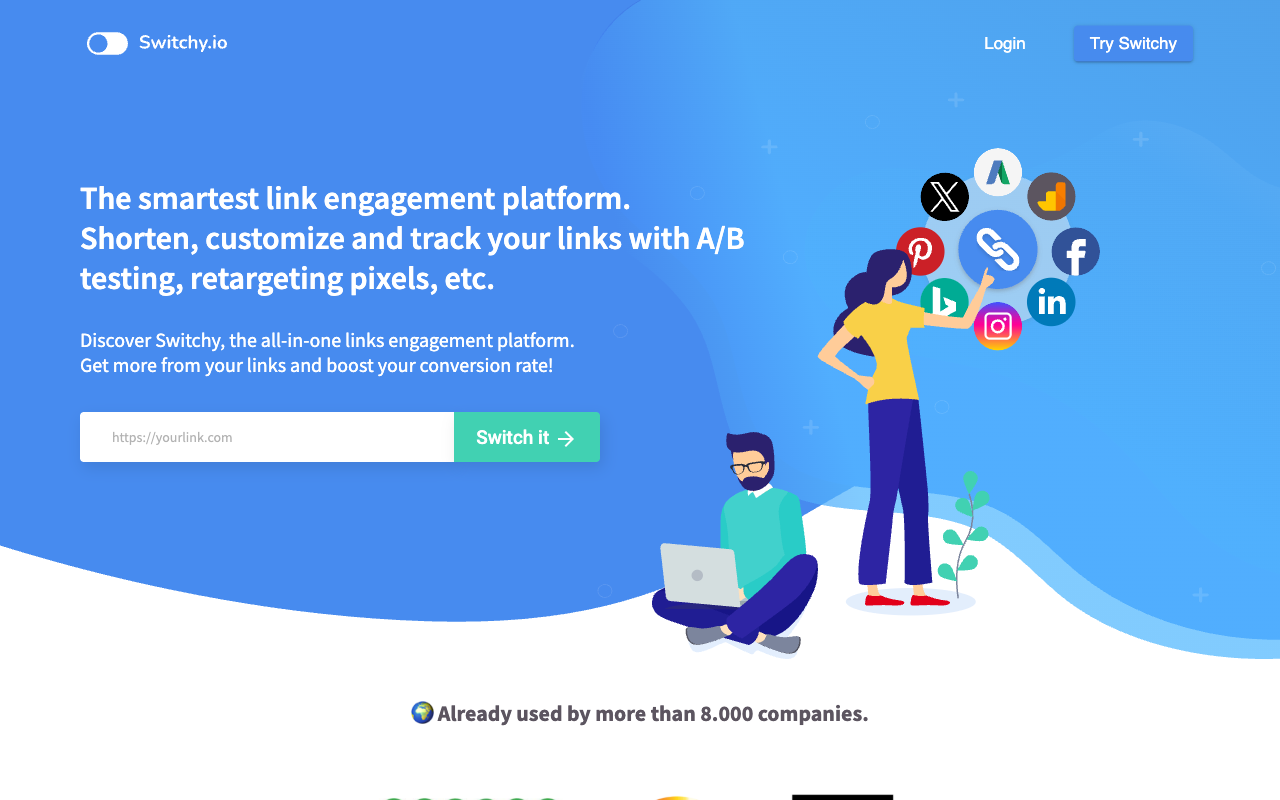
Switchy approaches the problem from the retargeting side. Every plan includes unlimited pixels and link-preview customization, and its device trick is a one-click deep-link toggle: flip it on and the link auto-detects the device and opens the in-app version of the destination for 150+ supported apps. For a social marketer who mainly wants social links opened in-app with a retargeting pixel attached, that is a pleasant workflow.
The fine print
- Supported apps only. The toggle works only when the destination app is on Switchy's integration list; their own help center notes the toggle stays off when the app is not offered. There is no documented general device rule for arbitrary iOS versus Android versus desktop URLs.
- Click-capped pricing, no free plan listed. The pricing page currently starts at Team, $47/mo for up to 10,000 clicks (unlimited links, 2 custom domains, 1 user) and climbs by click volume to $1,399/mo at 3.5 million clicks, with annual billing worth 2 months free.
If you want pixels on everything plus easy in-app opens, Switchy delivers. If you want real per-device URL rules, look elsewhere, starting with our Switchy alternatives page.
Compare Device-Based Link Routing Tools for App Marketing
Two tables settle most purchase decisions in this category. The first answers "can it do what I need"; the second answers "what does that cost". Both reflect the vendors' own pages as of July 2026.
Feature matrix
| Tool | Own app required | Any URL per device | Desktop branch | OS granularity | Free tier |
|---|---|---|---|---|---|
| Flyn | No | Yes (iOS, Android, Windows, Mac + default) | Yes (Windows and Mac fields, or the default URL) | iOS, Android, Windows, Mac | Yes (25 links/mo; routing on Pro) |
| Branch | Yes (SDK) | App-centric | Yes (web and desktop fallback) | iOS, Android, web, desktop | Free trial tier |
| AppsFlyer OneLink | Yes (SDK) | App-centric + desktop URL | Yes (Windows or Mac to a distinct URL) | iOS, Android, desktop | Zero plan (owned media) |
| Geniuslink | No | Yes (device, OS, country, time) | Yes (via OS rules) | Device and OS level | 14-day trial, card required |
| Linkly | No | Yes | Yes (per desktop OS) | iOS, Android, Mac, Windows, Linux | Yes (no device rules) |
| Switchy | No | No (app toggle only) | No | Supported apps only | Not on the pricing page |
| Bitly | Yes (own app + domain) | App-centric | Web fallback only | iOS, Android | Yes (no deep links) |
Price to unlock device routing
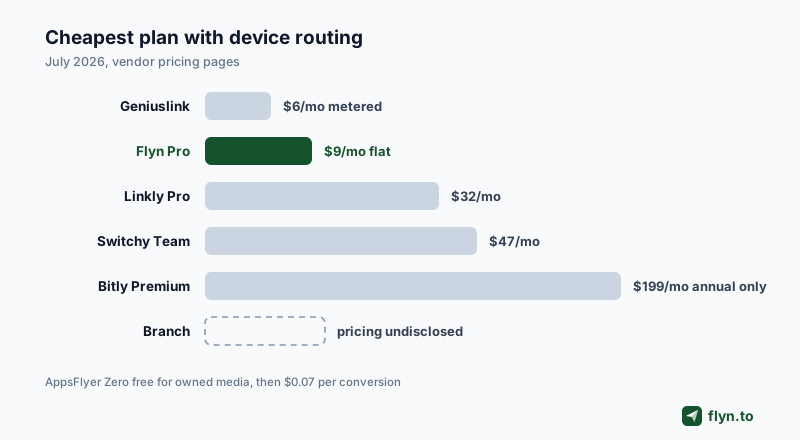
| Tool | Cheapest plan with device routing | Billing model |
|---|---|---|
| Flyn | Pro, $9/mo billed annually | Flat; unlimited links on Pro |
| Geniuslink | $6/mo (includes 1,000 clicks) | Metered: $3.50 per extra 1,000 clicks |
| Linkly | Pro, $32/mo billed annually | Link and click quotas, auto add-ons |
| Switchy | Team, $47/mo (10,000 clicks) | Click-capped tiers |
| AppsFlyer OneLink | Zero, free (owned media) | Growth: $0.07 per conversion after year-one credit |
| Branch | Undisclosed, demo-gated | Sales-led |
| Bitly | Premium, $199/mo (annual only) | Deep-link reporting is Enterprise-only |
What about Bitly?
Bitly deserves its own footnote because so many teams already pay for it. Its Mobile Deep Links are real Universal Links and Android App Links on your branded domain, with app-store fallback and post-install content opening. But per Bitly's own comparison table they appear only on Premium ($199/mo, annual plan only) and Enterprise, deep-link reporting (app installs, app sessions) is Enterprise-only, you must register your own apps on your custom domain, and Android App Links require Android 6.0 or newer. That is $2,388 a year to unlock a capability Flyn ships for $108 a year, which is why Bitly is a footnote here rather than a ranking; the full picture is on our Bitly alternatives page.
How to Create One Link That Opens Different Destinations by Device
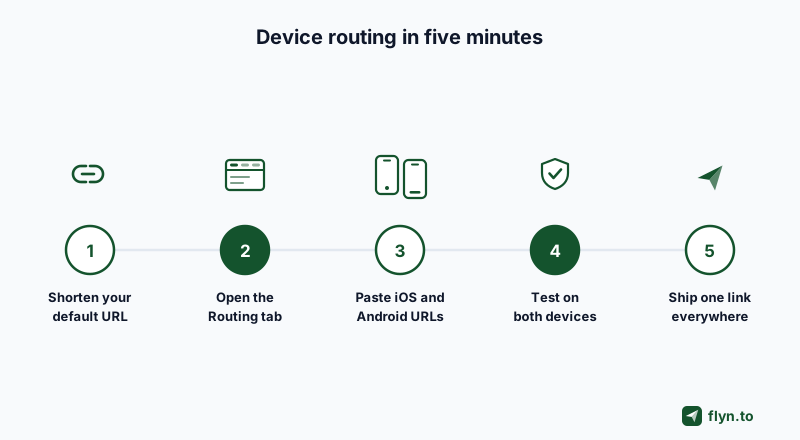
Here is the whole workflow in Flyn, timed at under five minutes if your store listings already exist.
- Shorten your default URL. This is what desktop visitors without a Windows or Mac rule will see, usually your landing page. Destination editing works on every plan, so you can change it later without changing the link itself.
- Open the Routing tab in the link editor (a Pro surface). Paste your App Store listing into the iOS URL field and your Google Play listing into the Android URL field; the free App Store link generator checks that each is a web link and warns when a store page sits in the wrong device's field. If desktop needs its own page, fill in the Windows and Mac fields too.
- Toggle deep links if the destination is an app. For supported platforms, Open in native app pushes mobile clicks into the app itself; the free deep link generator shows you the URI schemes involved.
- Test on both platforms. Run the link through the deep link tester, then tap it on a real iPhone and a real Android phone before spending ad money on it.
- Ship one link everywhere. Bio, ads, email, and the QR code on your packaging can all carry the same URL now, and your analytics will show the device split (breakdowns are part of Pro analytics).
 Tap to enlarge
The verdict
- You market anything without owning an app: Flyn. Cheapest rules, full shortener attached. Start free and upgrade when you need the Routing tab.
- You own an app and buy installs: Branch if the budget allows, AppsFlyer OneLink if you want a free on-ramp or already pay for attribution.
- You are an Amazon affiliate: Geniuslink, with eyes open on metered billing.
- You ship desktop software: Flyn, with its Windows and Mac fields on Pro; Linkly if you also need a separate Linux rule.
- You want pixels on everything plus easy in-app opens: Switchy.
One link that opens the right destination on every device is not a luxury feature anymore; it is the difference between a click that converts and a click that bounces off the wrong app store. Decide which half of the market you need, pay accordingly, and check the plans on the pricing page.
Frequently Asked Questions
What is the best link shortener with device-based routing for iPhone and Android users?
What is the best way to create one link that opens different destinations by device?
Do I need Branch or AppsFlyer if I do not have a mobile app?
Can one short link send desktop visitors somewhere different from mobile visitors?
How much does it cost to unlock device-based link routing?
Does device-based routing work with QR codes?
Will a routed link still track clicks separately for iOS and Android?
Free tools for this
Three Flyn tools that pair well with the strategy in this article, all free, no signup needed.
UTM Builder
Build campaign-tracked URLs in seconds.
Broken Link Checker
Scan any page for dead links and 404s.
Redirect Checker
Trace 301/302 redirect chains.
Keep reading
Three related deep-dives from the Flyn blog.
Best Link Rotators for A/B Testing and Traffic Splitting
16 min read
Best Link Shorteners for Affiliate Marketers Who Need Cloaking
16 min read
Best URL Shorteners That Filter Bot Clicks From Analytics
15 min read
Ready to try Flyn?
Free plan includes 25 links/month, full analytics, and access to all 30+ free tools above. No credit card required.
Already a member? Log in
Karan Bhakuni is the founder of Flyn. He writes about branded links, click analytics, and the link-management tooling growth teams and creators actually need, drawn from building Flyn and reading a lot of user feedback.
Find these guides useful? Add Flyn as a preferred source so more of them show up in your Google results.