Add a Link to a Facebook Post Without Killing Reach
Pasting a link into a Facebook post is the easy part. Getting it to show a clean preview, not tank your reach, and tell you how many clicks it got is where most people lose. Here is the full playbook.


How to Add a Link to a Facebook Post (the 30-Second Version)
You want to share a link, an article, a product page, a sign-up form, with your Facebook audience. The mechanical part takes seconds. The part that decides whether anyone clicks, whether the post shows a clean preview, and whether Facebook even shows it to your followers, takes a little more thought. This guide covers both: the exact steps to add a link to a Facebook post, Page bio, and Story, and everything that makes the difference between a link that performs and one that quietly dies in the feed.
Here is the fast version for a standard feed post, on desktop or mobile:
- Start a new post from your profile, Page, or a group, the same way you would for any update.
- Paste your URL directly into the text box. Within a second or two, Facebook fetches the page and a link preview card appears below your text, with an image, headline, and short description.
- Delete the raw URL text if you like. Once the preview card has loaded, you can remove the plain
https://...from your caption and the card stays. This keeps the post clean. - Write your caption above the card, then publish.
That is it. The link is now clickable, and tapping the preview card sends people to your destination. The catch is that those four steps hide three decisions that separate a good link post from a wasted one: which link you paste, what the preview looks like, and how Facebook treats outbound links in the feed. We will work through all three.
 Tap to enlarge
Why deleting the raw URL is the pro move
A naked https://www.example.com/blog/some-very-long-slug?ref=fb in your caption looks cluttered and slightly spammy. Once the preview card renders, the URL text is redundant, the whole card is clickable. Remove it and your post reads like a clean recommendation instead of a link dump. This single habit makes link posts look more native and trustworthy.
Use a short, branded link instead of the raw URL
Before you even paste, swap your long destination for a short, branded one. A Facebook link shortener turns an ugly tracking URL into something like flyn.to/spring-sale, which is easier to trust, easier to remember if you also say it out loud in a video, and, crucially, logs every click. We will come back to why branding matters so much for both reach and trust later in this guide.
Adding a Link to a Facebook Story
Facebook Stories are full-screen, vertical, and disappear after 24 hours, which makes them perfect for time-sensitive links: a flash sale, a new drop, an event happening tonight. Adding a link is a little different from a feed post because Stories use a sticker rather than inline text.
Step by step on mobile
- Open the Facebook app and start a new Story with a photo, video, or background.
- Tap the sticker icon at the top of the editor.
- Choose the link sticker and paste your URL.
- Optionally rename the sticker so it reads "Shop the sale" or "Get tickets" instead of the bare URL, then place it where you want and publish.
Viewers tap the sticker and swipe (or tap) through to your destination. Because Stories are fleeting and mobile-only, you almost never want a long URL here, the link sticker shows cleaner with a short, branded link, and you can reuse the same tracked link across your Story, your feed post, and your bio to compare which placement converts best.
Story links are mobile-first by nature. Make sure your destination loads fast and looks right on a phone, the vast majority of Story taps come from mobile. A slow or desktop-only landing page will burn the click you worked to earn.
Reels and video descriptions
Links in Reels captions are not always tappable, so creators often drive people to "link in bio" or drop the link in the first comment. That makes your bio link and your comment strategy even more important, both covered in this guide. A short link is ideal here because it is easy to say out loud in the video itself ("go to flyn dot to slash sale").
How the Facebook Link Preview Is Generated
When you paste a URL, Facebook does not guess what to show. It sends a crawler to the page and reads its Open Graph tags, small pieces of metadata in the page's HTML that explicitly tell social platforms how to display the link. Understanding this is the key to fixing every preview problem you will ever hit.
 Tap to enlarge
The four tags that matter
- og:image: the big preview image. Aim for 1200 x 630 pixels, the same ratio as a blog hero, so it fills the card without cropping. This is the element that stops the scroll.
- og:title: the bold headline on the card. Keep it benefit-driven and under about 60 characters so it does not truncate.
- og:description: the gray line under the title. One clear sentence, under about 110 characters, that gives people a reason to tap.
- og:url: the canonical URL the card represents, which keeps the preview consistent even if there are tracking parameters on the link.
Check the tags before you post
You do not have to guess what Facebook will pull. Paste your destination into the free Open Graph checker and it shows you exactly the image, title, and description that will appear, before you publish to your audience. If something looks wrong, you fix it on the page (or with your CMS / site builder) and re-check. This thirty-second habit prevents the most embarrassing link mistakes.
The link preview is your post's billboard. People decide whether to tap based on the image and headline long before they read your caption, so a blank or broken card quietly halves the value of everything you wrote.
Fixing a Missing or Wrong Link Preview
You paste a link and the preview is blank, shows the wrong image, or pulls an outdated headline. This is the single most common Facebook link complaint, and it is almost always one of two problems: a missing Open Graph tag or a stale cache. Here is how to diagnose and fix each.
Step 1: Confirm what Facebook can actually see
Run the URL through the Open Graph checker first. If the image or title is missing there, the problem is on the page, not on Facebook. The page is not exposing an og:image or og:title, so there is nothing for the crawler to display. Add the missing tags (most CMSs and site builders have a social / SEO settings panel for exactly this) and re-check.
Step 2: Force Facebook to re-scrape
If the tags are correct but Facebook still shows an old preview, the platform has cached an earlier version of the page. Facebook stores previews aggressively so it does not re-crawl every time someone shares a link. To clear it, use Facebook's own Sharing Debugger (search "Facebook sharing debugger"), paste your URL, and click "Scrape Again". The fresh preview will then appear in new posts.
- Blank card: usually a missing
og:imageor an image that is too large or blocked. Fix the tag, then re-scrape. - Wrong / old image or title: almost always a cache. Re-scrape with the debugger.
- Tiny thumbnail instead of a big image: your
og:imageis too small. Use at least 1200 x 630. - Preview works on desktop but not mobile: re-scrape, then test by sending the link to yourself in Messenger.
If you shorten a link, the preview comes from the final destination, not the short link, as long as your shortener passes the crawler through correctly (a good one does). A cheap or sketchy shortener that interrupts the crawl can break the preview entirely. If a shortened link shows no card, test the destination directly in the Open Graph checker to isolate where it breaks.
Step 3: When the preview still will not update
Edited posts sometimes keep the old card because Facebook locked the preview at publish time. The reliable fix is to re-scrape with the debugger and then create a fresh post rather than editing the old one. Annoying, but it is the cleanest path to a correct preview.
Does Facebook Reduce Reach on Posts With Links?
Yes, often, and it is the most misunderstood part of posting links. Facebook's feed is optimized to keep people on Facebook. Content that sends users off the platform, an outbound link, competes against native photos, videos, and text that keep them scrolling. So a bare link post can be shown to fewer of your followers than an equivalent native post. This is not a punishment or a "shadowban", it is the feed doing its job. The good news: you can recover most of that reach with how you post.
 Tap to enlarge
Tactic 1: Lead with native value
Do not make the link the only reason to stop scrolling. Tell the story, share the insight, or post the image natively in the post itself, and treat the link as the reward for people who want more. A post that is valuable on its own earns engagement, and engagement is what the feed actually rewards.
Tactic 2: Put the link in the first comment
A widely used workaround: publish a strong native post (a photo, a short video, or a punchy text update) with no link, then immediately add the link as your own first comment. The post gets judged on its native engagement first, and people who want the link find it one tap away. Pin your comment so it stays visible.
Tactic 3: Use a link people and filters trust
A long, parameter-stuffed URL looks risky to both readers and Facebook's spam systems. A clean branded short link looks like a recommendation, not a trap. Trust translates directly into clicks and into staying out of the spam filter, which we cover next. Branded links also measurably increase click-through rate because people click names they recognize.
Tactic 4: Avoid the patterns that trip filters
Engagement-bait ("tag a friend, comment SALE, share to win"), posting the identical link across dozens of groups in minutes, and link dumps with no context are exactly what Facebook's systems are tuned to suppress. Post like a human who has something worth reading, not a bot blasting a URL.
Why a Branded Short Link Wins on Facebook
Throughout this guide one tool keeps coming up: a short, branded link. It is not just about looking tidy. On Facebook specifically, a branded short link solves four problems at once, trust, deliverability, tracking, and flexibility, that a raw URL cannot.
Trust and click-through rate
People are wary of links on social media, and rightly so. A URL on your own short domain (like go.yourbrand.com/offer) signals that the destination is yours and safe. That recognition lifts click-through rates compared with a generic or unfamiliar link. For the deeper case on why branding builds trust, see custom domains and branded links.
Deliverability and the spam filter
Facebook (and Messenger) actively filter links that look risky. Disposable shorteners with bad reputations, mismatched preview metadata, and obvious tracking junk all raise flags. A reputable, branded short link with a clean preview is far less likely to be throttled or hidden. We wrote a full guide on why short links get flagged as spam and how to avoid it, essential reading if your links have ever vanished from a post or comment.
 Tap to enlarge
Tracking every click
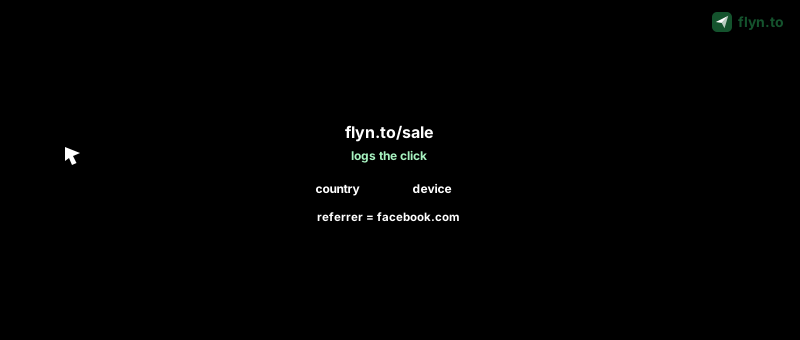
This is the big one. A raw Facebook link tells you nothing. Facebook's own insights are limited and lump traffic together. A tracked short link records the country, device, browser, and referrer of every click, so you can prove which post, which placement, and which campaign drove real traffic. Our full guide on how to track clicks on a link walks through the data and how to read it without fooling yourself with bots.
Flexibility after you post
Because the shortener owns the redirect, you can change the destination after the post is live, expire a link when an offer ends, or A/B test two landing pages, none of which is possible with a raw URL baked into a published post.
| What you need | Raw Facebook link | Branded short link |
|---|---|---|
| Clean, trustworthy appearance | Long and cluttered | Short and on-brand |
| Click tracking (geo, device, referrer) | None | Every click logged |
| Per-placement attribution | All lumped together | One link per post / bio / button |
| Change destination after posting | Impossible | Anytime |
| Spam-filter friendliness | Depends on the URL | Reputable, branded domain |
You can shorten and brand any Facebook link in seconds with the Facebook link shortener, and the same approach works for Messenger links you share in DMs and groups. Browse the full free link tool kit if you want to see everything in one place.
Mobile vs Desktop, and the Mistakes to Avoid
Most of your audience is on a phone. Roughly the majority of Facebook engagement happens on mobile, which changes how you should think about links. A few platform quirks and common mistakes are worth knowing before you post.
Mobile vs desktop differences
- Story and Reels links are mobile-only in practice, so the destination must be phone-optimized and fast.
- Previews can render slightly differently across the app and the web, always test by sending the link to yourself in Messenger before a big post.
- Tap targets are small on mobile, so a clean preview card (which is fully tappable) beats a buried text link.
The mistakes that quietly cost you clicks
- Posting with a broken or blank preview. Always run the destination through the Open Graph checker first.
- Leaving the long raw URL in the caption. Let the card load, then delete the text.
- Making the link the only value. Lead with something worth engaging with natively.
- Using a generic or sketchy shortener. It can break previews and trip the spam filter, use a reputable branded one.
- Reusing one link everywhere. You lose all attribution, use a separate tracked link per placement.
- Never checking the data. If you do not track clicks, you are guessing about what works.
Put it all together
The winning recipe is simple: write a post that is valuable on its own, attach a short branded link with a clean preview, post the link natively or in the first comment depending on your goal, and track every click so the next post is smarter than the last. Do that consistently and your Facebook links stop being a gamble and start being a measurable channel.
You can start free, create a Flyn account, shorten your first Facebook link, and watch the click counts roll in, no credit card needed; the full geo, device, and referrer breakdown is on Pro. When you are ready for branded domains and team features, the pricing scales with you, and the full Flyn blog goes deeper on every tactic above. Start with one tracked link on your next post and let the numbers tell you where to spend your next hour.
Frequently Asked Questions
How do I add a link to a Facebook post?
How do I add a link to my Facebook Page bio?
Why does my Facebook link have no preview image?
Does Facebook reduce reach on posts with links?
How do I shorten a link for Facebook?
How do I track clicks from Facebook?
How do I add a link to a Facebook Story?
Can I change a Facebook link after I have posted it?
Free tools for this
Three Flyn tools that pair well with the strategy in this article, all free, no signup needed.
UTM Builder
Build campaign-tracked URLs in seconds.
Broken Link Checker
Scan any page for dead links and 404s.
Open Graph Checker
Preview how URLs unfurl on social.
Keep reading
Three related deep-dives from the Flyn blog.
QR Codes for Events: Tickets & Check-In
12 min read

How to Add a Link to Your TikTok Bio
12 min read

Instagram Bio Link: How to Add One and Track Clicks
12 min read
Ready to try Flyn?
Free plan includes 25 links/month, full analytics, and access to all 30+ free tools above. No credit card required.
Already a member? Log in
Karan Bhakuni is the founder of Flyn. He writes about branded links, click analytics, and the link-management tooling growth teams and creators actually need, drawn from building Flyn and reading a lot of user feedback.
Find these guides useful? Add Flyn as a preferred source so more of them show up in your Google results.