WooCommerce Add-to-Cart Link Generator
One URL that drops the product straight into the cart. Classic links for every WooCommerce version, and the new checkout links with multiple items and a coupon for 10.0+.
Have the product URL? Resolve the ID automatically (optional)
Make it readable, branded and measurable.
Shorten your add-to-cart URL to something like go.yourstore.com/deal and count every human click before it reaches the store.
How It Works
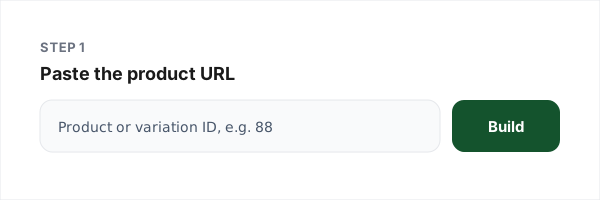
1. Enter the product
Paste the product URL to resolve the numeric ID automatically, or type it from wp-admin.
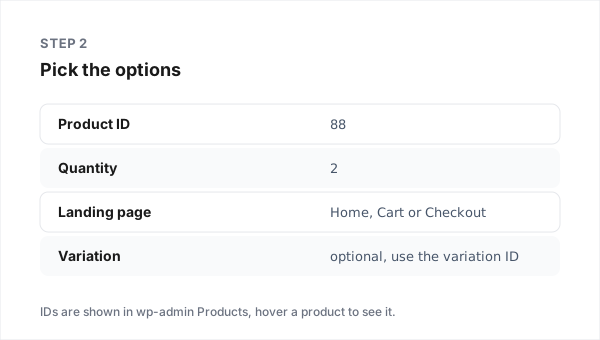
2. Pick format and options
Classic for any version; checkout link for multi-item carts and coupons on 10.0+.
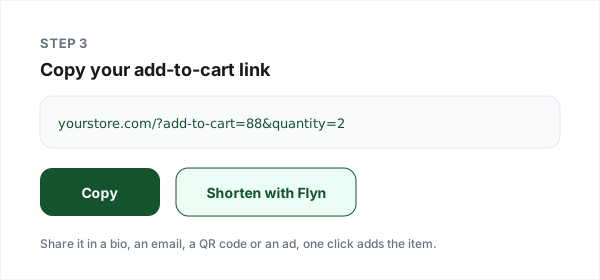
3. Copy your link
Test it on your store, then share or shorten it.
The Two Formats, and When Each Wins
WooCommerce has quietly had shareable cart links since its earliest versions, and in 2025 it grew a second, more powerful format. They behave differently enough that picking the wrong one breaks campaigns, so here is the honest comparison.
| Behaviour | Classic ?add-to-cart | Checkout link (10.0+) |
|---|---|---|
| Works on | Every WooCommerce version | WooCommerce 10.0+ only (June 2025) |
| Products per link | One | Many: products=123:2,456:1 |
| Coupon by URL | No, in any core version | Yes, &coupon=CODE, if coupons are enabled |
| Existing cart | Appends to it; reloads add again | Emptied first, silently |
| Buyer lands on | The page you append it to | Checkout, always |
The coupon myth, settled
Half the tutorials online show a coupon parameter on a classic add-to-cart URL. Core WooCommerce has never had one: the add-to-cart handler reads only the product, quantity, variation and attribute parameters, and the only classic coupon entry point is a posted form that a URL cannot trigger. What those tutorials are describing is a paid extension. Since WooCommerce 10.0, the checkout-link format finally does it in core, which is why this generator offers a coupon field only in that mode, labelled with the version it needs.
Variable products without the guesswork
For a product with sizes or colours, the reliable link uses the variation ID directly: ?add-to-cart=1067 where 1067 is the exact combination. IDs are numeric only, never SKUs or slugs. If you paste a variable product's URL into the resolver, it warns you so you do not ship a link that silently adds nothing.
Make the landing deterministic
A classic link normally leaves the visitor on whatever page it was appended to; a store setting can redirect to the cart, and you cannot know a store's setting from outside. Appending the parameter to /cart/ or /checkout/ sidesteps the ambiguity, which is exactly what the landing-page picker in this generator does.
Then make it shareable
Raw cart URLs are long, and the classic form re-adds on every reload, which is a real hazard when people paste it around. Shortening with Flyn solves both: a branded slug people can actually read, plus click analytics with bots filtered out, and a QR code for anything printed. Tag the destination with UTMs if you attribute in GA4.
Why Store Owners Use Flyn
Branded short links
go.yourstore.com/deal instead of ?add-to-cart=88&quantity=2.
Human-verified clicks
Bot and crawler traffic filtered out, and shown, on every plan.
QR codes built in
Every short link gets a scannable QR for flyers and packaging.
Repointable destinations
Product retired? Repoint the short link instead of reprinting.
Frequently Asked Questions
What is a WooCommerce add-to-cart URL?
How do I find my product ID?
Does the quantity parameter work in plain WooCommerce?
Can I add a variable product (size, colour) by URL?
Can a WooCommerce URL apply a coupon automatically?
What is the checkout-link format and when should I use it?
Does an add-to-cart link replace the visitor's existing cart?
Where does the buyer land after clicking?
Do add-to-cart links work with SKUs or product slugs?
Why shorten an add-to-cart link before sharing it?
What happens if the product is out of stock or hidden?
Is this tool free, and what do you do with my store URL?
Related Free Tools
Shopify Add-to-Cart Links
Cart permalinks with variants, discounts and Shop Pay for Shopify stores.
WordPress Redirect Generator
Build .htaccess and plugin-ready redirects for your WordPress site.
UTM Builder
Tag the destination so GA4 knows which campaign drove the sale.
QR Code Generator
Turn your cart link into a scannable code for flyers and packaging.
Make every cart link measurable
Shorten your add-to-cart URLs into branded links with human-verified click counts, free to start.