Shopify Add-to-Cart Link Generator
Build a cart permalink that prefills the cart, applies a discount, and drops the buyer on checkout, the cart page, or Shop Pay. Variants resolve automatically from the product URL.
Variants load from the store's public product JSON. No admin access, no API key.
Long link? Make it a branded one-liner.
Shorten your cart permalink to something like go.yourstore.com/bundle and count every click, with bot traffic filtered out, before buyers reach Shopify.
How It Works
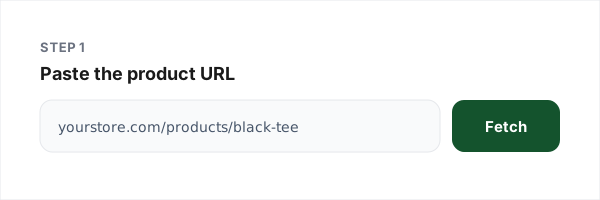
1. Paste the product URL
Any public Shopify product page. Variants, prices and availability load from the store’s own product JSON.
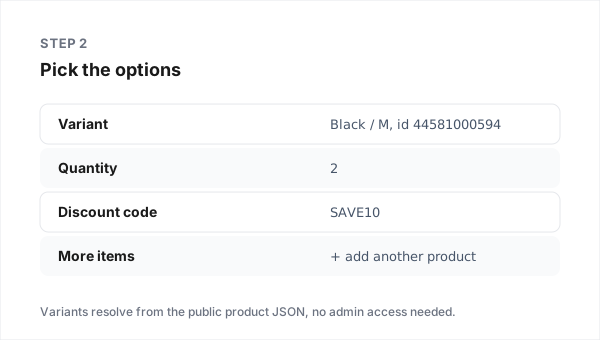
2. Pick the options
Variant, quantity, more products if you want a full cart, a discount code, and where the buyer lands.
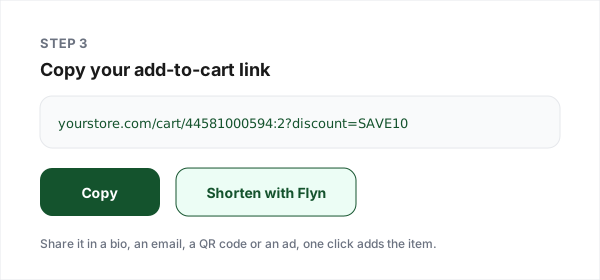
3. Copy your link
Test it, share it, or shorten it with Flyn for a branded, measurable link.
What a Cart Permalink Actually Does
A normal product link asks the buyer to browse: open the page, pick a variant, set a quantity, tap add to cart, then find the checkout. A cart permalink collapses all of that into the URL itself. Shopify's developer documentation describes them as URLs that take buyers directly to checkout with pre-selected items, and the format is simply the variant ID and quantity in the path: /cart/70881412:1, with more items comma-separated.
That makes them the highest-intent link an ecommerce marketer can share. An abandoned-cart email that rebuilds the cart in one tap, a QR code at an event that sells one specific bundle, an influencer bio link that skips the browsing entirely, all of these are cart permalinks wearing different clothes.
The parameters that are actually documented
| Parameter | Does | Notes |
|---|---|---|
| discount=CODE | Applies a discount code on arrival | Comma-separate several; a code containing a comma cannot be passed |
| storefront=true | Lands on the cart page instead of checkout | Default is straight to checkout |
| payment=shop_pay | Opens Shop Pay checkout | For Shop Pay-eligible buyers |
| note=... | Attaches an order note | Shows in the order's Notes in admin |
| ref=... | Conversion attribution tag | Shows in the order's conversion summary |
| checkout[email] | Prefills the buyer's email | Documented, but treat prefills as best-effort on the newest checkout |
The three behaviours to plan around
The link replaces the cart. Our live testing showed a permalink wipes whatever the visitor already had in their cart. For a win-back email that is exactly what you want; for a "add this accessory" upsell it is not, so send those to the product page instead.
Stock is not validated by the link. A permalink for a sold-out variant still loads; the buyer only finds out at checkout. If availability changes fast, use the cart-page landing so buyers see the state of the order before entering payment details.
Passwords and selling plans are hard stops. Shopify documents that permalinks cannot bypass a storefront password and do not work with subscription selling plans. Link subscription products to their product page.
Why pair it with a short link
A finished permalink is long, ugly and unmeasured: the store records the sale but nothing tells you which placement drove the click. Shortening it with Flyn gives you a branded slug plus click analytics with bot traffic filtered out, so an A/B of two placements compares humans, not crawlers. Add a QR code for packaging and events, and UTM parameters on the destination if your analytics lives in GA4.
Why Merchants Use Flyn
Branded short links
go.yourstore.com/bundle instead of a 120-character permalink.
Human-verified clicks
Bot and crawler traffic filtered out, and shown, on every plan.
QR codes built in
Every short link gets a scannable QR for packaging and events.
Safe-link scanning
Destinations are checked so your brand never fronts a bad page.
Frequently Asked Questions
What is a Shopify add-to-cart link?
Where does a cart permalink send the buyer?
How do I find a variant ID without opening the Shopify admin?
Can I add more than one product to the same link?
Can a Shopify cart link apply a discount code automatically?
Does an add-to-cart link replace what is already in the cart?
Do cart permalinks check stock before adding items?
Do cart permalinks work on a password-protected or draft store?
Can I prefill the buyer's email or shipping address?
Why should I shorten a cart permalink before sharing it?
Do these links work on a custom domain, or only myshopify.com?
Is this generator free, and do you store my product data?
Related Free Tools
WooCommerce Add-to-Cart Links
The same idea for WooCommerce stores, including the new checkout-link format.
Shopify Link Shortener
Shorten any Shopify URL into a branded, trackable link.
UTM Builder
Tag the destination so GA4 knows which campaign drove the sale.
QR Code Generator
Turn your cart link into a scannable code for packaging and events.
Make every cart link measurable
Shorten your permalinks into branded links with human-verified click counts, free to start.