Free Dynamic QR Code Generator
Make editable, trackable QR codes. Generate one free in seconds, it encodes a short link you can repoint anytime, then sign up to edit the destination and see every scan.
Where should people land when they scan the code? You can change this later.
Customize
Enter a destination URL and click Generate to create a dynamic, scannable QR code.
Keep your QR editable and trackable forever
Sign up free to back your QR with a Flyn short link, so you can change where it points after printing and watch the scans roll in. Pro adds the country, device, and referrer breakdown.
How to Make a Dynamic QR Code in 3 Steps
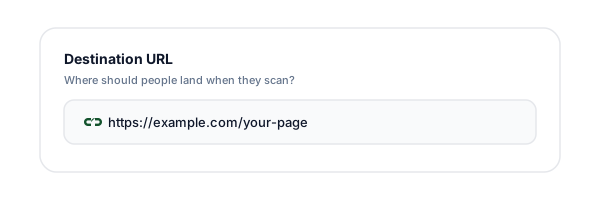
Enter your destination URL
Type or paste the page you want people to land on when they scan. Leave off https:// and we add it for you, so the code always opens in a browser.
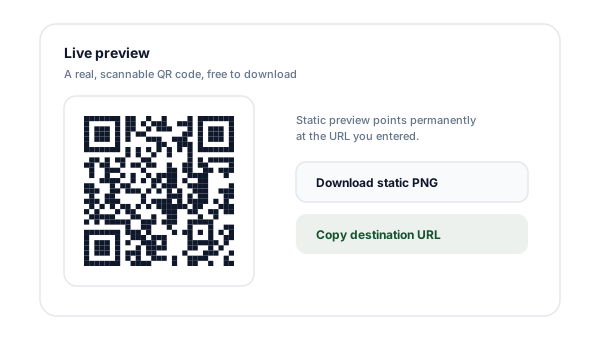
Generate the dynamic QR
A real, scannable QR renders instantly. It encodes a Flyn short link (a redirect), not your raw URL, so the code is already dynamic. Pick your colors and download it free, no account needed.
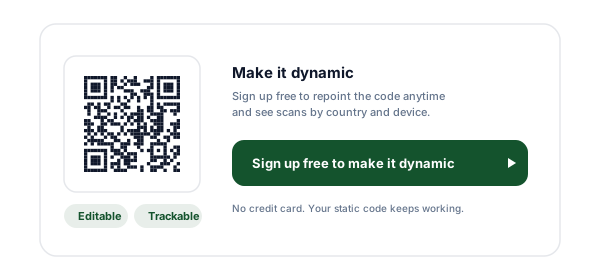
Sign up to edit and track it
The code already works and counts scans. Create a free account to repoint the destination anytime, count every scan, and keep the link forever. Pro breaks scans down by location and device.
What is a Dynamic QR Code?
A dynamic QR code is a QR code that encodes a short redirect link instead of your final URL. When someone scans it, their phone opens that short link, which instantly forwards them to whatever destination you have set. Because the printed pattern only ever holds the short link, the destination behind it can change as often as you want, no reprinting required.
That single design choice unlocks two things a static QR code can never do. First, you can edit the destination after the code is printed: fix a typo, swap a sold-out product for an in-stock one, or run a new campaign behind the same poster. Second, every scan passes through your link, so you can count and analyze scans, how many, when, from where, and on what device.
A static QR code, by contrast, has the final URL baked straight into the black-and-white pattern. It works fine and never relies on a server to redirect, but it is frozen the moment it is printed. Change your mind and you must generate and reprint a brand-new code. It also forwards nobody through a link, so it can report exactly zero scans.
This tool builds the dynamic kind. Enter a destination and it mints a real Flyn short link and encodes that into the QR, free and with no account, so the printed code redirects through your link and counts every scan from the moment you create it. A free Flyn account then lets you edit the destination, view your scan analytics, and keep the link beyond its free 24 hours.
Static vs Dynamic QR Codes
Both produce a real, scannable code. The difference is what happens after you print it. If you will never change the destination and do not care about scan data, static is fine. For anything you might update or measure, go dynamic.
| Capability | Static QR | Dynamic QR (Flyn) |
|---|---|---|
| Edit destination after printing | No, baked in permanently | Yes, repoint anytime |
| Track scans | No, forwards nobody | Yes, total + geo / device |
| Reuse for new campaigns | No, reprint required | Yes, swap the link |
| Disable if misused | No | Yes, turn the link off |
| Needs an account | No | Yes, free sign-up |
| Works offline once printed | Yes | Yes (needs internet to redirect) |
Need a one-and-done static code with no account? Use our free static QR code generator for URLs, WiFi, vCard, email, and more.
When a Dynamic QR Code Wins
Restaurant menus
Print one code on the table tent, then swap the linked menu for lunch, dinner, and seasonal specials without reprinting.
Product packaging
A code on the box can point to setup instructions at launch, then a review or reorder page once customers are onboarded.
Event posters & flyers
Repoint the same printed poster from "register" to "watch the recording" after the event, and see which venue drove the most scans.
Business cards
Keep one printed card but update where it points as you change roles, sites, or booking links.
Real estate signage
A yard sign code can move from the listing to a "sold, see similar homes" page, while you track interest by location.
Retail & in-store displays
Run a new promo each week behind the same shelf-edge code, and measure which store and which display converted scans.
Why Make Your QR Dynamic with Flyn?
Edit anytime
Repoint the destination after printing. The code on your poster never has to change.
Track every scan
See total scans plus breakdowns by country, city, device, and referrer.
Reuse forever
Run a new campaign each season behind the same printed code, no reprint costs.
Real scannable codes
Generated by a proper encoder with high error correction, not a decorative pattern.
Frequently Asked Questions
What is a dynamic QR code?
A dynamic QR code encodes a short redirect link instead of your final destination URL. When someone scans it, they hit that short link first and are instantly forwarded to wherever it points. Because the encoded short link never changes, you can edit the destination it forwards to at any time without reprinting the code. You can also count every scan, since each one passes through the link.
How is a dynamic QR code different from a static one?
A static QR code has your final URL baked directly into the pattern. Once printed, that destination is permanent, change it and you must regenerate and reprint the code. A dynamic QR code encodes a short link you control, so the printed pattern stays the same while you swap the destination behind it whenever you like. Dynamic codes also record scan analytics; static codes record nothing.
Can I change where a dynamic QR code points after I print it?
Yes, that is the whole point of a dynamic code. The QR pattern encodes a short link, and you edit the destination of that link from your dashboard. A poster, business card, or product label printed last month can be repointed to a new landing page in seconds. The physical code never changes, so nothing needs to be reprinted.
Can I track scans on a dynamic QR code?
Yes. Every scan routes through your short link, so each one is logged. You can see total scans over time plus breakdowns by country, city, device, and referrer. That tells you which poster, package, or flyer is actually driving scans, data a static QR code simply cannot give you because it forwards nobody through a link.
Do I need an account to make a dynamic QR code?
No. Generating the dynamic QR is free with no account: the code encodes a real Flyn short link, so it redirects through us and counts scans from the moment you create it. What an account adds is ownership, the ability to edit the destination, your scan analytics, and keeping the link beyond its free 24 hours. Sign-up is free, takes a few seconds, and needs no credit card.
Is the dynamic QR code generator free?
Yes. Generating a dynamic, scannable QR here is free with no account at all, and the code starts counting scans right away. A free account lets you edit the destination, see your total scans, and keep the link forever. Advanced analytics breakdowns (geo, device, referrer) are a Pro feature, but the core editable, trackable QR is free.
Will my QR code still scan if I customize the colors?
Yes, as long as you keep strong contrast between the dark modules and the light background, dark code on a light background is safest. Avoid light-on-dark or low-contrast color pairs, which many phone cameras struggle to read. The preview here uses high error correction, which also helps the code survive small print imperfections and partial damage.
What size should I print a QR code?
A common rule is that the code should be at least one tenth of the scanning distance: for a scan from 1 meter away, print it at least 10 cm wide. For business cards, 2 to 3 cm usually works; for posters scanned from across a room, go much larger. Always test-scan the actual printed piece with a few different phones before producing it at volume.
Do dynamic QR codes expire?
A QR you generate here without an account is backed by a short link that stays live for 24 hours, enough to test it or to sign up and keep it. Do not print a code from an unclaimed link. Once you create a free account and the link is tied to you, it stays active with no built-in expiry, so the printed code keeps working as long as you keep the link.
Can I reuse one dynamic QR code for multiple campaigns?
Yes. Because you can repoint the destination at any time, a single printed dynamic code can serve a spring sale, then a summer launch, then a new product page, just edit the link between campaigns. This is ideal for reusable assets like packaging, signage, and printed menus where reprinting is expensive or impractical.
What can a dynamic QR code link to?
Anything with a URL: a landing page, product page, app store listing, PDF, booking form, menu, video, social profile, or another tool. Since the destination is just the target of an editable short link, you can point it anywhere and change it later. For app installs you can even repoint it from a pre-launch waitlist page to the live store listing on launch day.
Is a dynamic QR code less secure than a static one?
Both forward users to a destination you choose, so the security depends on where they point. A dynamic code adds a redirect hop through your short link, which is reputable and lets you disable the code instantly if it is ever misused, an option a static code does not offer. Flyn also screens destinations for known-malicious content. As always, only encode URLs you trust.
Related Tools
QR Code Generator with Logo
Put your logo in the center of a branded QR code that still scans reliably.
WiFi QR Code Generator
Let guests join your WiFi with one scan, no password typing.
Link Click Counter
See how many times your short link, and the QR behind it, has been clicked.
QR Code Reader
Decode any QR code image to reveal and verify its destination before you scan.
Print once, change forever
Sign up free to turn your QR code into a dynamic, editable, trackable link. Repoint it whenever your campaign changes and see exactly how many people scanned, no reprinting required.