Free Link Click Counter
Track clicks on any link. Create a tracking link in one click and watch the count climb live. No sign-up to start.
Free: 1 per day, total clicks only, expires in 24h. The country and device breakdown is Pro.
See the breakdown with ProFree, no sign-up to start. Your tracking link is real and starts counting clicks instantly.
Why use a link click counter?
Guessing whether a link works is a waste. Count every click in real time for free, then upgrade to Pro to see exactly where clicks come from. New to the idea? The glossary entry on click tracking explains how the counting works under the hood.
Live click counter
Share your link and watch the running total update on screen every few seconds. No refreshing, no spreadsheets.
Real link, no sign-up
Create a working tracking link in one click. It redirects instantly and starts counting from the very first click.
See where clicks come from
Upgrade to Pro to break every click down by country, device, browser, and referrer, all in one dashboard.
Bot-filtered counts
Known bots and crawlers are filtered out, so the number you see reflects real human interest, not noise.
Track any destination
Count clicks on links to pages you do not even own: an app store, a partner page, or an affiliate offer.
Keep it forever
Free links last 24 hours. Claim a link with a free account and it counts clicks permanently, with no time limit.
Count clicks on a link in 3 steps
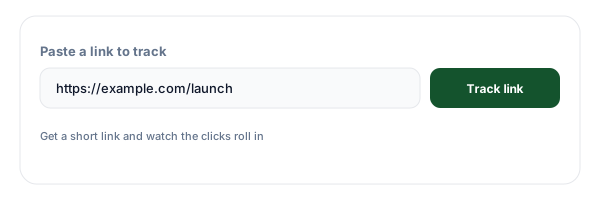
Paste your link
Drop in the link you want to measure and click Create tracking link. You get a short link that counts every click.
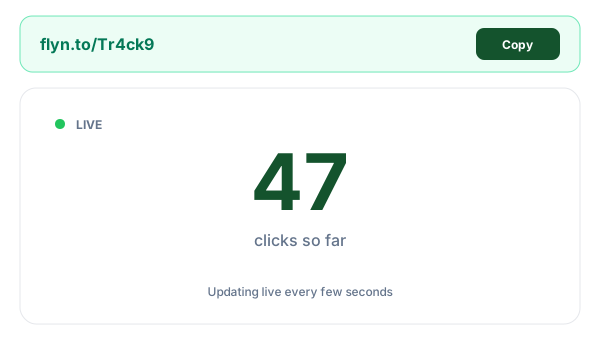
Share the tracking link
Copy your short link and share it in your bio, posts, emails, or messages in place of the original.
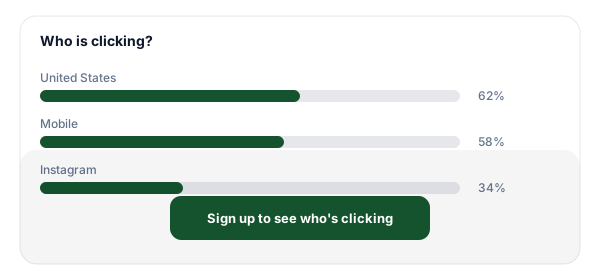
Watch the clicks live
Watch the live counter climb as clicks come in. Sign up free to keep the link; upgrade to Pro to see where clicks come from.
Free, free account, or Pro: what you get
The anonymous counter is perfect for a quick check: a real link and a live total, free. A free account keeps the link forever and still shows your total clicks. When you want to know where clicks come from (the full country, device, browser, and referrer breakdown) plus a real-time dashboard and unlimited retention, that is Pro, which also adds unlimited tracked links and shared reporting for teams.
| Feature | No sign-up | Free account | Pro |
|---|---|---|---|
| See total clicks | |||
| Link works instantly | |||
| Real-time live counter | |||
| Link lasts forever | - | ||
| Full breakdown (country, device, browser, referrer) | - | - | |
| Real-time analytics dashboard | - | - | |
| Unlimited click-history retention | - | - | |
| Unlimited tracked links | - | - | |
| Team analytics and shared reporting | - | - |
Tips for tracking clicks on your links
Use one tracking link per place
Create a separate tracking link for each spot you share it (bio, story, newsletter). Compare their counts to see which channel actually drives clicks.
Add UTMs before you track
Tag your destination with campaign UTM parameters first so clicks also show up in Google Analytics. Build them fast with the free UTM Builder, then paste the result here.
Watch the device split
On Pro the device breakdown tells you if your audience is mostly on mobile. If it is, make sure your destination page loads fast and looks right on a phone.
Act on the referrer data
On Pro the referrer shows where each click came from. Double down on the sources sending the most clicks and quietly drop the ones that send none.
Frequently Asked Questions
What is a link click counter?
How do I track clicks on a link?
Is the link click counter free?
Do I need an account to see my clicks?
Why do the free tracking links expire in 24 hours?
What data does the counter track?
Does it track unique clicks or total clicks?
Can I track a link I already made somewhere else?
Is the click count accurate, and does it count bots?
How is this different from Google Analytics?
Can I see clicks in real time?
What happens when my tracking link expires?
More free link tools
Build, protect, and measure your links with the rest of the free Flyn toolkit.
See where clicks come from, not just how many
Free tracking links expire in 24 hours. Create a free account to keep every link forever and see your total clicks. Upgrade to Pro for the full country, device, browser, and referrer breakdown.