Free Tweet Link Generator
Build a pre-filled X post link on the official x.com/intent/tweet endpoint: add text, a URL, hashtags, and a via credit, then copy the link, HTML, or Markdown. No coding, 100% in your browser.
Every field is optional, fill in at least one. We build and encode the x.com/intent/tweet link for you.
Added as the url parameter and shown after the text.
Comma-separated, no # needed.
Your handle without the @, X appends via @handle.
Want to know which page actually gets your posts shared?
Shorten your tweet link with Flyn and get a clean branded URL plus click analytics, see whether the newsletter footer or the blog quote drives the shares.
How to Make a Tweet Link in 3 Steps
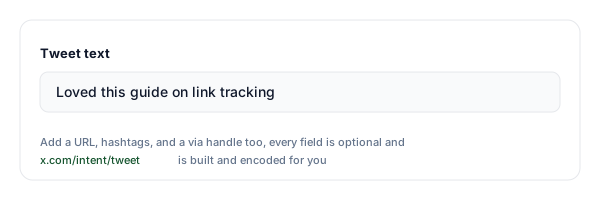
Write the post you want shared
Fill in any of the four fields: the tweet text, a URL, comma-separated hashtags, and a via handle for credit. One field is enough, the link builds live as you type.
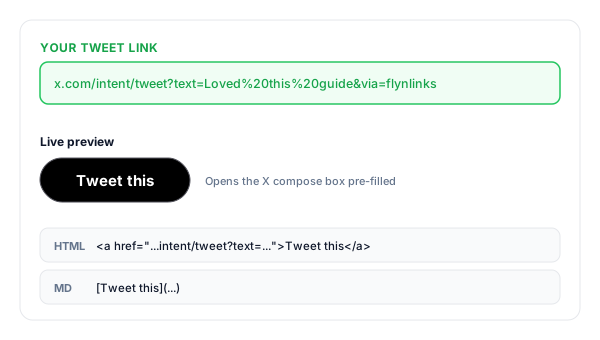
Copy your tweet link
We URL-encode every value into the official x.com/intent/tweet URL and hand you the link, an HTML "Tweet this" button, and a Markdown version for docs and READMEs.
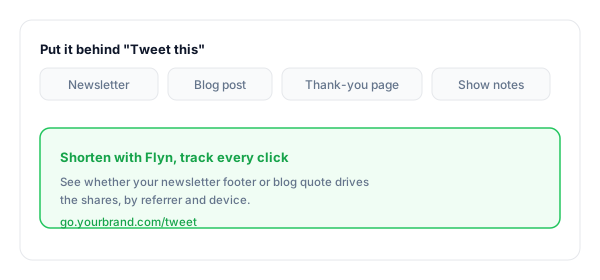
Put it behind "Tweet this"
Drop it into newsletters, blog pull quotes, and thank-you pages. Shorten it with Flyn to see which placement actually gets clicked.
What Is a Tweet Link?
A tweet link is a URL built on X's official Web Intent endpoint, x.com/intent/tweet. Clicking it opens the X compose box with a post already written, so the reader only has to press Post. It is the mechanism behind every "Tweet this" button you have seen on blogs, newsletters, and launch pages.
The endpoint accepts four query parameters, all optional: text pre-fills the message, url adds a link after it, hashtags takes comma-separated tags without the #, and via appends a "via @yourhandle" credit. Each value must be URL-encoded, spaces become %20 and so on, which is the fiddly part this tool handles for you.
Nothing is ever posted automatically. The link only pre-fills the compose box; a human reviews the words and presses Post, which is why intent links sit comfortably inside X's rules. The legacy twitter.com/intent/tweet address still works and redirects to the same screen, so older buttons keep functioning too.
A complete tweet link:
https://x.com/intent/tweet?text=Loved%20this%20guide&url=https%3A%2F%2Fexample.com%2Fpost&hashtags=marketing,seo&via=flynlinksWhere to Put Your Tweet Link
A tweet link converts when it meets a reader at the moment they already want to share. These are the placements that earn clicks, and the ones worth tracking.
| Placement | Why it works |
|---|---|
| Newsletter footer | Readers who just finished your email are the warmest audience you have; a one-click pre-filled post beats a bare "follow us" line. |
| Blog pull quotes | Turn your sharpest one-liner into a Tweet this link right where readers would highlight it anyway. |
| Thank-you pages | After a signup or purchase, goodwill peaks. A pre-written post makes sharing effortless at exactly that moment. |
| Launch pages | Arm early users with ready-made words about your release, so telling their audience takes a single click. |
| Podcast show notes | Listeners share the episode with your handle credited automatically through the via parameter. |
| Slide decks & PDFs | Links work in PDFs and presentations; a short branded Tweet this link is easy to type from a slide. |
Pro tip
Use a different Flyn short link for each placement (one for the newsletter, one for the blog, one for the thank-you page). Same pre-filled post, separate click counts, so you can see which spot actually gets your message shared instead of guessing.
Tweet Link Best Practices
Do
Don't
Write the post as the reader would say it
Pre-fill ad copy nobody would post
Keep the pre-fill well under 280 characters
Max out the limit so one edit breaks it
Use one or two relevant hashtags
Stack five hashtags on a single post
Credit your handle with the via field
Type @ or # into the fields, they are added for you
Shorten the link before publishing it
Paste the raw encoded URL into a newsletter
Click your link once before shipping it
Trust that your CMS kept the encoding intact
Know Which Placement Gets Shared
See what gets clicked
Shorten your tweet link with Flyn and count clicks by newsletter, post, and page, so you know which placement earns shares.
Branded & memorable
Turn the long encoded intent URL into go.yourbrand.com/tweet, clean enough for print, slides, and podcasts.
Opens the X app
Intent links open the compose screen right in the X app on mobile, where most of your readers actually share.
A/B test placements
Split-test where your Tweet this button converts best, footer vs pull quote vs thank-you page (Pro).
Frequently Asked Questions
What is a tweet link generator?
What is the x.com/intent/tweet URL format?
Does a tweet link post automatically?
Do I include the # in hashtags or the @ in the via handle?
Does twitter.com/intent/tweet still work?
Is there a character limit on the pre-filled text?
Does the tweet link work on mobile and in the X app?
How do I make a "Tweet this" button for my blog or newsletter?
Can I pre-fill an image, poll, or thread?
Do readers need to be signed in to X?
Is using tweet intent links allowed by X?
Can I track how many people click my tweet link?
More Free Link Tools
Explore other free tools from Flyn to build, share, and track your links.
Twitter Follow Link
Send readers straight to a pre-filled Follow prompt for your X account.
Instagram DM Link
Open a ready-to-send Instagram DM to your account with one tap.
YouTube Subscribe Link
Turn your channel URL into a one-click link that pops the Subscribe dialog.
YouTube Membership Link
Link straight to your channel Join page so fans can become members in one click.
Turn readers into sharers, and know it worked
A tweet link removes the writing effort from sharing. A Flyn link on top tells you which newsletter, post, or page actually earned the click, so you can do more of what works.