Free URL Slug Generator
Convert any title or text into a clean, SEO-friendly URL slug. Handle unicode, strip special characters, customize separators, and set max length, all in real time.
Options
Generated slug
Start typing above to generate a slug...
Need a short, branded link?
Create a clean Flyn short link with your slug and one fast redirect, count every click free, and unlock analytics breakdowns plus branded custom domains on Pro. Curious where the slug sits in the address? See the anatomy of a URL. Short link codes like abc123 are a different thing from an SEO slug; How Long Should a Short URL Be? covers how long those need to be.
How to Generate a URL Slug in 3 Steps
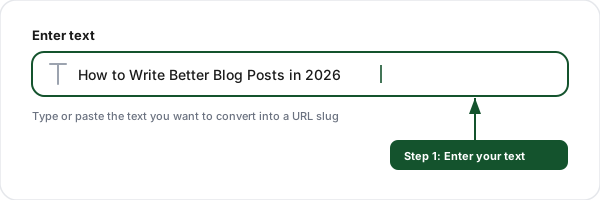
Enter your text
Type or paste any text, a blog title, product name, or page heading, into the input field.
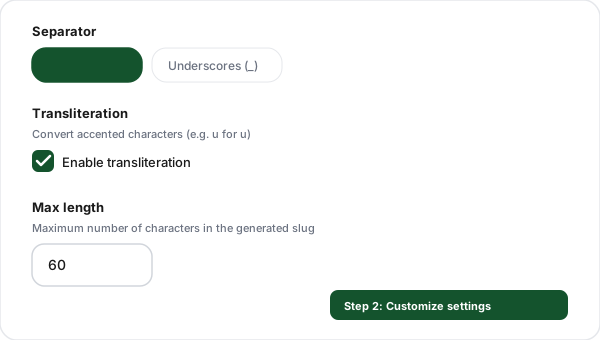
Customize settings
Choose your separator (hyphens or underscores), enable transliteration for unicode characters, and set a maximum length.
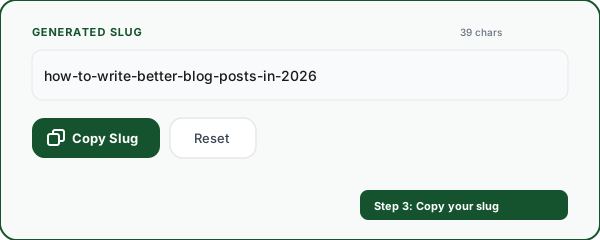
Copy your slug
Copy the generated slug and use it in your CMS, URL structure, or file naming convention.
Everything You Need for Perfect URL Slugs
Real-time conversion
See your slug update instantly as you type. No submit button, no waiting, just fast, live results.
Unicode & transliteration
Convert accented characters (e, u, n) to ASCII equivalents. Handle international text with proper transliteration.
Custom separators
Choose between hyphens (-), underscores (_), or dots (.) as word separators to match your URL convention.
Max length control
Set a maximum character limit for your slugs. The tool truncates at word boundaries to keep slugs clean.
Special character stripping
Automatically removes punctuation, symbols, and non-URL-safe characters. Collapses multiple separators into one.
Slug history
Your recent slugs are saved locally so you can revisit and reuse them. No account needed, stored in your browser.
URL Slug Best Practices for SEO
Keep it short and descriptive
Aim for 3-5 words that clearly describe the page content. "seo-slug-best-practices" is better than "the-complete-guide-to-url-slug-best-practices-for-seo-in-2026".
Use your target keyword
Include your primary keyword in the slug. If your page targets "email marketing tips", use "email-marketing-tips" as the slug, not "article-12345".
Always use lowercase
URLs are case-sensitive on most servers. "About-Us" and "about-us" can be different pages. Always use lowercase to avoid duplicate content issues and broken links.
Use hyphens, not underscores
Google treats hyphens as word separators but underscores as word joiners. "best-practices" is two words to Google; "best_practices" is one. Use hyphens.
Remove stop words
Words like "a", "the", "and", "in", "of" add length without SEO value. "guide-building-landing-pages" beats "a-guide-to-building-the-best-landing-pages".
Avoid changing slugs on published pages
Changing a slug breaks all existing links and bookmarks. If you must change it, always set up a 301 redirect from the old URL to the new one.
Frequently Asked Questions
What is a URL slug?
How do URL slugs affect SEO?
Should I use hyphens or underscores in URL slugs?
What is the ideal URL slug length?
How does this tool handle special characters and unicode?
What characters are allowed in a URL slug?
Should I include stop words in my URL slugs?
Can I change a URL slug after publishing?
How do URL slugs work with short links?
Is this URL slug generator free?
More Free Marketing Tools
Explore other free tools from Flyn to optimize your links and grow your campaigns.
Meta Tag Generator
Generate SEO meta tags, Open Graph, and Twitter Cards with a live Google preview.
Anchor Text Analyzer
Audit anchor text distribution on any page with over-optimization scoring for SEO health.
UTM Builder
Build campaign tracking URLs with UTM parameters for Google Analytics.
Internal Link Checker
Audit internal link structure on any page, path depth, duplicates, nofollow audits, anchor diversity.
Ready to shorten your URLs?
Generate the perfect slug, then create a Flyn short link with click analytics and QR codes, plus custom domains on Pro, all in one platform.