Free Signal Link Generator
Turn your Signal phone number into a one-tap signal.me chat link, for private, end-to-end encrypted conversations. No coding, 100% in your browser.
International format with country code (E.164). Must match exactly the phone number you used to register Signal. Example: +14155552671.
Note: Signal does not support a pre-filled message in click-to-chat links. The link opens a blank chat for the user to type their own message. This is by design (Signal's privacy-first ethos).
Which placement actually starts secure chats?
Shorten your Signal link with Flyn, get a branded URL (go.yourbrand.com/secure) and per-channel click analytics. Click counts do not leak message contents, Signal stays end-to-end encrypted, you just learn which channel drives the inbound.
How to Make a Signal Link in 3 Steps
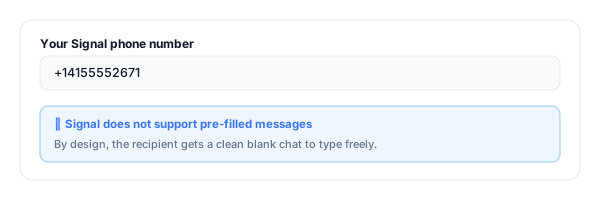
Enter your Signal phone number
Paste your Signal-registered phone number in international format (with country code, leading +). Must match exactly the number you used to register Signal.
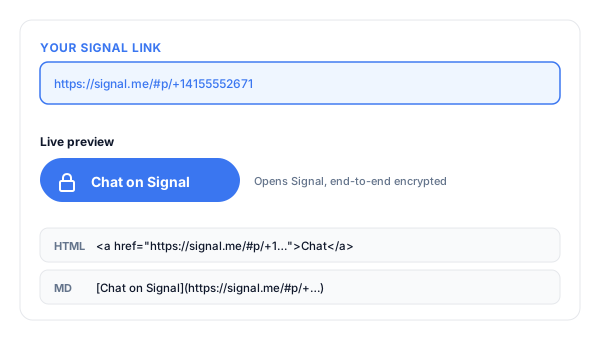
Copy your Signal link
The tool instantly builds your signal.me URL, an HTML "Chat on Signal" button, and a Markdown version, ready to paste anywhere.
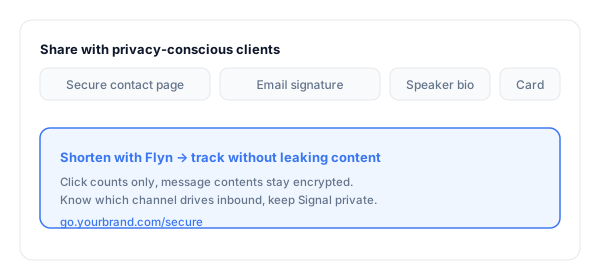
Share with privacy-conscious clients
Add it to your website footer, email signature, business cards, and speaker bios. Shorten with Flyn for branded URLs and tracking.
What Is a Signal Click-to-Chat Link?
A Signal link is a URL in the form https://signal.me/#p/+14155552671 that opens Signal on the recipient's device and starts a private, end-to-end encrypted chat with your phone number. One tap, fully encrypted conversation.
Signal uses the open-source Signal Protocol, the gold standard for end-to-end encryption, also licensed by WhatsApp. The difference is Signal's organizational ethos: nonprofit, minimal metadata, no telemetry. Lawyers, journalists, healthcare providers, security researchers, and activists pick Signal for the same reason banks pick TLS. It is the privacy-first default.
A complete Signal link:
https://signal.me/#p/+14155552671Note: Signal does not support pre-filled messages, the link opens a blank chat by design.
Where to Put Your Signal Link
Signal makes the most sense as the secondary, privacy-focused chat option, the channel privacy-conscious clients self-select toward.
| Placement | Why it converts |
|---|---|
| Lawyer / consultant website "Secure contact" page | Privacy-conscious clients self-select toward the Signal CTA. Pairs naturally with a standard contact form for everyone else. |
| Journalist source-tip page | Industry standard for protected source communications, pair Signal with PGP and SecureDrop for the privacy-conscious sources. |
| Security researcher / CISO bio | For pentest reports, vulnerability disclosure, and incident response, Signal is the expected channel for sensitive security work. |
| Speaker bios at security/privacy conferences | Audiences at DEF CON, RSA, ShmooCon expect Signal, Signal in the bio converts better than email in that crowd. |
| Healthcare provider patient-portal CTA | For HIPAA-conscious solo practitioners and clinics, Signal pairs with an EHR portal as the lightweight quick-question channel. |
| Activist / NGO contact page | Standard channel for human-rights and dissident communications, pairs with PGP and Onion site for higher-risk contexts. |
Pro tip
Use a different Flyn short link for each placement (one for the website, one for the email signature, one for the conference bio). Same Signal destination, separate click counts, and the click counts do not leak any message contents because Signal stays end-to-end encrypted regardless.
Signal Link Best Practices
Do
Don't
Prefer a username link if you have one
Expose your phone number in the URL unnecessarily
Set a clear business name in Signal profile
Let the chat show "John iPhone"
Pair Signal with WhatsApp/Messenger for broader audiences
Make Signal your only chat CTA
Use a Flyn short link per channel (it does not break privacy)
Skip attribution and guess what drives chats
Test on a friend's phone before publishing
Trust the desktop preview alone
Label the link "Signal" so users know what app opens
Hide the protocol behind a generic "Chat" button
Track Without Compromising Privacy
See what starts chats
Click counts (no message contents), know whether the website footer, email signature, or conference bio drives Signal conversations.
Branded & memorable
Turn the signal.me URL into go.yourbrand.com/secure, clean enough for a business card, an email, or a one-line bio.
Edit the destination
Change number or pivot to a Signal username, edit the Flyn link once, every business card and bio keeps working (Pro).
A/B test placements
Split-test "Secure chat" vs "Signal" labels across pages, see which framing earns the click (Pro).
Frequently Asked Questions
What is a Signal click-to-chat link?
Why use Signal instead of WhatsApp or Messenger?
What phone format does the link need?
Can I include a pre-filled message?
Does the link work for people who do not have Signal installed?
How is signal.me different from Signal's username feature?
Will signal.me work in iMessage, SMS, email, and ads?
Can I track clicks on my Signal link?
Should I include the phone number on my website at all?
Is Signal still the right pick if my audience is mostly on WhatsApp?
Does my Signal name and photo show in the chat?
How does this compare to a Signal QR code?
More Free Chat & Contact Link Tools
Cover every way customers might want to reach you, and let them pick the chat app they already trust.
WhatsApp Link Generator
Build click-to-chat wa.me links with phone number and pre-filled message body.
Messenger Link Generator
Build m.me click-to-chat links to your Facebook Page with optional ref attribution.
Viber Link Generator
Build viber://chat click-to-chat links to your phone number with pre-filled message.
Mailto Link Generator
Pre-fill the inquiry email with subject, body, CC, and BCC. One click to open and send.
Signal that you take privacy seriously
A Signal link makes private, encrypted contact one tap away. A Flyn link tells you which channel, website, email signature, conference bio, actually drives the inbound, without leaking a byte of message content.