Free LinkedIn Share Link Generator
Build a LinkedIn share link for any page using the current share-offsite endpoint. Copy the URL, HTML anchor, or Markdown, 100% in your browser.
LinkedIn's current share endpoint (share-offsite) accepts only the page URL. The headline, summary, and thumbnail shown in the share box come from your page's Open Graph tags (og:title, og:description, og:image), not from a custom message. The older shareArticle endpoint that accepted title and summary parameters is deprecated, so we do not generate it.
Track clicks on your LinkedIn share button
Wrap your share link in a Flyn short link to see how many people clicked to share, from where, on what device, without changing the destination.
How to Create a LinkedIn Share Link in 3 Steps
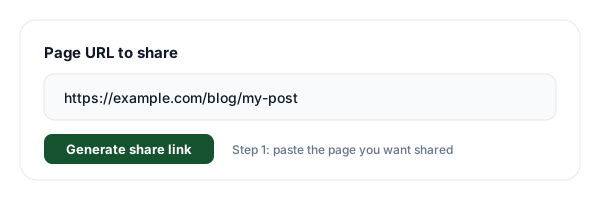
Paste the page URL
Paste the page you want people to share. We validate it and percent-encode it automatically so it slots cleanly into the url parameter.
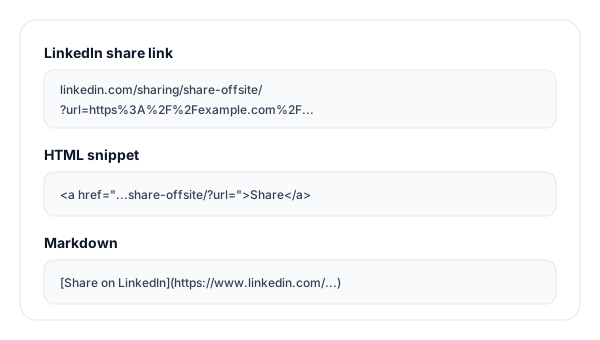
Generate the share link
Click Generate. We build the current share-offsite link, a ready-to-paste HTML anchor, and a Markdown snippet, all updated live.
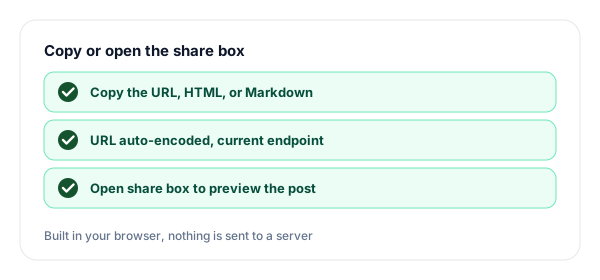
Copy or open the share box
Copy the URL for a button, the HTML anchor for a webpage, or the Markdown for docs. Or click Open share box to preview the LinkedIn composer.
What is a LinkedIn Share Link?
A LinkedIn share link is a single URL that opens LinkedIn's share box with a specific page already loaded. Put it behind a "Share on LinkedIn" button and anyone who clicks it can repost your page to their feed in one step, no copy and paste, no hunting for the share menu.
The current, supported format is https://www.linkedin.com/sharing/share-offsite/?url=YOUR_URL. It takes exactly one parameter, url, which must be percent-encoded. Our generator builds this endpoint and encodes the URL for you, so the link works the first time, every time.
An important limitation to know up front: the share-offsite endpoint cannot pre-fill the post text, headline, summary, or thumbnail. Those are pulled live from the destination page's Open Graph tags, og:title, og:description, and og:image. To control how the post looks, edit those tags on the page you are sharing.
The older shareArticle endpoint that once accepted title, summary, and source parameters is deprecated. LinkedIn now ignores those text parameters, so a shareArticle link gives you no extra control and can behave inconsistently. That is why we generate share-offsite only.
share-offsite vs shareArticle
If you have seen older tutorials use the shareArticle URL with title and summary parameters, here is why we do not. The current endpoint is simpler and more reliable.
| Aspect | share-offsite | shareArticle |
|---|---|---|
| Endpoint | share-offsite (current, supported) | shareArticle (deprecated) |
| Pre-fill post text | No (URL only) | Once allowed title / summary, now ignored |
| Preview source | Page Open Graph tags | Page Open Graph tags |
| Reliability today | Stable | Inconsistent, can break |
| Recommended for new links | Yes | No |
How to Control the Share Preview
Because the share link itself carries no text, the title, description, and image in the LinkedIn composer come entirely from your page's Open Graph tags. Set these three on the page you are sharing:
og:title, the headline (aim for under 70 characters).og:description, a one or two sentence summary.og:image, a 1200x627 image so the thumbnail is sharp.
If you change those tags after LinkedIn has already scraped the page, it may keep showing the old preview from its cache. Clear it with the LinkedIn Post Inspector: paste your URL and it re-fetches the page so the next share reflects your current tags.
Common LinkedIn Share Link Use Cases
Blog post "Share on LinkedIn" buttons
Add a one-click share button to every article so readers can repost it to their professional network without copying the URL.
Newsletter share CTAs
Drop a "Share on LinkedIn" link into your newsletter so subscribers can amplify your content to their feed in a single tap.
Case studies and whitepapers
Put a share link at the end of long-form B2B content where readers are most engaged and most likely to share with peers.
Product launch pages
Encourage early users to broadcast your launch by giving them a pre-loaded LinkedIn share link they can post in seconds.
Webinar and event pages
Let attendees invite their network by sharing the registration page straight to LinkedIn from a single button.
Employee advocacy
Hand your team a ready share link for new content so everyone can post consistently without hunting for the right URL.
Why Use Flyn's LinkedIn Share Generator?
100% Client-side
The link is built in your browser. The page you are sharing never touches our servers.
Current endpoint
We use the supported share-offsite endpoint, not the deprecated shareArticle URL.
URL, HTML & Markdown
Copy the raw URL for a button, the HTML anchor for a page, or Markdown for docs.
Correct encoding
URLs are percent-encoded so query strings and special characters are never truncated.
Frequently Asked Questions
What is a LinkedIn share link?
A LinkedIn share link is a URL that opens LinkedIn's share box with a specific page already loaded, so anyone who clicks it can post that page to their feed in one step. The current format is https://www.linkedin.com/sharing/share-offsite/?url=YOUR_URL. You place it behind a "Share on LinkedIn" button on your site, in an email, or in a newsletter, and clicking it opens LinkedIn with your page ready to share.
What is the correct LinkedIn share URL format in 2026?
The current, supported format is https://www.linkedin.com/sharing/share-offsite/?url=YOUR_ENCODED_URL. It takes a single parameter, url, which must be percent-encoded. Our generator builds exactly this endpoint and encodes the URL for you. Just paste your page address and copy the result.
Is the shareArticle endpoint still supported?
No. The older https://www.linkedin.com/shareArticle endpoint, which accepted title, summary, and source parameters, is deprecated. LinkedIn now ignores those text parameters and pulls the preview from your page's Open Graph tags instead. Because shareArticle no longer behaves reliably, our tool generates the current share-offsite endpoint only, so you never ship a link that silently stops working.
Can I pre-fill the post text or commentary?
No. The share-offsite endpoint accepts only the page URL. It cannot pre-fill the user's commentary, the headline, the summary, or the thumbnail. Those come from the destination page's Open Graph tags, og:title, og:description, and og:image. If you want to control how the post looks, edit those tags on the page you are sharing, not the share link.
How does LinkedIn decide which title and image to show?
When someone opens your share link, LinkedIn fetches the destination URL and reads its Open Graph meta tags: og:title for the headline, og:description for the summary, and og:image for the thumbnail. If those are missing, LinkedIn falls back to the standard title tag and guesses an image. To get a clean preview, set og:image to a 1200x627 image and write a clear og:title and og:description.
Why does my LinkedIn preview look wrong or show an old image?
LinkedIn caches the preview it scraped from your page. If you updated the og:image or og:title after LinkedIn first fetched the page, the old version can stick. Clear it with LinkedIn's Post Inspector (linkedin.com/post-inspector), paste your URL, and it re-scrapes the page so the next share shows the current tags.
Should I encode the URL before pasting it?
You do not have to. Paste the plain page URL and our tool percent-encodes it for you with encodeURIComponent, so characters like ?, &, =, and spaces are escaped correctly inside the url parameter. If you build the link by hand, you must encode the URL yourself, or LinkedIn may only capture the part before the first ampersand.
Do LinkedIn share links work on mobile?
Yes. On mobile, tapping a share-offsite link opens the LinkedIn app if it is installed, or the mobile web share box if not. The behaviour is the same: LinkedIn loads your page in the composer so the user can add a comment and post. Because the link is a plain URL, it works in emails, SMS, QR codes, and in-app browsers.
Can I use a LinkedIn share link in an email or newsletter?
Yes, and it is one of the best places to use one. A "Share on LinkedIn" link in a newsletter lets readers repost your article to their network with one click. Because the link is just a URL, it works in every email client. Wrap it in a Flyn short link first if you want to count how many readers actually clicked to share.
How is a share link different from a LinkedIn connection link?
A share link opens the LinkedIn share box pre-loaded with a page so people can post it. A connection link opens your LinkedIn profile so people can send you a connection request or follow you. They serve different goals: shares spread your content, connection links grow your network. We have a separate LinkedIn connection link generator for the second case.
Can I track clicks on a LinkedIn share link?
Not with the raw share-offsite URL by itself, LinkedIn does not report who clicked it. To measure it, wrap the share link in a Flyn short link. Then you see total clicks, device, country, and referrer for the share button itself, which tells you how many people started a share, without changing where the link goes.
Is this LinkedIn share link generator free?
Yes, completely free with no sign-up. Everything runs in your browser: you paste a URL, we build the share-offsite link, the HTML anchor, and the Markdown locally. We never send or store the page you are sharing. Sign up only if you want to wrap the link in a trackable Flyn short link.
Related Tools
LinkedIn Connection Link Generator
Build a link that opens your LinkedIn profile so people can connect or follow you.
Facebook Share Link Generator
Build a Facebook sharer.php link for any page in one click.
URL Shortener
Shorten your share link and track how many people clicked to share, by device and country.
UTM Builder
Add UTM tags to the page you share so LinkedIn-driven traffic shows up in your analytics.
Ready to level up your links?
Use our free tools to generate share links, then wrap them in Flyn short links to get click analytics, see how many people actually clicked to share your content on LinkedIn.